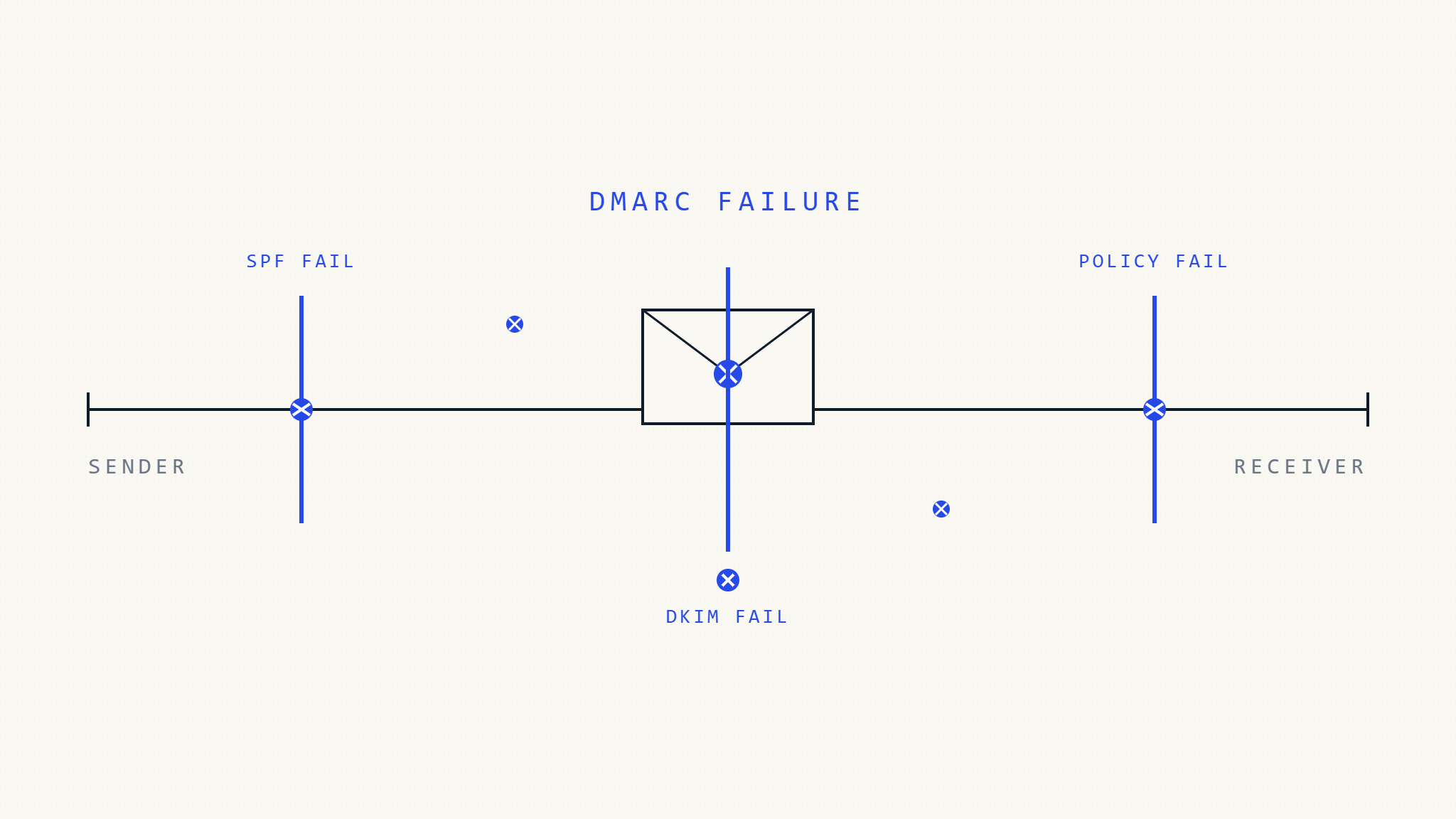
DMARC implementation failures plague organizations worldwide, with studies showing that over 70% of initial DMARC deployments contain critical errors that compromise email authentication effectiveness. These mistakes don’t just impact deliverability they create security vulnerabilities that cybercriminals actively exploit.
Understanding why DMARC implementations fail is crucial for IT teams and security professionals who need reliable email authentication. The difference between a successful DMARC deployment and a failed one often comes down to avoiding common but costly configuration errors.
I. Assessment: The Hidden Costs of DMARC Implementation Failures
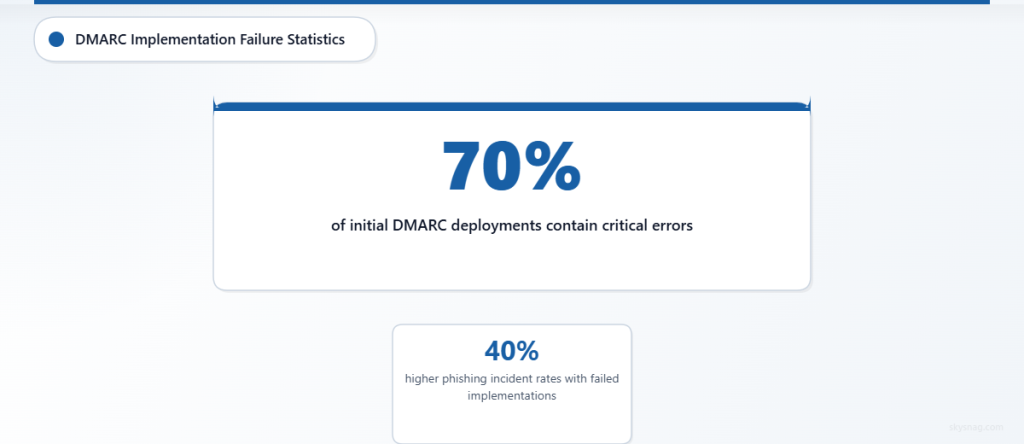
DMARC deployment errors create cascading problems throughout your email ecosystem. Authentication failures mean legitimate emails get rejected or marked as spam, while malicious messages slip through undetected. Organizations with failed DMARC implementations report 40% higher phishing incident rates and significant email deliverability issues.
The most dangerous aspect of DMARC failures? They often go unnoticed for months. IT teams assume their email authentication is working while security gaps remain wide open, giving attackers free rein to impersonate their domains.
II. Actions: 10 Critical DMARC Implementation Mistakes and How to Fix Them
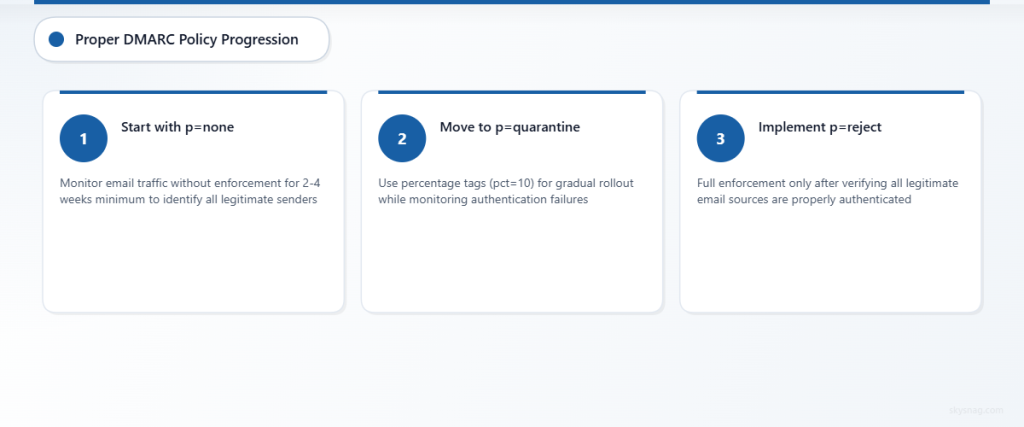
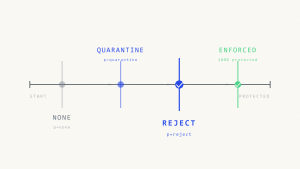
1. Starting with Policy “p=reject” Instead of “p=none”
The Mistake: Jumping straight to a restrictive DMARC policy without understanding your email ecosystem.
Why It Fails: Legitimate emails from unaligned sources get rejected, causing business disruption before you identify all authorized senders.
Solution:
- Always start with
p=noneto monitor without enforcement - Collect data for 2-4 weeks minimum before policy changes
- Gradually move to
p=quarantine, thenp=reject - Use percentage tags (pct=10) for gradual rollouts
2. Incomplete SPF Record Coverage
The Mistake: Missing email sources in SPF records, causing DMARC alignment failures.
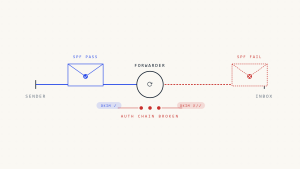
Why It Fails: When SPF authentication fails, DMARC can only rely on DKIM alignment, reducing overall authentication effectiveness.
Solution:
- Audit all email sources: marketing platforms, CRM systems, third-party services
- Include IP addresses and domains for every authorized sender
- Use SPF record checking tools to validate syntax and coverage
- Document email sources to prevent future gaps
3. Missing or Broken DKIM Signatures
The Mistake: Implementing DMARC without properly configured DKIM signing for all email sources.
Why It Fails: Without DKIM alignment, emails must rely solely on SPF for DMARC authentication, creating single points of failure.
Solution:
- Enable DKIM signing on all email platforms and services
- Verify DKIM keys are published correctly in DNS
- Test DKIM signatures using email authentication tools
- Set up DKIM for third-party email services and vendors
4. Domain Alignment Configuration Errors
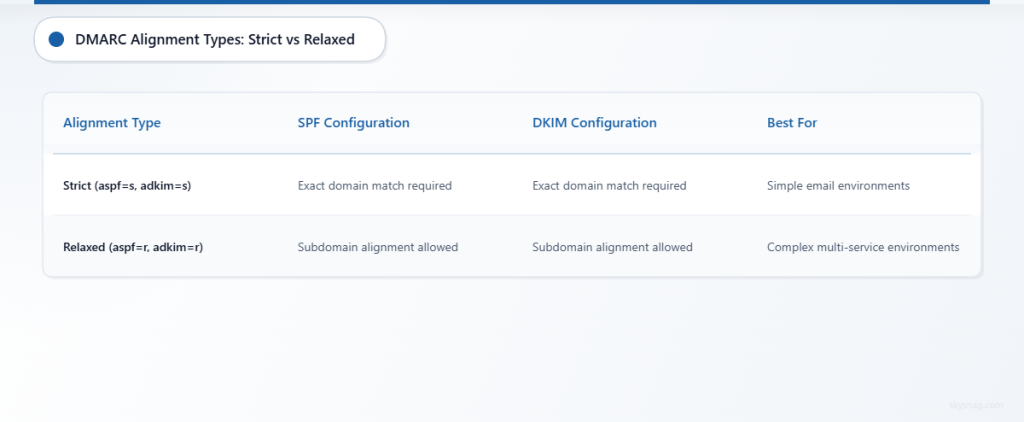
The Mistake: Misunderstanding strict vs. relaxed alignment requirements for SPF and DKIM.
Why It Fails: Emails fail DMARC authentication even when properly signed and authorized due to alignment mismatches.
Solution:
- Use relaxed alignment (
aspf=r,adkim=r) initially for complex email environments - Understand when subdomain alignment works vs. when exact domain matching is required
- Test alignment with different email sources before enforcing policies
- Document alignment requirements for each email service
5. Inadequate DMARC Record Monitoring and Analysis
The Mistake: Setting up DMARC records without implementing proper monitoring and report analysis.
Why It Fails: Authentication issues go undetected, and policy adjustments can’t be made based on actual email traffic data.
Solution:
- Implement comprehensive DMARC reporting and analysis
- Set up automated alerts for authentication failures
- Regular review of DMARC aggregate and forensic reports
- Use tools like Skysnag Protect for centralized DMARC monitoring
6. Subdomain Policy Gaps
The Mistake: Not addressing subdomain DMARC policies, leaving attack vectors open.
Why It Fails: Cybercriminals exploit unprotected subdomains to bypass main domain DMARC protections.
Solution:
- Implement subdomain policies using
sp=quarantineorsp=reject - Audit all subdomains for potential email usage
- Set up separate DMARC records for active subdomains
- Use wildcard policies carefully to avoid blocking legitimate traffic
7. Third-Party Email Service Misconfigurations
The Mistake: Failing to properly configure DMARC authentication for external email services like marketing platforms or customer support tools.
Why It Fails: Third-party services can’t authenticate properly, causing delivery failures or security gaps.
Solution:
- Work with vendors to implement proper DKIM signing and SPF inclusion
- Verify authentication setup with each third-party email service
- Use dedicated subdomains for third-party services when necessary
- Test end-to-end authentication flow for all external services
8. DNS Propagation and Caching Issues
The Mistake: Not accounting for DNS propagation delays and caching when implementing or updating DMARC records.
Why It Fails: Inconsistent DNS responses cause intermittent authentication failures and monitoring gaps.
Solution:
- Plan for 24-48 hour DNS propagation periods
- Use lower TTL values during initial implementation and testing
- Verify DMARC record propagation across multiple DNS servers
- Coordinate changes with email sending schedules to minimize impact
9. Insufficient Forensic Reporting Configuration
The Mistake: Not enabling DMARC forensic reports or setting them up incorrectly.
Why It Fails: Detailed failure analysis isn’t available, making troubleshooting and threat detection much more difficult.
Solution:
- Enable forensic reporting with
ruftags for detailed failure data - Set up secure collection points for forensic reports
- Balance forensic reporting frequency with data management capabilities
- Use forensic data to identify specific authentication problems
10. Lack of Ongoing Maintenance and Updates
The Mistake: Treating DMARC as a “set and forget” security control without regular maintenance.
Why It Fails: Email environments change constantly, and static DMARC configurations become outdated and ineffective.
Solution:
- Schedule regular DMARC policy and configuration reviews
- Monitor for new email sources and authentication failures
- Update SPF and DKIM records when email infrastructure changes
- Maintain documentation of email authentication requirements
III. Automate: Preventing DMARC Implementation Failures
Manual DMARC management becomes overwhelming as email environments grow complex. Automated DMARC monitoring and management platforms eliminate human error and provide real-time visibility into authentication performance.
Skysnag Protect automates DMARC implementation validation, continuously monitors authentication performance, and provides actionable insights for policy optimization. Automated systems catch configuration errors immediately, prevent authentication failures, and maintain consistent protection as your email infrastructure evolves.
IV. Key Takeaways
DMARC implementation failures stem from preventable configuration errors and inadequate ongoing management. The most critical mistakes involve rushing to restrictive policies, incomplete email source coverage, and insufficient monitoring.
Success requires systematic implementation starting with monitoring policies, comprehensive email source auditing, and ongoing maintenance. Organizations that treat DMARC as a dynamic security control rather than a static configuration achieve significantly better authentication rates and security outcomes.
Proper DMARC troubleshooting and deployment error prevention protects both email deliverability and domain security, making the investment in correct implementation essential for modern organizations.