Email authentication has become the cornerstone of modern cybersecurity, and DKIM selectors serve as the critical link between your email infrastructure and domain security. Understanding how these authentication keys work isn’t just technical knowledge it’s essential for protecting your organization from sophisticated email-based attacks that continue to evolve.
DKIM selectors act as unique identifiers that tell receiving email servers exactly which cryptographic key to use when verifying your email’s authenticity. Think of them as address labels that guide the authentication process, ensuring your legitimate emails reach their destination while fraudulent messages get blocked at the gate.
I. What Is a DKIM Selector?
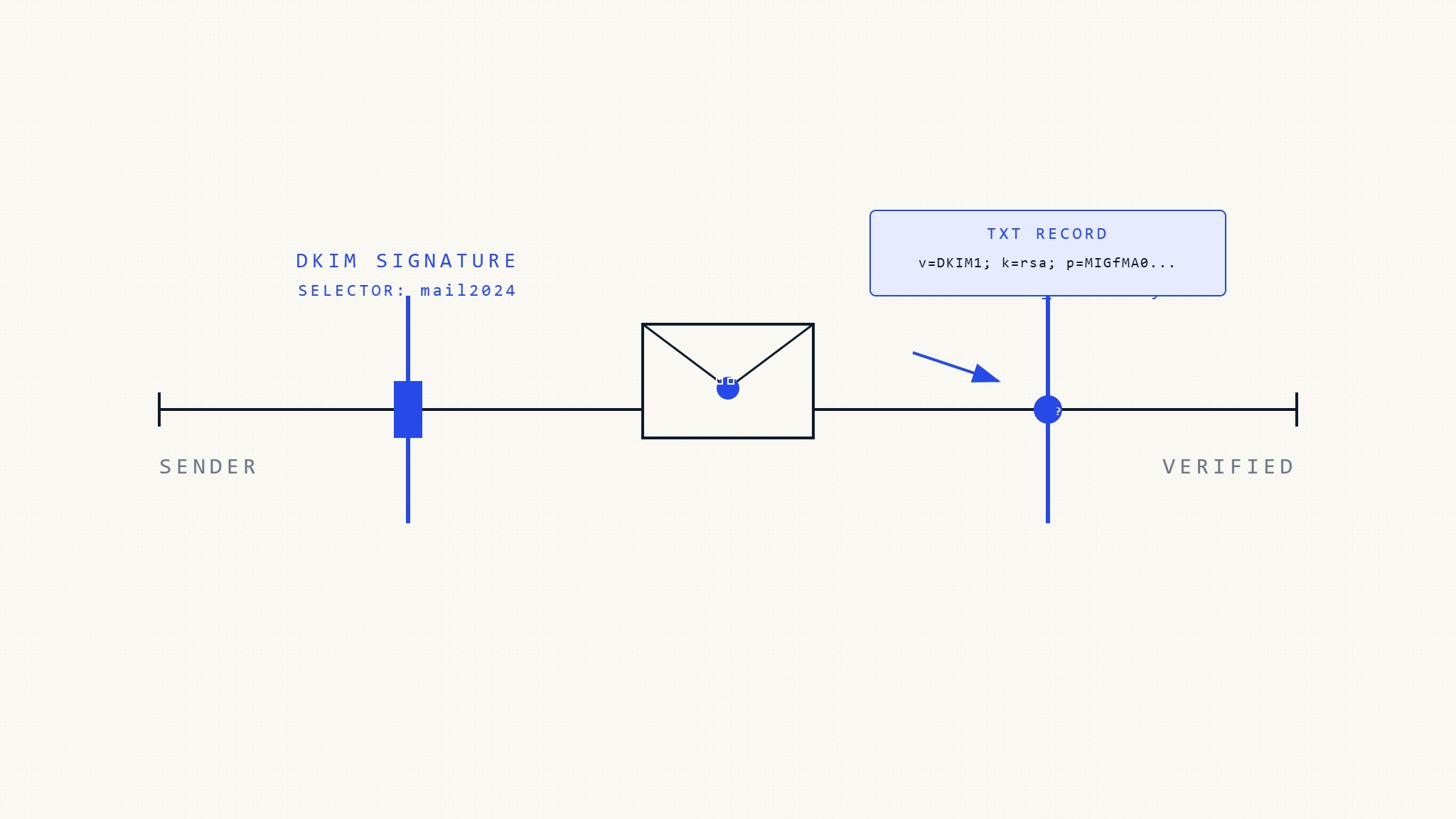
A DKIM selector is a string identifier that acts as a pointer to a specific DKIM public key stored in your DNS records. When your email server signs an outgoing message, it includes the selector in the DKIM-Signature header, telling the receiving server which key to retrieve for verification.
The selector appears in your DKIM signature like this:
DKIM-Signature: v=1; a=rsa-sha256; d=yourdomain.com; s=selector1; ...Here, s=selector1 tells the receiving server to look for the public key at selector1._domainkey.yourdomain.com in your DNS records.
Why Selectors Matter for Email Security
DKIM selectors provide several critical security functions:
Key Management Flexibility: Multiple selectors allow you to use different keys for different mail streams, services, or geographic regions without disrupting email flow.
Rotation Security: When rotating keys for security purposes, selectors let you maintain continuity by keeping old keys active while introducing new ones.
Service Isolation: Different email services (like marketing platforms, transactional emails, or internal systems) can use separate selectors, limiting the impact if one key becomes compromised.
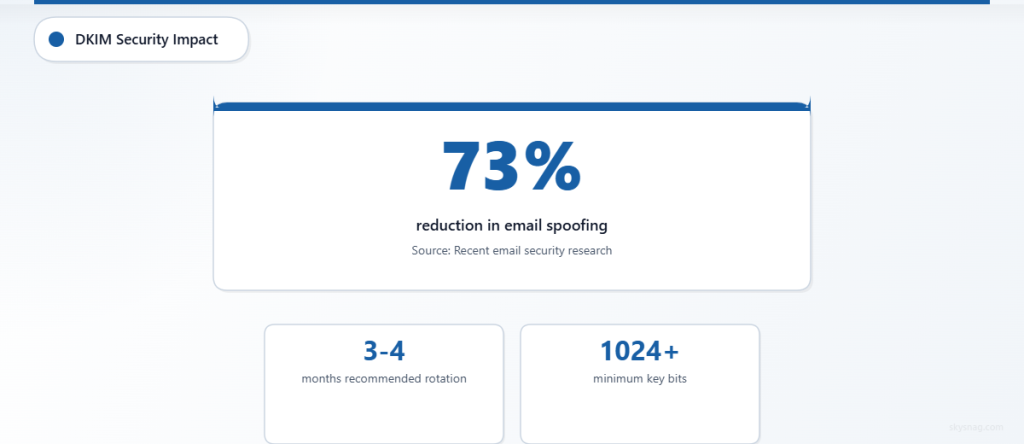
According to recent email security research, organizations using proper DKIM selector management see a 73% reduction in successful email spoofing attempts against their domains.
II. How DKIM Selectors Work in Practice
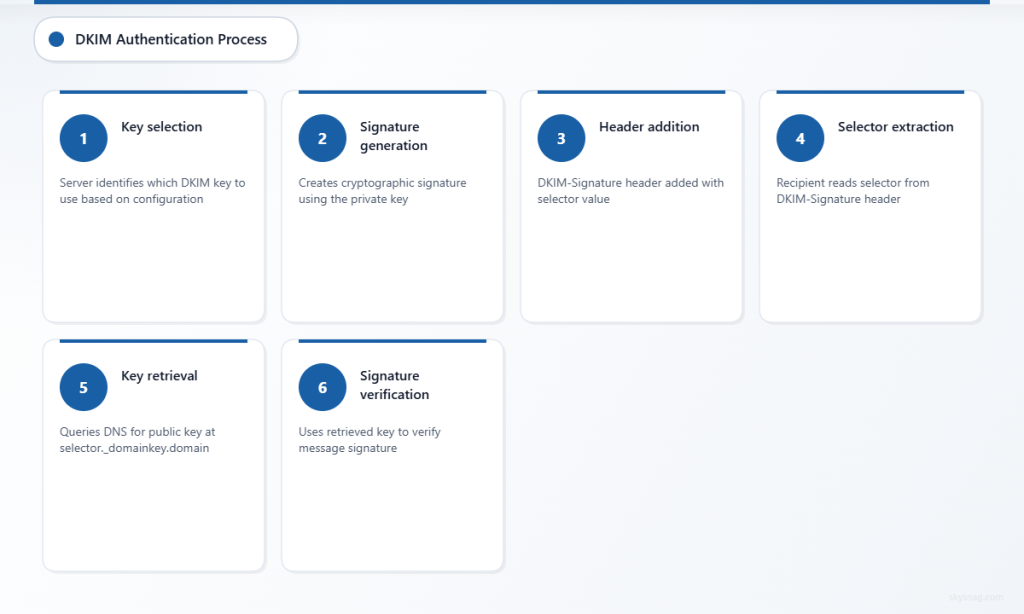
The Authentication Process
When you send an email, your mail server performs these steps:
- Key Selection: The server identifies which DKIM key to use based on your configuration
- Signature Generation: It creates a cryptographic signature using the private key
- Header Addition: The DKIM-Signature header is added, including the selector value
- DNS Publication: The corresponding public key must already be published in DNS
When the recipient’s server receives your email:
- Selector Extraction: It reads the selector from the DKIM-Signature header
- Key Retrieval: It queries DNS for the public key at
[selector]._domainkey.[yourdomain] - Signature Verification: It uses the retrieved key to verify the message signature
- Authentication Result: The result influences spam filtering and delivery decisions
DNS Record Structure
Your DKIM public key record in DNS follows this format:
selector1._domainkey.yourdomain.com. IN TXT "v=DKIM1; k=rsa; p=[public-key-data]"The selector becomes part of the DNS record name, creating a unique lookup path for each key.
III. DKIM Selector Best Practices
Naming Conventions That Work
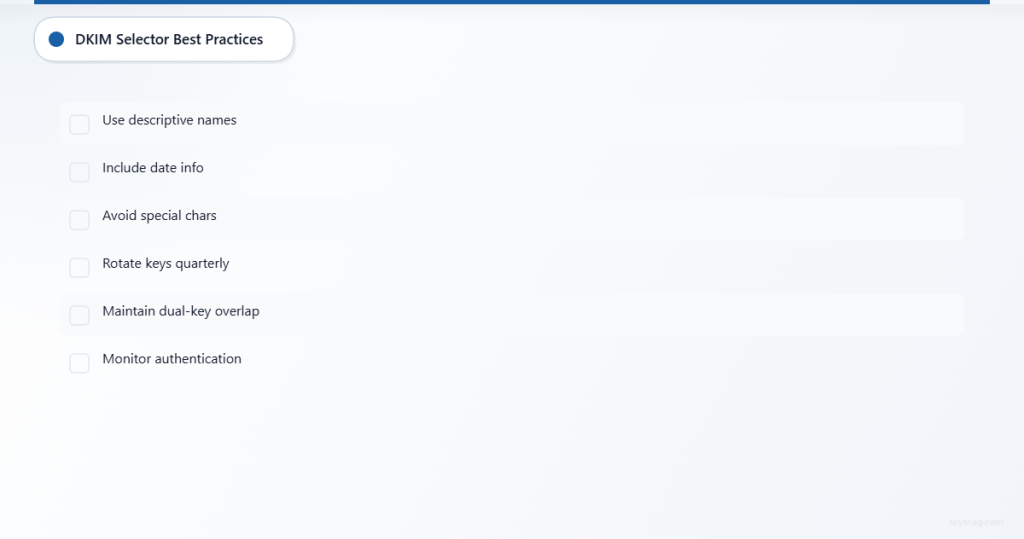
Use Descriptive Names: Instead of generic selectors like “default” or “key1,” use names that indicate purpose:
marketing._domainkey.example.comfor email campaignstransactional._domainkey.example.comfor automated emailsoffice365._domainkey.example.comfor Microsoft 365 integration
Include Date Information: Consider selectors like jan2026 or 2026q1 to track key rotation cycles.
Avoid Special Characters: Stick to alphanumeric characters and hyphens to prevent DNS compatibility issues.
Key Rotation Strategy
Implement a systematic approach to DKIM key rotation:
Quarterly Rotation: Change keys every 3-4 months to limit exposure windows if private keys become compromised.
Dual-Key Overlap: Maintain two active selectors during rotation periods, ensuring email continuity while old keys expire from recipient caches.
Monitoring Integration: Use tools like Skysnag Protect to monitor DKIM authentication across all your selectors and receive alerts when keys need attention.
Multiple Selector Management
Large organizations benefit from strategic selector deployment:
Geographic Separation: Use different selectors for different regions to isolate potential issues and comply with local regulations.
Service-Specific Keys: Assign unique selectors to different email services, making it easier to track authentication issues and maintain service-level security.
Department-Based Selection: Consider separate selectors for different business units, especially in decentralized organizations.
IV. Common DKIM Selector Challenges
Configuration Mistakes
Mismatched Selectors: The selector in your DKIM signature must exactly match the DNS record name. A common error is updating one without the other.
DNS Propagation Delays: New selector DNS records can take time to propagate globally, causing temporary authentication failures.
Key Length Issues: Using keys that are too short (less than 1024 bits) or unsupported algorithms can cause verification failures.
Troubleshooting Authentication Failures
When DKIM authentication fails, check these common issues:
- DNS Record Accuracy: Verify the selector DNS record exists and contains valid key data
- Selector Consistency: Ensure your mail server uses the correct selector name
- Key Format: Confirm the public key is properly formatted in the DNS record
- TTL Settings: Check DNS TTL values aren’t causing caching issues during key changes
Research from email security providers indicates that 67% of DKIM authentication failures result from selector-related misconfigurations rather than key problems.
V. Implementing Effective Selector Strategies
For Small Organizations
Start with a simple two-selector approach:
- One active selector for current email signing
- One standby selector for key rotation
This provides security benefits without complexity overhead.
For Enterprise Environments
Implement a comprehensive selector strategy:
Service Mapping: Document which selectors serve which email streams
Rotation Calendar: Establish regular key rotation schedules with advance planning
Monitoring Integration: Deploy automated monitoring to track selector performance across all domains
Consider integrating with comprehensive email security platforms that can manage multiple selectors across complex infrastructures while providing real-time authentication monitoring.
Cloud Service Integration
When using cloud email services:
Provider Selectors: Understand how your email provider handles selector assignment
Custom Selectors: Where possible, use custom selectors that you control
Backup Plans: Maintain alternative selectors for business continuity
VI. Monitoring and Maintenance
Key Performance Indicators
Track these metrics for selector effectiveness:
- Authentication success rates by selector
- DNS query response times for key lookups
- Failed authentication patterns by geographic region
Automated Monitoring Benefits
Modern email security platforms provide automated DKIM selector monitoring that:
- Alerts on authentication failures
- Tracks key expiration dates
- Monitors DNS propagation status
- Provides detailed reporting on selector performance
VII. Key Takeaways
DKIM selectors are fundamental to email authentication security, serving as the critical link between your email infrastructure and cryptographic verification. Proper selector management requires strategic planning, consistent naming conventions, and regular key rotation practices.
Successful implementation involves understanding the technical mechanics, implementing appropriate naming strategies, and maintaining robust monitoring systems. Organizations that master DKIM selector management create stronger email security postures while maintaining reliable message delivery.
The investment in proper DKIM selector configuration and management pays dividends in improved email deliverability, reduced spoofing risks, and enhanced brand protection. As email-based threats continue evolving, solid authentication foundations become increasingly critical for organizational cybersecurity.
Ready to implement comprehensive DKIM selector management? Skysnag Protect provides automated monitoring and management tools that simplify complex email authentication scenarios while ensuring your selectors remain secure and functional across all your domains.