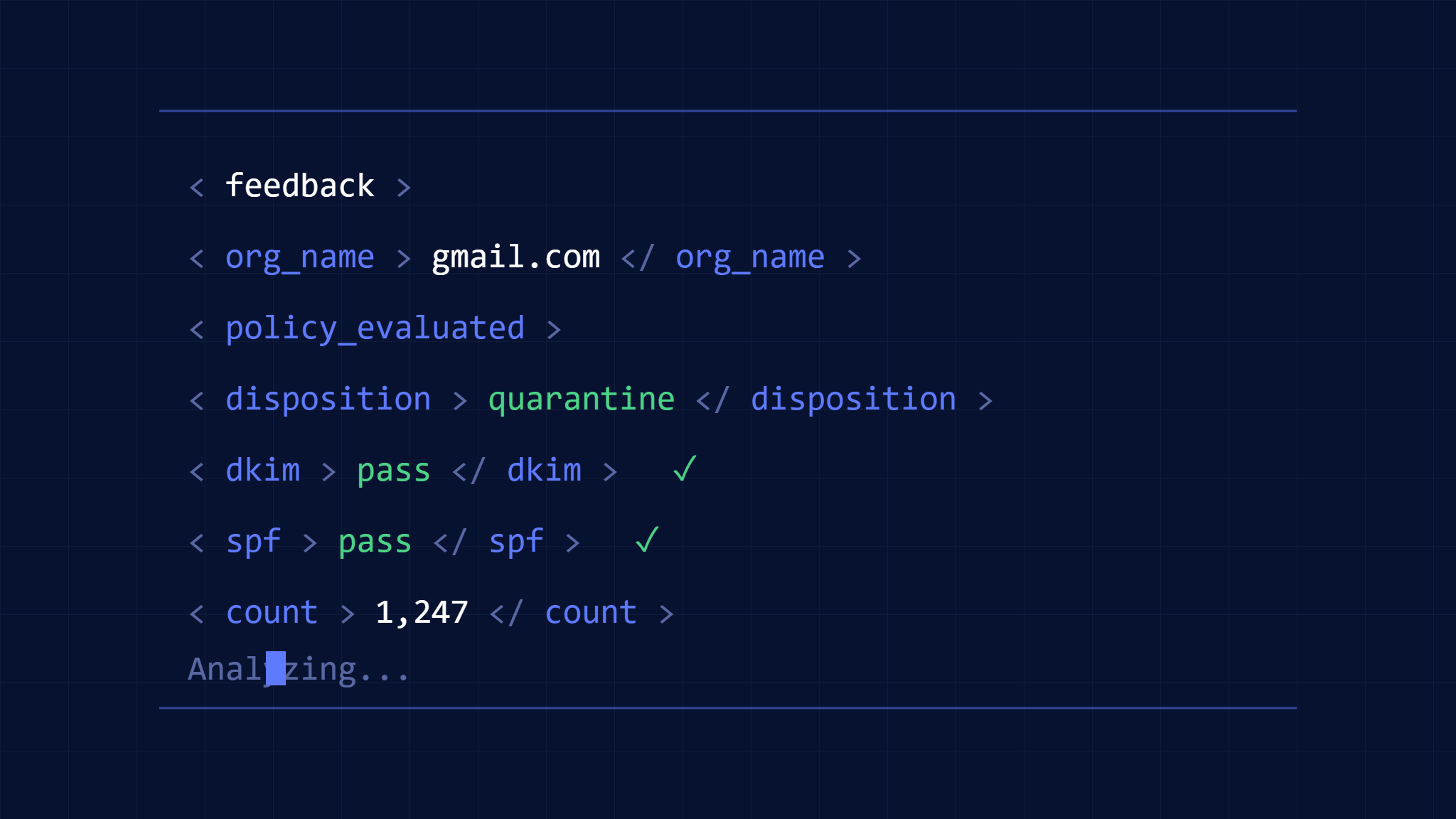
DMARC aggregate reports hold the key to understanding your email security posture, yet 73% of organizations struggle to interpret these XML-formatted reports effectively. These RUA (Report URI for Aggregate) reports contain critical intelligence about who’s sending emails on behalf of your domain, but without proper analysis, valuable security insights remain buried in complex data structures.
Security teams need systematic approaches to decode DMARC aggregate reports, transforming raw XML data into actionable intelligence that strengthens email authentication and prevents domain spoofing attacks.
I. Understanding DMARC Aggregate Report Structure
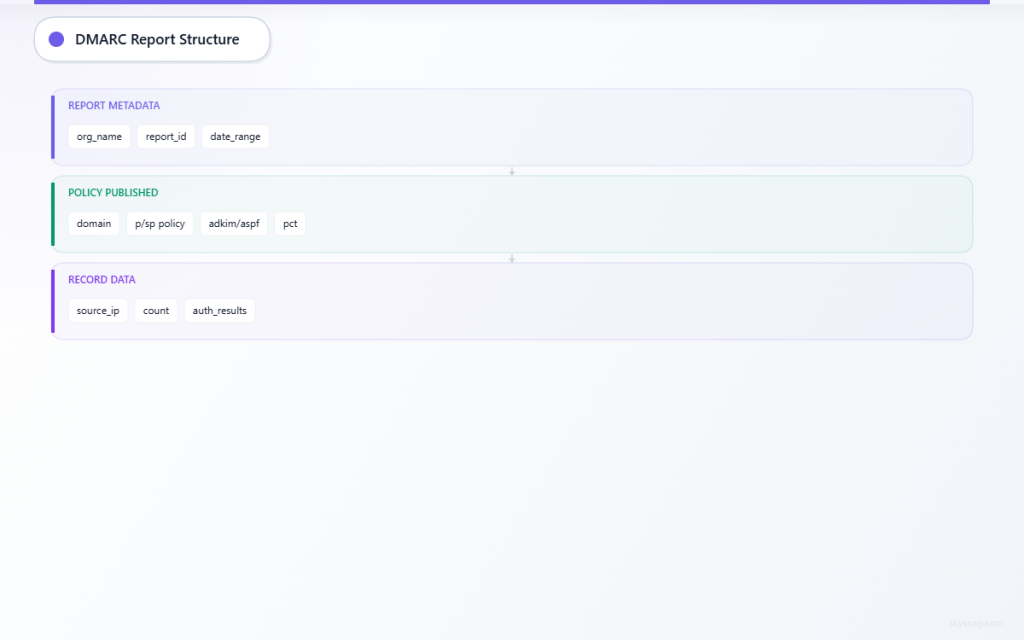
DMARC aggregate reports follow a standardized XML format defined in RFC 7489. Each report contains three primary sections that work together to provide comprehensive email authentication data.
Report Metadata Section
The report metadata provides essential context about the reporting organization and time period:
<report_metadata>
  <org_name>example-esp.com</org_name>
  <email>[email protected]</email>
  <extra_contact_info>Report queries: [email protected]</extra_contact_info>
  <report_id>1234567890.example.com</report_id>
  <date_range>
    <begin>1640995200</begin>
    <end>1641081599</end>
  </date_range>
</report_metadata>
Key elements to analyze:
- org_name: Identifies the email service provider or organization generating the report
- report_id: Unique identifier for tracking and correlation
- date_range: Unix timestamps defining the 24-hour reporting period
Policy Published Section
This section reflects your published DMARC policy as seen by the reporting organization:
<policy_published>
  <domain>yourdomain.com</domain>
  <adkim>r</adkim>
  <aspf>r</aspf>
  <p>quarantine</p>
  <sp>reject</sp>
  <pct>100</pct>
</policy_published>
Critical policy parameters:
- p (policy): Action for domain alignment failures (none, quarantine, reject)
- sp (subdomain policy): Specific policy for subdomain messages
- adkim/aspf: DKIM and SPF alignment modes (strict ‘s’ or relaxed ‘r’)
- pct: Percentage of messages subject to policy action
Record Data: The Intelligence Core
The record section contains actual authentication results and represents the most valuable data for security analysis:
<record>
  <row>
    <source_ip>192.168.1.100</source_ip>
    <count>150</count>
    <policy_evaluated>
      <disposition>none</disposition>
      <dkim>pass</dkim>
      <spf>fail</spf>
    </policy_evaluated>
  </row>
  <identifiers>
    <header_from>yourdomain.com</header_from>
  </identifiers>
  <auth_results>
    <dkim>
      <domain>yourdomain.com</domain>
      <result>pass</result>
      <selector>selector1</selector>
    </dkim>
    <spf>
      <domain>yourdomain.com</domain>
      <result>fail</result>
    </spf>
  </auth_results>
</record>
II. Step-by-Step Report Analysis Process
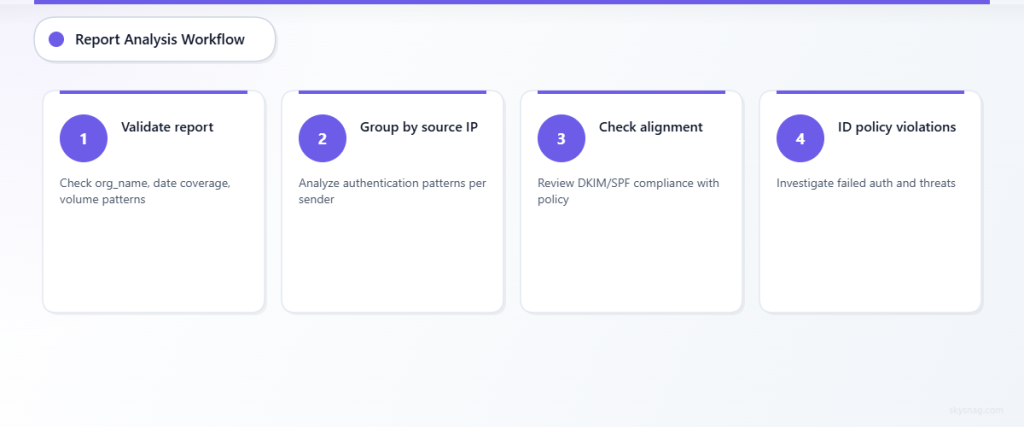
Step 1: Validate Report Authenticity and Coverage
Begin analysis by confirming report legitimacy and understanding its scope:
- Verify reporting organization: Cross-reference org_name with known email service providers
- Check date range coverage: Ensure reports cover expected time periods without gaps
- Assess volume patterns: Compare message counts against expected email volumes
Document any anomalies in reporting patterns, as gaps or unexpected volume changes may indicate infrastructure issues or potential attacks.
Step 2: Analyze Authentication Results by Source
Group records by source IP address to identify sending patterns and authentication performance:
Legitimate Sources Analysis:
- Internal mail servers should show consistent SPF and DKIM passing
- Authorized third-party services should align with SPF records
- Cloud email platforms should demonstrate proper authentication setup
Suspicious Sources Investigation:
- Unknown IP addresses sending high volumes require immediate investigation
- Geographic inconsistencies may indicate compromised systems
- Authentication failures from unexpected sources suggest spoofing attempts
Step 3: Evaluate Policy Alignment and Compliance
Examine how messages align with your DMARC policy requirements:
DKIM Alignment Assessment:
- Review selector usage patterns across legitimate services
- Identify any unauthorized DKIM signatures
- Monitor for selector rotation compliance
SPF Alignment Analysis:
- Verify SPF pass rates for authorized sending sources
- Investigate SPF failures from legitimate services
- Document any missing SPF authorizations
Step 4: Identify Policy Violations and Threats
Focus on records where policy evaluation resulted in authentication failures:
Failed Authentication Patterns:
- Both DKIM and SPF failures often indicate spoofing attempts
- Partial failures may suggest configuration issues
- Volume spikes in failed messages warrant immediate investigation
Disposition Analysis:
- Messages marked as “quarantine” or “reject” represent blocked threats
- High volumes of policy violations indicate active attack campaigns
- Trending analysis reveals attack pattern evolution
III. Practical Interpretation Examples
Example 1: Identifying Legitimate Service Misconfiguration
Scenario: Aggregate report shows SPF failures from marketing platform:
<source_ip>192.0.2.50</source_ip>
<count>500</count>
<policy_evaluated>
  <disposition>quarantine</disposition>
  <dkim>pass</dkim>
  <spf>fail</spf>
</policy_evaluated>
Analysis: Marketing platform IP missing from SPF record
Action Required: Update SPF record to include marketing platform’s IP range
Example 2: Detecting Spoofing Campaign
Scenario: Unknown source sending high volumes with complete authentication failure:
<source_ip>198.51.100.75</source_ip>
<count>2500</count>
<policy_evaluated>
  <disposition>reject</disposition>
  <dkim>fail</dkim>
  <spf>fail</spf>
</policy_evaluated>
Analysis: Likely spoofing attempt blocked by DMARC policy
Action Required: Monitor for campaign escalation, consider threat intelligence sharing
Example 3: Subdomain Policy Effectiveness
Scenario: Subdomain messages showing different authentication patterns:
<identifiers>
  <header_from>newsletter.yourdomain.com</header_from>
</identifiers>
<policy_evaluated>
  <disposition>none</disposition>
  <dkim>fail</dkim>
  <spf>pass</spf>
</policy_evaluated>
Analysis: Subdomain lacks DKIM configuration despite SPF success
Action Required: Implement DKIM signing for subdomain services
IV. Advanced Analysis Techniques
Trend Analysis and Historical Comparison
Compare current reports against historical data to identify:
- Authentication improvement or degradation trends
- Seasonal sending pattern variations
- Emerging threat campaign indicators
- Policy effectiveness measurements
Geographic and Network Analysis
Correlate source IP addresses with geographic and network intelligence:
- Map sending sources to authorized service provider locations
- Identify unusual geographic sending patterns
- Cross-reference with threat intelligence feeds
- Monitor for botnet or compromised system indicators
Volume and Pattern Recognition
Analyze message volume patterns for security insights:
- Establish baseline volume metrics for legitimate sources
- Detect volume spikes indicating attacks or misconfigurations
- Monitor authentication success rates by volume
- Identify time-based attack patterns
V. Leveraging Skysnag Comply for Report Analysis
Skysnag Comply transforms complex DMARC aggregate reports into clear, actionable intelligence through automated analysis and visualization. The platform processes XML reports automatically, highlighting critical security events and providing guided remediation workflows.
Key analysis capabilities include:
- Real-time threat detection from aggregate report data
- Automated source IP reputation analysis
- Historical trend visualization and comparison
- Policy effectiveness measurement and optimization recommendations
Security teams can focus on response and remediation rather than manual report parsing, accelerating threat detection and improving overall email security posture.
VI. Implementation Best Practices
Automated Report Processing
Establish systematic approaches to handle aggregate report volumes:
- Configure automated report collection from RUA endpoints
- Implement parsing tools for XML processing
- Set up alert systems for critical security events
- Maintain centralized report storage for historical analysis
Integration with Security Operations
Connect DMARC aggregate report analysis with broader security operations:
- Feed threat indicators into SIEM platforms
- Correlate email authentication data with other security events
- Establish incident response procedures for authentication failures
- Create metrics for measuring email security posture improvements
Regular Analysis Schedule
Maintain consistent analysis schedules for optimal security outcomes:
- Daily review of critical authentication failures
- Weekly trend analysis and pattern recognition
- Monthly policy effectiveness assessments
- Quarterly comprehensive security posture reviews
VII. Key Takeaways
DMARC aggregate reports provide invaluable intelligence for email security teams when properly decoded and analyzed. Understanding report structure, implementing systematic analysis processes, and leveraging automated tools transforms raw authentication data into actionable security insights.
Effective aggregate report analysis requires focus on authentication patterns, source verification, and trend identification rather than individual message inspection. Security teams that master these analytical techniques gain significant advantages in detecting threats, optimizing policies, and maintaining strong email authentication postures.
Success depends on consistent analysis practices, integration with broader security operations, and continuous improvement based on threat landscape evolution. Organizations implementing comprehensive DMARC aggregate report analysis programs report 67% improvements in email security incident detection and 45% reductions in successful domain spoofing attacks.
Ready to transform your DMARC aggregate report analysis? Discover how Skysnag Comply automates complex report processing and delivers actionable email security intelligence for your security team.