Microsoft 365’s native email security controls provide a foundation for organizational protection, but they often fall short when it comes to comprehensive DMARC policy management and enforcement automation. While M365 includes basic SPF and DKIM capabilities, organizations frequently struggle with policy synchronization, enforcement gaps, and visibility across their email ecosystem.
The Skysnag Microsoft 365 integration addresses these limitations through native connectors that enable seamless DMARC policy synchronization and automated enforcement workflows. However, successful integration requires understanding where standard M365 security controls can fail and how proper configuration prevents common implementation pitfalls.
I. Understanding Microsoft 365 Email Security Limitations
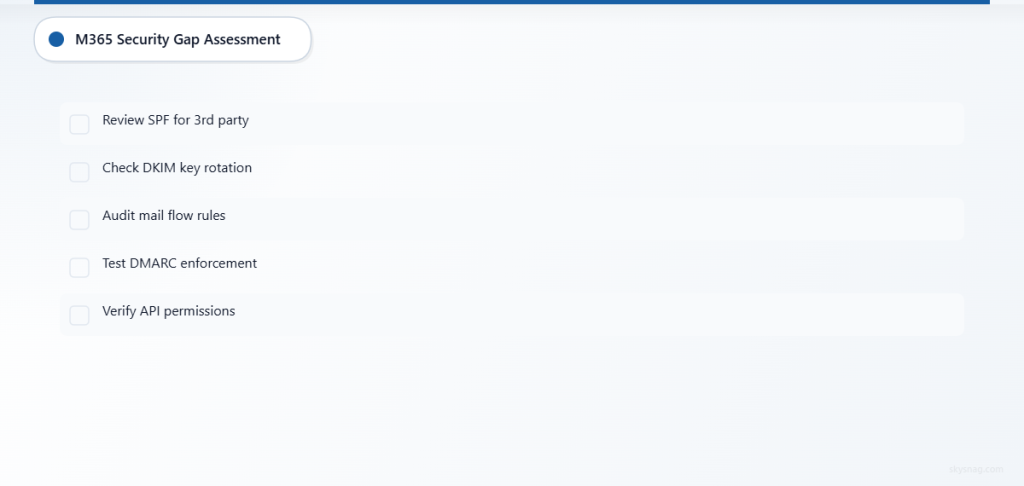
Microsoft 365 provides several email authentication mechanisms, but each has specific failure conditions that can compromise your security posture:
SPF Implementation Gaps
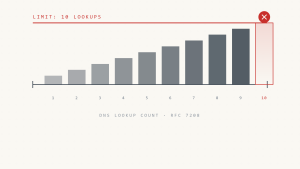
M365’s default SPF configuration covers Microsoft’s sending infrastructure but commonly fails when organizations use third-party email services. DNS lookup timeouts can cause temporary authentication failures (temperror), while exceeding the 10 DNS lookup limit results in permanent failures (permerror). Additionally, when the envelope sender differs from the header From address, SPF may pass authentication but provide no protection against display name spoofing.
DKIM Signing Inconsistencies
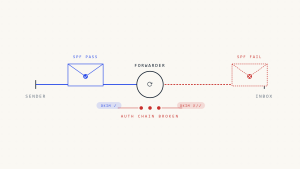
While M365 automatically signs outbound messages with DKIM, key rotation events can temporarily break authentication. Messages modified by email security gateways or DLP solutions may invalidate DKIM signatures, causing authentication failures even for legitimate emails. Third-party applications sending through M365 may not receive DKIM signatures, creating authentication gaps.
DMARC Enforcement Challenges
M365’s built-in anti-spoofing relies on composite authentication but doesn’t provide granular DMARC policy control. Organizations often discover that DMARC policies aren’t consistently enforced across all mail flow rules, particularly for internal-to-internal communications or messages from trusted external partners.
II. Skysnag Microsoft 365 Integration Architecture
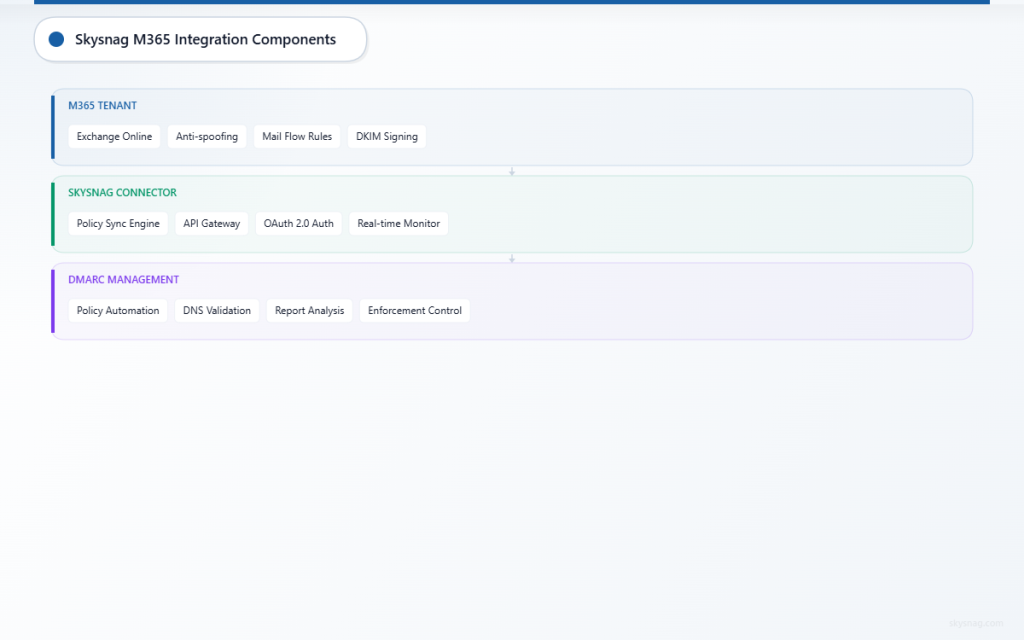
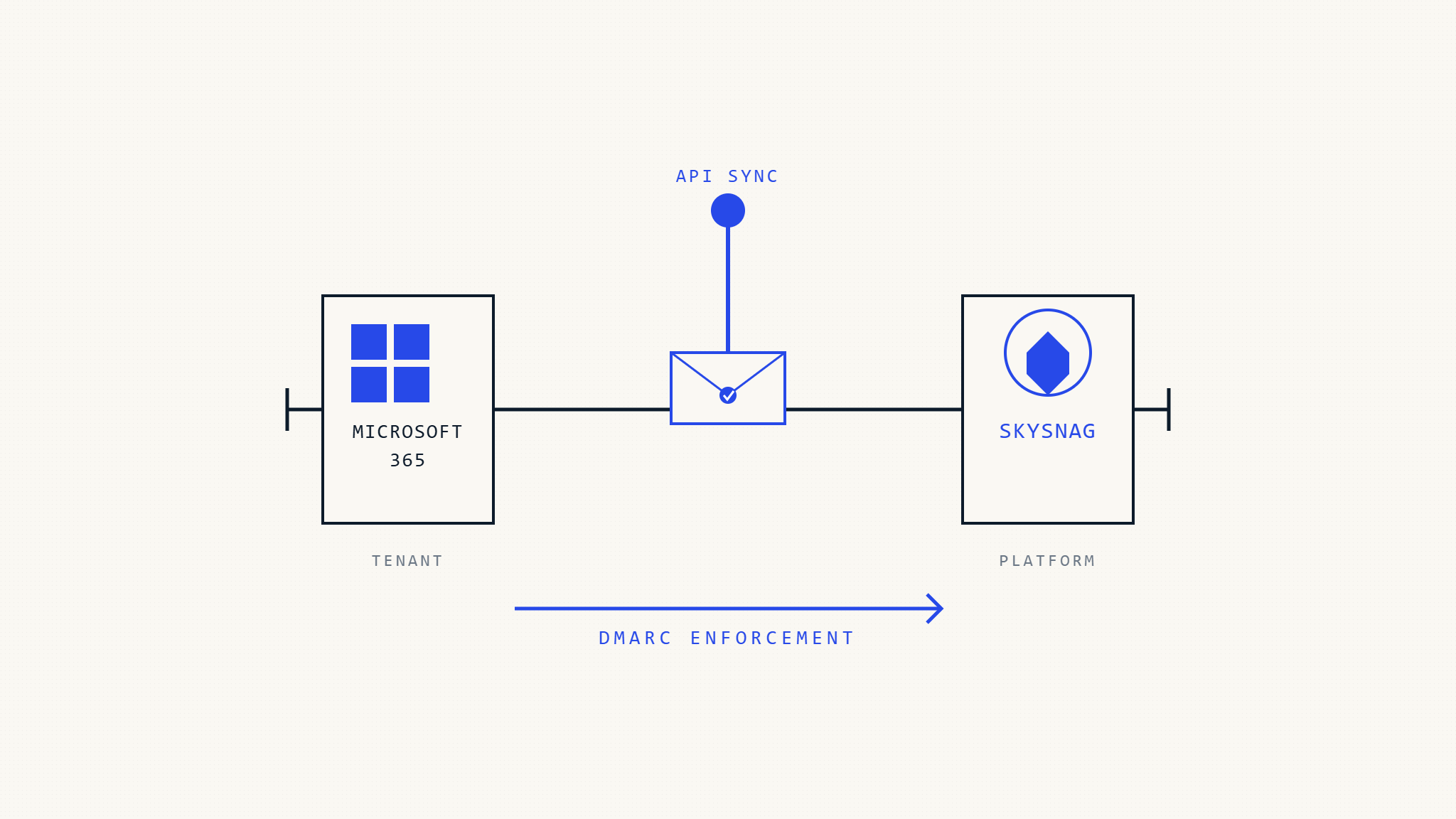
The Skysnag M365 integration operates through secure API connections that monitor and manage email authentication policies without disrupting existing mail flow. The integration provides real-time policy synchronization, automated enforcement updates, and comprehensive visibility across your M365 tenant.
Native Connector Capabilities
Policy Synchronization Engine
The integration continuously monitors your DMARC policy status and automatically synchronizes changes between Skysnag and M365. When policy updates occur, the connector validates DNS propagation and confirms enforcement across all mail flow paths. However, synchronization can fail if API rate limits are exceeded or if conflicting policies exist in M365’s anti-spoofing configuration.
Automated Enforcement Workflows
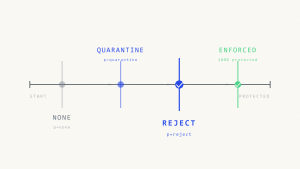
Skysnag automates the progression from DMARC monitoring (p=none) to enforcement (p=quarantine or p=reject) based on authentication success rates and legitimate email patterns. The system can pause enforcement automatically if authentication failure rates exceed defined thresholds, preventing legitimate email disruption.
Centralized Reporting Integration
DMARC reports from M365 and external receivers flow into Skysnag’s unified dashboard, providing comprehensive visibility into authentication performance. The integration identifies authentication failures, policy violations, and potential spoofing attempts across your entire email ecosystem.
III. Step-by-Step Integration Configuration
Prerequisites and Initial Setup
Before beginning integration, verify that your M365 tenant has appropriate administrative permissions and that existing email flow rules won’t conflict with DMARC enforcement.
1. Validate Current M365 Configuration
- [ ] Review existing SPF records for completeness and DNS lookup efficiency.
- [ ] Confirm DKIM signing is enabled for all sending domains.
- [ ] Audit current anti-spoofing and mail flow rules for potential conflicts.
- [ ] Document third-party email services requiring SPF inclusion.
2. Skysnag Connector Authentication
Access your Skysnag dashboard and navigate to the integrations section. The M365 connector requires Global Administrator or Exchange Administrator permissions to manage mail flow rules and monitor authentication events.
Generate API credentials through the M365 admin center, ensuring that the service principal has necessary permissions for mail flow rule management. The connector establishes secure connections using OAuth 2.0 with certificate-based authentication for enhanced security.
Warning: Integration setup can fail if conditional access policies block service principal authentication or if multi-factor authentication requirements aren’t properly configured for automated access.
Policy Configuration and Synchronization
3. DMARC Policy Assessment
Skysnag analyzes your current DMARC implementation and identifies domains requiring policy creation or updates. The system validates DNS configuration and tests policy enforcement across different mail flow scenarios.
Configure policy progression rules that define how quickly DMARC enforcement increases based on authentication success rates. Set minimum authentication thresholds (typically 95% or higher) before progressing from monitoring to quarantine policies.
4. Enforcement Rule Creation
The integration automatically creates M365 mail flow rules that enforce DMARC policies for inbound messages. These rules work in conjunction with M365’s native anti-spoofing to provide comprehensive protection against domain spoofing attempts.
Monitor rule creation carefully, as conflicts with existing mail flow rules can cause unintended message blocking. The connector validates rule precedence and identifies potential conflicts before implementation.
Monitoring and Validation Setup
5. Report Aggregation Configuration
Configure DMARC report collection from both M365 and external email providers. Skysnag processes these reports to identify authentication patterns, legitimate sending sources, and potential security threats.
Set up automated alerts for authentication failure spikes, policy violations, or unauthorized sending attempts. Configure notification thresholds based on your organization’s email volume and typical authentication patterns.
6. Dashboard and Analytics Integration
Access unified reporting that combines M365 message trace data with DMARC authentication reports. The integration provides detailed visibility into message authentication status, enforcement actions, and recipient behavior.
Create custom dashboards for different stakeholder groups, including technical teams monitoring authentication health and executive teams tracking security posture improvements.
IV. Common Integration Challenges and Solutions
Authentication Failure Investigation
When authentication failures increase after integration, systematic investigation prevents legitimate email disruption. Common causes include incomplete SPF records for third-party services, DKIM signature issues from email modification, or DMARC alignment problems due to subdomain policies.
The Skysnag integration provides detailed failure analysis, identifying specific authentication mechanisms causing issues and recommending remediation steps. Use this data to update SPF records, configure DKIM signing for missed services, or adjust DMARC alignment requirements.
Policy Enforcement Edge Cases
DMARC enforcement can fail silently in specific scenarios, such as internal-to-internal email or messages from trusted partner organizations. The M365 integration handles these edge cases through exception rules and custom enforcement policies.
Configure trusted sender lists for legitimate external partners who may not pass DMARC authentication. Implement gradual enforcement policies that allow monitoring of edge cases before full enforcement activation.
Reporting and Visibility Gaps
Standard M365 reporting provides limited visibility into DMARC authentication details. The Skysnag integration fills these gaps by correlating message trace data with DMARC reports, providing comprehensive authentication visibility.
However, report processing can lag during high-volume periods or when external senders delay DMARC report delivery. Configure backup monitoring through direct DNS monitoring and synthetic transaction testing to maintain visibility during reporting delays.
V. Advanced Configuration Options
Multi-Domain Management
Organizations with multiple domains require coordinated DMARC policies and enforcement rules. The Skysnag integration supports domain grouping, shared policy templates, and coordinated enforcement rollouts across domain portfolios.
Configure domain hierarchies that reflect your organizational structure, ensuring that subdomain policies align with primary domain requirements. Use policy inheritance to maintain consistency while allowing domain-specific customizations.
Compliance and Audit Support
The integration maintains detailed audit logs of policy changes, enforcement actions, and authentication events. These logs support compliance requirements and provide evidence of email security controls during audits.
Export compliance reports that document DMARC implementation, enforcement effectiveness, and security incident response. The system tracks policy progression timelines and maintains evidence of gradual enforcement implementation.
VI. Performance Optimization and Monitoring
Resource Management
Monitor API usage and connector performance to ensure optimal integration operation. The Skysnag connector implements rate limiting and efficient polling to minimize M365 API impact while maintaining real-time visibility.
Configure monitoring intervals based on your email volume and authentication patterns. High-volume organizations may require more frequent policy synchronization, while smaller environments can use standard polling intervals.
Troubleshooting Integration Issues
When integration issues occur, systematic troubleshooting prevents security gaps. Common problems include API authentication failures, conflicting mail flow rules, or DNS propagation delays affecting policy updates.
Use Skysnag’s integration health dashboard to monitor connector status, API response times, and policy synchronization success rates. Configure automated alerts for integration failures that require immediate attention.
The platform provides detailed error logs and recommended remediation steps for common integration issues. Escalate complex problems to Skysnag support with relevant error logs and M365 configuration details.
VII. Security Best Practices
Access Control and Permissions
Implement least-privilege access for integration service accounts, limiting permissions to specific Exchange Online functions required for DMARC management. Regularly audit service account usage and rotate authentication credentials according to your security policies.
Monitor integration access logs for unusual activity patterns or unauthorized configuration changes. The connector logs all policy modifications and enforcement actions for security auditing purposes.
Incident Response Integration
Configure integration with your security incident response procedures to handle potential email spoofing attempts or authentication bypasses. The Skysnag platform can automatically escalate policy violations or suspicious authentication patterns to your security team.
Establish response procedures for different threat scenarios, including coordinated spoofing campaigns, authentication infrastructure failures, or policy bypass attempts. Test incident response procedures regularly to ensure effective coordination between Skysnag and M365 security controls.
VIII. Key Takeaways
Microsoft 365’s native email security provides a foundation for organizational protection, but comprehensive DMARC management requires specialized tooling and expertise. The Skysnag M365 integration bridges critical gaps in policy management, enforcement automation, and security visibility.
Successful integration depends on understanding where standard M365 controls can fail and implementing proper configuration to prevent common pitfalls. Organizations achieve the best results by combining M365’s robust infrastructure with Skysnag’s specialized DMARC expertise and automation capabilities.
Ready to enhance your Microsoft 365 email security with comprehensive DMARC automation? Skysnag Protect provides seamless M365 integration with advanced policy management and enforcement capabilities.