When Qualified Security Assessors (QSAs) review your PCI-DSS compliance program, they examine how your organization protects cardholder data across all attack vectors. Email-based threats represent a significant risk pathway that auditors increasingly scrutinize during assessments.
Email authentication controls like DMARC, SPF, and DKIM support multiple PCI-DSS security objectives by helping prevent domain spoofing attacks that could compromise cardholder data environments. However, implementing these controls is only half the challenge. The other half is documenting them in a way that satisfies QSA requirements during your annual assessment.
This guide provides a step-by-step approach to preparing email authentication documentation that meets auditor expectations and demonstrates your organization’s commitment to comprehensive security controls.
I. Understanding QSA Expectations for Email Security Documentation
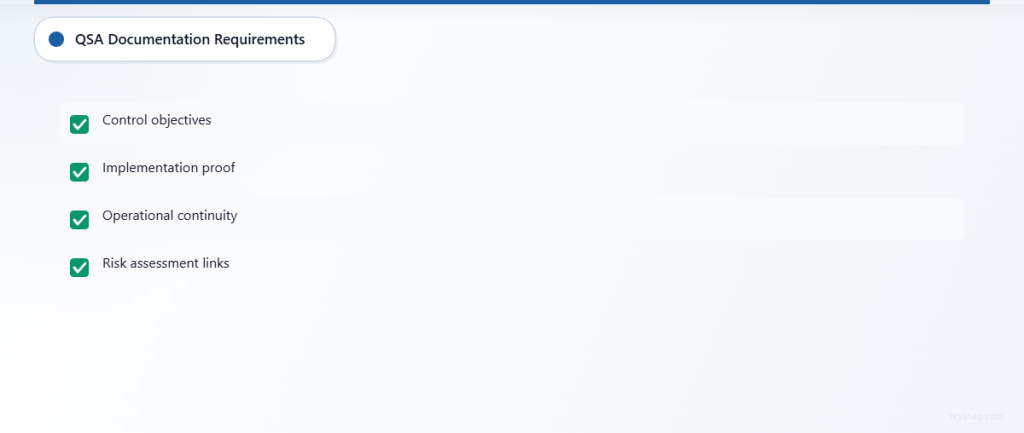
QSAs evaluate security controls through the lens of risk management and evidence-based compliance. When reviewing email authentication measures, auditors typically look for:
Clear Control Objectives: Documentation that explains how email authentication supports broader PCI-DSS security goals, particularly around access control and anti-phishing measures.
Implementation Evidence: Concrete proof that controls are properly configured and actively monitored, not just enabled.
Operational Continuity: Evidence that controls are maintained consistently over time, with proper change management and monitoring procedures.
Risk Assessment Integration: Documentation showing how email security fits into your overall risk management framework and threat modeling.
QSAs appreciate documentation that tells a complete story about your security posture, connecting individual controls to broader organizational risk management strategies.
II. Step 1: Gather Your Email Authentication Configuration Data
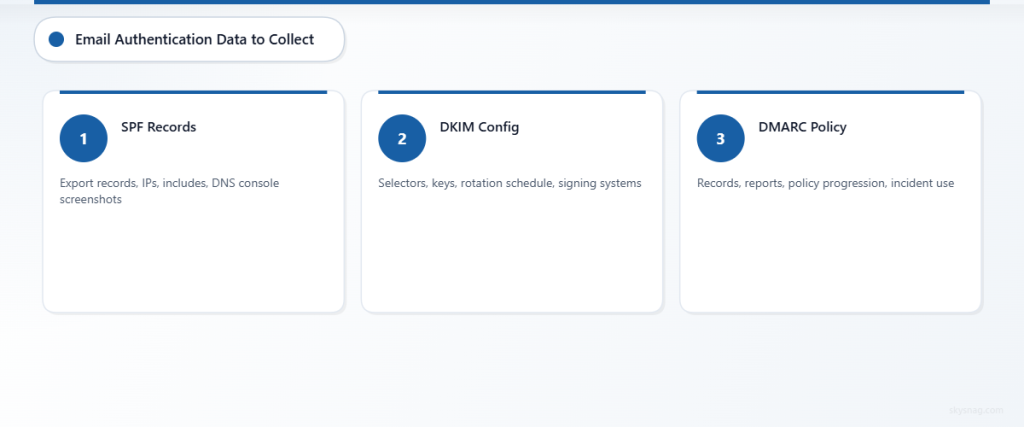
Start by collecting comprehensive technical documentation of your current email authentication implementation. This forms the foundation of your audit documentation package.
Document Your SPF Records
Export and analyze your current SPF records for all domains that send email on behalf of your organization. Include:
- Complete SPF record syntax for each domain
- List of authorized sending sources (IP addresses, include mechanisms, redirect mechanisms)
- Documentation of any recent changes to SPF records with timestamps
- Screenshots or exports from your DNS management console showing active records
Create a master spreadsheet listing every domain, subdomain, and third-party service authorized to send email. Many organizations discover shadow IT email services during this process that weren’t previously documented.
Catalog Your DKIM Implementation
Document your DKIM configuration across all email sending systems:
- DKIM selector names and corresponding public keys
- Key rotation schedule and procedures
- List of all systems configured to sign outgoing email with DKIM
- Documentation of key lengths and cryptographic standards used
Include evidence that DKIM signing is active and functioning correctly across all authorized sending sources. Auditors want to see that cryptographic controls are properly implemented and maintained.
Compile DMARC Policy Documentation
Your DMARC documentation should demonstrate both technical implementation and business process integration:
- Current DMARC record for each domain with policy explanation
- DMARC aggregate report summaries showing authentication results
- Forensic report examples (if enabled) demonstrating investigation processes
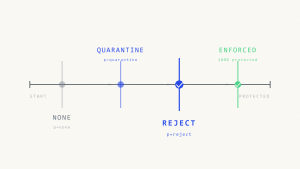
- Documentation of your DMARC policy progression (from monitoring to enforcement)
Include evidence of how DMARC data influences security decisions and incident response procedures within your organization.
III. Step 2: Create Process Documentation and Procedures
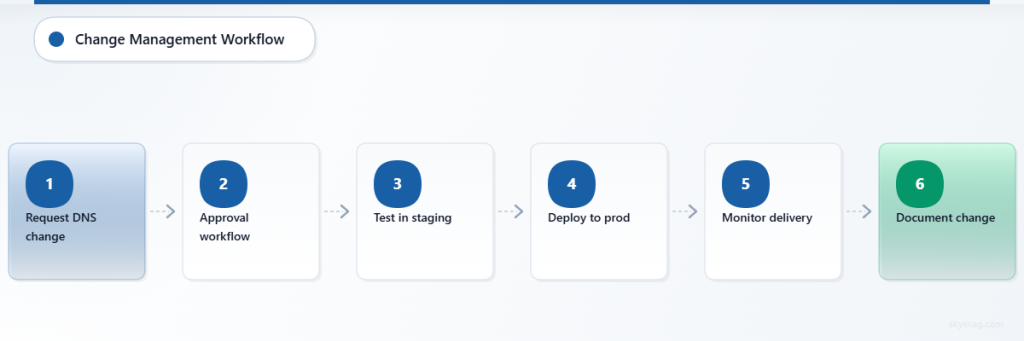
QSAs evaluate not just what controls you have, but how you manage and maintain them over time. Develop comprehensive process documentation covering:
Change Management Procedures
Document your formal process for modifying email authentication records:
- Approval workflow for DNS changes affecting email authentication
- Testing procedures before implementing changes in production
- Rollback procedures if authentication changes cause delivery issues
- Documentation requirements for all email authentication modifications
Include examples of completed change requests showing your process in action. Auditors appreciate seeing real-world evidence of procedures being followed consistently.
Monitoring and Alerting Procedures
Create documentation showing how you proactively monitor email authentication health:
- Automated monitoring systems that check SPF, DKIM, and DMARC record validity
- Alert thresholds and escalation procedures for authentication failures
- Regular review schedules for DMARC aggregate reports
- Incident response procedures for suspected email spoofing attempts
Document your response times for different types of email authentication issues and show evidence of consistent monitoring over time.
Vendor Management Documentation
Many organizations rely on third-party services for email sending. Document your vendor oversight procedures:
- Process for authorizing new email sending services
- Requirements for vendors to implement proper authentication
- Regular auditing of third-party email authentication compliance
- Procedures for revoking access when vendor relationships end
Include contracts or service agreements showing email authentication requirements for vendors handling organizational communications.
IV. Step 3: Prepare Evidence of Ongoing Compliance
QSAs look for evidence that controls operate effectively over time, not just at a point in time. Prepare historical data demonstrating consistent compliance:
DMARC Report Analysis
Compile DMARC aggregate reports covering the past 12 months, organized to show:
- Authentication success rates over time
- Identification and resolution of legitimate sending sources failing authentication
- Evidence of blocked malicious email attempts
- Trending analysis showing improvement in authentication rates

Use tools like Skysnag Protect to generate executive-ready reports that clearly communicate email authentication effectiveness to auditors and business stakeholders.
Incident Response Documentation
Document how your organization has responded to email-related security incidents:
- Examples of investigated phishing attempts targeting your domain
- Evidence of blocked spoofing attempts identified through DMARC reporting
- Coordination with law enforcement or industry partners on email-based threats
- Lessons learned and process improvements implemented after incidents
This demonstrates that your email authentication controls provide actionable intelligence for security operations.
Training and Awareness Documentation
Show how email security awareness integrates with your broader security training program:
- Training materials covering email authentication concepts for technical staff
- User awareness training about email-based threats and verification procedures
- Evidence of regular training delivery and completion tracking
- Updates to training content based on emerging email threats
Include documentation showing how email authentication failures inform user education about suspicious communications.
V. Step 4: Organize Documentation for Audit Presentation
Structure your documentation package to facilitate efficient auditor review and demonstrate comprehensive program maturity.
Create an Executive Summary
Develop a high-level summary document that explains:
- Your organization’s email authentication strategy and objectives
- Key metrics demonstrating program effectiveness
- Integration with broader PCI-DSS compliance and risk management initiatives
- Planned improvements and ongoing maturation activities
This gives auditors context for understanding the detailed technical documentation that follows.
Develop Technical Reference Materials
Create detailed technical appendices covering:
- Complete DNS record exports with timestamp documentation
- Network architecture diagrams showing email flow and authentication points
- System configuration screenshots with sensitive data appropriately redacted
- Log file samples demonstrating authentication monitoring and alerting
Organize technical materials logically with clear cross-references to make auditor review efficient.
Prepare Compliance Mapping
While PCI-DSS does not explicitly mandate specific email authentication technologies, create documentation showing how your email authentication program supports relevant PCI-DSS requirements:
- Anti-phishing measures that protect cardholder data environments
- Access control objectives supported by verified sender authentication
- Network security requirements addressed through email perimeter controls
- Monitoring and logging requirements satisfied through DMARC reporting
Focus on demonstrating how email authentication contributes to your overall security posture rather than claiming direct compliance requirements.
VI. Step 5: Conduct Pre-Audit Validation
Before your formal PCI-DSS assessment, validate your documentation package through internal review processes.
Internal Technical Review
Have your technical team verify that all documented configurations match current implementations:
- Test all documented DNS records for accuracy and functionality
- Verify that monitoring systems are capturing the data referenced in documentation
- Confirm that all third-party integrations are properly documented and authorized
- Validate that change management processes align with documented procedures
Address any discrepancies between documentation and actual implementation before the audit begins.
Business Process Validation
Review documentation with relevant business stakeholders to ensure accuracy:
- Confirm that vendor relationships and authorization processes are current
- Validate that incident response procedures reflect actual organizational capabilities
- Ensure that training documentation represents current program delivery
- Verify that risk assessments incorporate current threat intelligence
This cross-functional review often identifies gaps or outdated information that could create audit findings.
Documentation Quality Review
Conduct a final quality review focusing on:
- Consistent formatting and professional presentation across all documents
- Clear cross-references between related documentation sections
- Appropriate redaction of sensitive information while maintaining audit value
- Complete contact information and version control for all referenced documents
Professional presentation demonstrates organizational maturity and makes the auditor’s job easier.
VII. Common QSA Questions and How to Address Them
Prepare for typical auditor questions about email authentication controls:
“How do you ensure email authentication doesn’t impact business operations?” Document your testing procedures, rollback capabilities, and business stakeholder communication processes.
“What happens when legitimate email fails authentication?” Show your investigation procedures, whitelist management, and communication protocols with affected parties.
“How do you handle email authentication for merged or acquired companies?” Document your integration procedures, risk assessment process, and timeline for bringing new domains under organizational email authentication policies.
“What’s your process for responding to DMARC reports showing potential abuse?” Provide examples of investigations, coordination with external parties, and any law enforcement interactions related to domain spoofing.
VIII. Maintaining Audit-Ready Documentation Year-Round
Transform your audit preparation from an annual scramble into an ongoing compliance practice:
Quarterly Documentation Updates
Schedule regular reviews to ensure documentation remains current:
- Update technical configurations after any email system changes
- Refresh process documentation to reflect organizational changes
- Review and update vendor authorization lists
- Analyze trending data to identify emerging issues or improvements
Continuous Monitoring Integration
Implement monitoring systems that automatically generate audit-relevant documentation:
- Automated DNS monitoring that tracks authentication record changes
- DMARC report analysis that flags unusual patterns for investigation
- Change management systems that automatically document email authentication modifications
- Training management systems that track completion and currency of email security awareness
Stakeholder Engagement
Maintain regular communication with business stakeholders about email authentication program maturity:
- Monthly executive dashboards showing email authentication effectiveness
- Quarterly business reviews including email security risk assessments
- Annual strategic planning sessions incorporating email authentication improvements
- Regular coordination with legal and compliance teams on regulatory implications
IX. Key Takeaways
Successfully documenting email authentication for PCI-DSS audits requires comprehensive preparation that goes beyond technical implementation. QSAs evaluate the maturity of your entire program, including processes, monitoring, and business integration.
Focus on telling a complete story about how email authentication supports your organization’s broader security objectives. Demonstrate continuous improvement through historical data, incident response documentation, and evidence of organizational learning.
Most importantly, maintain audit-ready documentation throughout the year rather than scrambling before assessments. This approach not only satisfies auditor requirements but also improves your organization’s overall security posture through consistent monitoring and process improvement.
Ready to streamline your email authentication documentation and monitoring? Skysnag Protect provides comprehensive DMARC reporting and policy management tools designed to support compliance programs and audit preparation.