DKIM authentication failures can severely impact your email deliverability, causing legitimate messages to land in spam folders or get rejected entirely. When DKIM validation fails, receiving mail servers lose confidence in your email’s authenticity, potentially damaging your sender reputation and business communications.
This comprehensive troubleshooting guide walks you through identifying, diagnosing, and resolving the most common DKIM failure scenarios that organizations encounter in their email infrastructure.
I. Understanding DKIM Authentication Failures
DKIM (DomainKeys Identified Mail) creates a cryptographic signature that proves an email originated from an authorized source and hasn’t been tampered with in transit. When this authentication process fails, it signals potential security risks to receiving servers.
DKIM failures manifest in several ways:
- Emails marked as spam or rejected
- Poor inbox placement rates
- Declining sender reputation scores
- Failed compliance audits for regulated industries
The authentication process involves multiple components that must work together seamlessly. A breakdown at any point creates a failure cascade that impacts your entire email program.
II. Most Common DKIM Failure Causes
DNS Record Configuration Issues
Missing or Incorrect DKIM Records
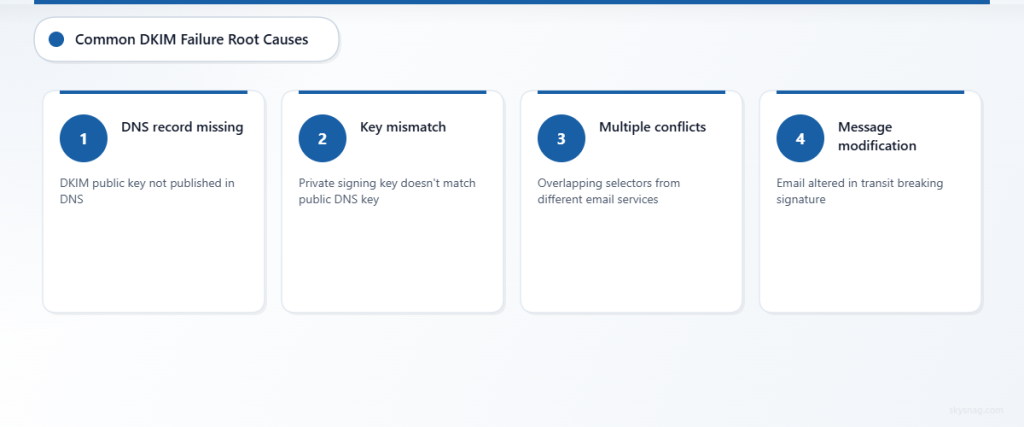
The most frequent cause of DKIM failure stems from DNS configuration problems. Your DKIM public key must be properly published in your domain’s DNS records for receiving servers to validate signatures.
Common DNS-related failures include:
- DKIM record not published to DNS
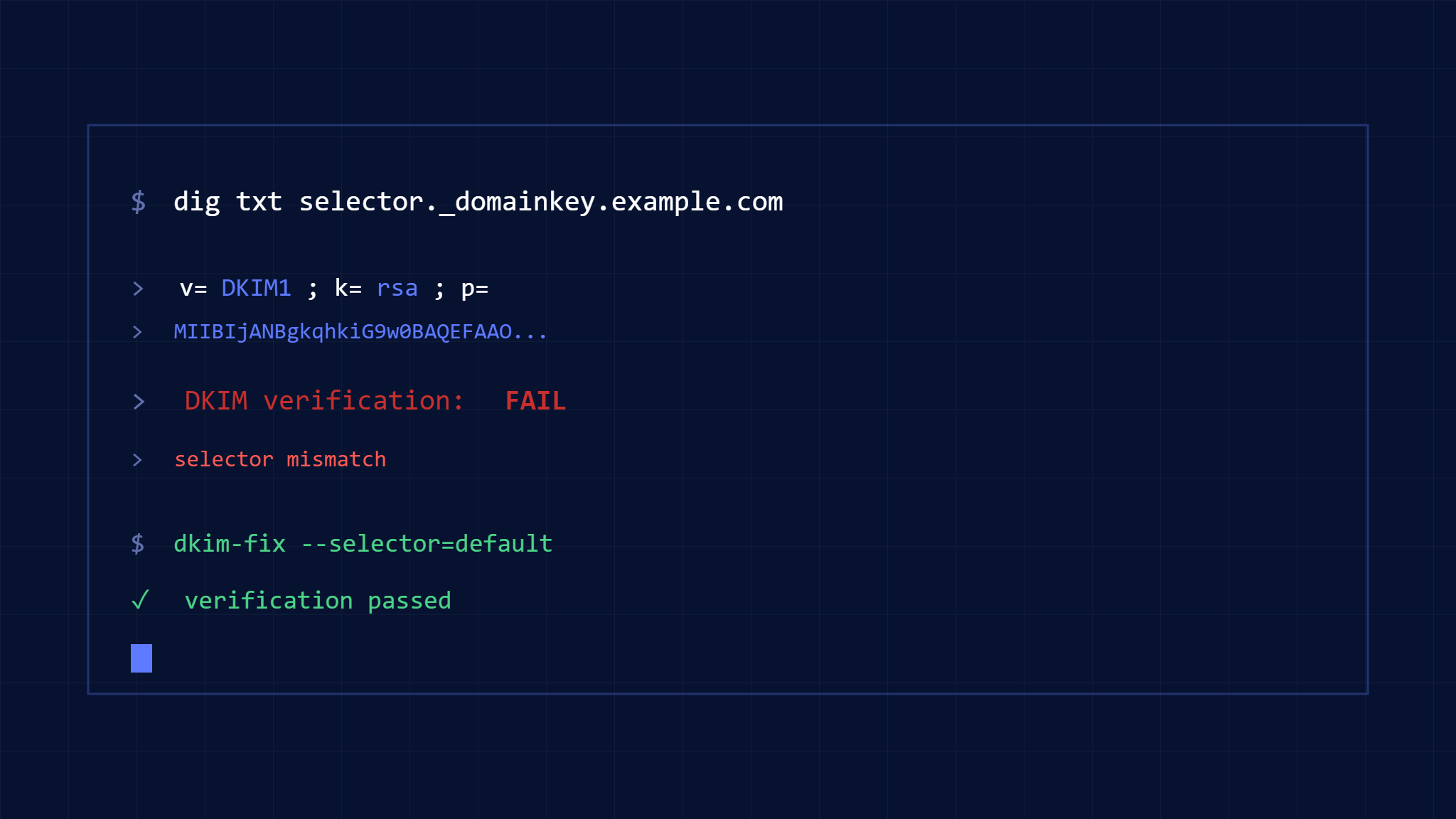
- Incorrect selector name in DNS record
- Malformed public key syntax
- Missing required record components
- DNS propagation delays affecting global availability
Multiple DKIM Records Conflict
Organizations using multiple email services often create conflicting DKIM records. When the same selector points to different keys, or overlapping selectors exist, authentication becomes unpredictable.
Key Management Problems
Expired or Rotated Keys
DKIM keys require regular rotation for security purposes. However, timing mismatches between key rotation and DNS updates create authentication gaps.
Key rotation failures occur when:
- New keys are generated but DNS isn’t updated
- Old keys are deactivated before DNS propagation completes
- Email services rotate keys without administrator notification
- Backup key management processes aren’t followed
Public-Private Key Mismatches
DKIM authentication requires perfect alignment between the private key used for signing and the public key published in DNS. Any discrepancy breaks the cryptographic validation.
Email Infrastructure Complications
Third-Party Service Integration
Modern email infrastructure often involves multiple service providers. Marketing platforms, transactional email services, and corporate email systems each require proper DKIM configuration.
Integration challenges include:
- Inconsistent DKIM implementation across services
- Service provider key management conflicts
- Subdomain delegation complications
- Email forwarding breaking signature validation
Message Modification Issues
Email messages can be altered during transit, invalidating DKIM signatures. Common modification sources include:
- Spam filters adding headers or footers
- Mailing list software modifying content
- Email forwarding services changing message structure
- Corporate email gateways scanning and modifying messages
III. Step-by-Step DKIM Troubleshooting Process
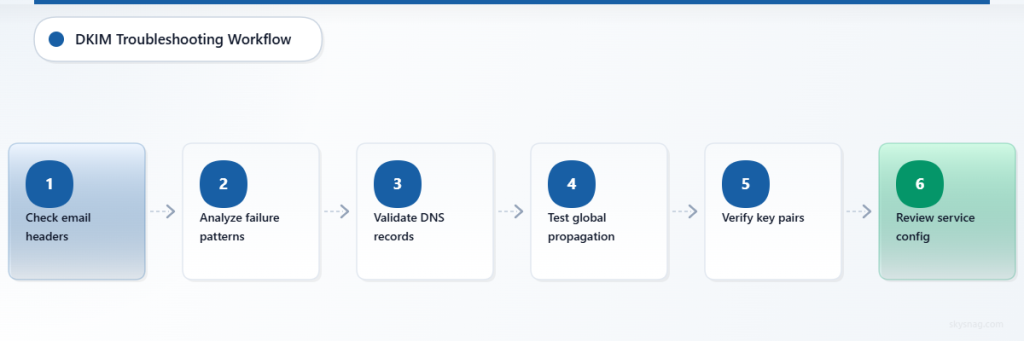
Step 1: Identify the Failure Source
Check DKIM Authentication Status
Start by examining email headers to understand where authentication is failing. Look for authentication-results headers that indicate DKIM status.
Tools for diagnosis:
- Email header analyzers
- DMARC aggregate reports
- Email deliverability testing platforms
- DNS lookup tools for DKIM record validation
Analyze Failure Patterns
Determine if failures are:
- Consistent across all emails
- Limited to specific recipient domains
- Related to particular email services
- Timing-based (suggesting DNS issues)
Step 2: Validate DNS Configuration
Verify DKIM Record Publication
Use DNS lookup tools to confirm your DKIM records are properly published and accessible globally. Check multiple DNS resolvers to ensure consistent propagation.
Key validation points:
- Record exists at the correct selector path
- Public key syntax is properly formatted
- All required DKIM record tags are present
- TTL values allow reasonable caching
Test DNS Propagation
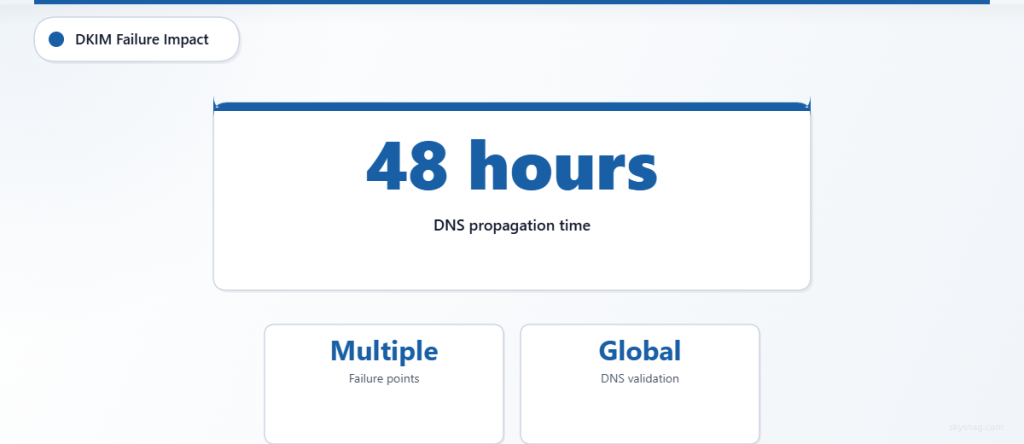
DNS changes can take up to 48 hours for global propagation. Test from multiple geographic locations and DNS providers to confirm availability.
Step 3: Examine Key Management
Confirm Key Pair Validity
Verify that your private signing key corresponds to the public key published in DNS. Many DKIM failures result from key mismatches after rotation or configuration changes.
Check Key Rotation Timing
Review recent key rotation activities and ensure proper timing between new key publication and old key deactivation.
Step 4: Review Email Service Configuration
Audit Multi-Service Setup
For organizations using multiple email services, create a comprehensive map of which services handle which email types and their respective DKIM configurations.
Validate Service Provider Settings
Confirm that third-party email services are properly configured with your DKIM keys and that their signing processes align with your DNS records.
IV. Fixing Common DKIM Problems
Resolving DNS Configuration Issues
Correcting Malformed Records
DKIM DNS records must follow specific syntax requirements. Common formatting fixes include:
- Ensuring proper TXT record structure
- Removing extra spaces or characters
- Validating base64 encoding of public keys
- Adding missing required tags (v=DKIM1, k=rsa)
Managing Multiple Email Services
Use unique selectors for each email service to avoid conflicts. Implement a naming convention that clearly identifies each service’s DKIM configuration.
Addressing Key Management Problems
Implementing Proper Key Rotation
Establish a systematic key rotation process:
- Generate new key pair
- Publish new public key with unique selector
- Update email services to use new private key
- Allow DNS propagation time
- Deactivate old keys after confirmation
Creating Key Backup Procedures
Maintain secure backups of DKIM private keys and document all selector assignments to prevent configuration loss during emergencies.
Fixing Infrastructure Integration Issues
Coordinating Multi-Service DKIM
For complex email infrastructures, create a central DKIM management strategy that coordinates all services and prevents configuration conflicts.
Managing Message Modification
Work with email security vendors and service providers to ensure their modifications don’t break DKIM signatures. Consider implementing ARC (Authenticated Received Chain) for forwarded emails.
V. Preventing Future DKIM Failures
Monitoring and Alerting
Implement Continuous DKIM Monitoring
Set up automated monitoring for DKIM authentication status across your email infrastructure. Monitor both successful authentication rates and failure patterns.
Skysnag Protect provides comprehensive DMARC reporting that includes detailed DKIM authentication analysis, helping you identify and resolve failures before they impact deliverability.
Create Failure Response Procedures
Develop documented procedures for responding to DKIM authentication failures, including escalation paths and emergency contact information for DNS and email service providers.
Best Practices for DKIM Management
Regular Configuration Audits
Conduct quarterly reviews of your DKIM configuration across all email services and DNS records. Verify that all components remain properly aligned and functional.
Documentation and Change Management
Maintain comprehensive documentation of your DKIM setup, including selector assignments, key rotation schedules, and service provider configurations. Implement change management procedures for any modifications.
Testing Before Changes
Always test DKIM configuration changes in a controlled environment before implementing in production. Use email authentication testing tools to verify successful implementation.
VI. Measuring DKIM Success
Key Performance Indicators
Track these metrics to ensure DKIM authentication effectiveness:
- DKIM pass rate across all email streams
- Email deliverability rates by recipient domain
- Spam folder placement rates
- Sender reputation scores
Using DMARC Reports for DKIM Analysis
DMARC aggregate reports provide detailed insights into DKIM authentication performance across your email infrastructure. Regular analysis helps identify trends and potential issues before they become critical problems.
Long-term Optimization
Gradual Infrastructure Improvements
Implement DKIM improvements systematically across your organization. Prioritize high-volume email streams and critical business communications for immediate attention.
Staying Current with Standards
Email authentication standards evolve regularly. Stay informed about updates to DKIM specifications and implement improvements as they become available.
VII. Key Takeaways
DKIM authentication failures typically result from DNS configuration issues, key management problems, or email infrastructure complications. Systematic troubleshooting that examines each component methodically resolves most authentication problems effectively.
Successful DKIM implementation requires ongoing monitoring, proper documentation, and coordinated management across all email services. Organizations that establish robust DKIM processes experience improved email deliverability and stronger protection against phishing attacks.
Regular auditing and proactive monitoring prevent most DKIM failures from impacting business operations. Implementing comprehensive email authentication monitoring with tools like Skysnag Protect ensures early detection and rapid resolution of authentication issues.