DMARC (Domain-based Message Authentication, Reporting and Conformance) is an email authentication protocol that prevents cybercriminals from impersonating your organization’s email domain. By validating that emails claiming to come from your domain are actually legitimate, DMARC protects both your brand reputation and your customers from phishing attacks.
Think of DMARC as a digital ID card for your emails. When someone receives an email claiming to be from your company, DMARC tells their email system whether that message is genuine or potentially fraudulent. This authentication happens automatically in the background, but its impact on your organization’s security posture is significant.
I. How Email Authentication Works: The Foundation
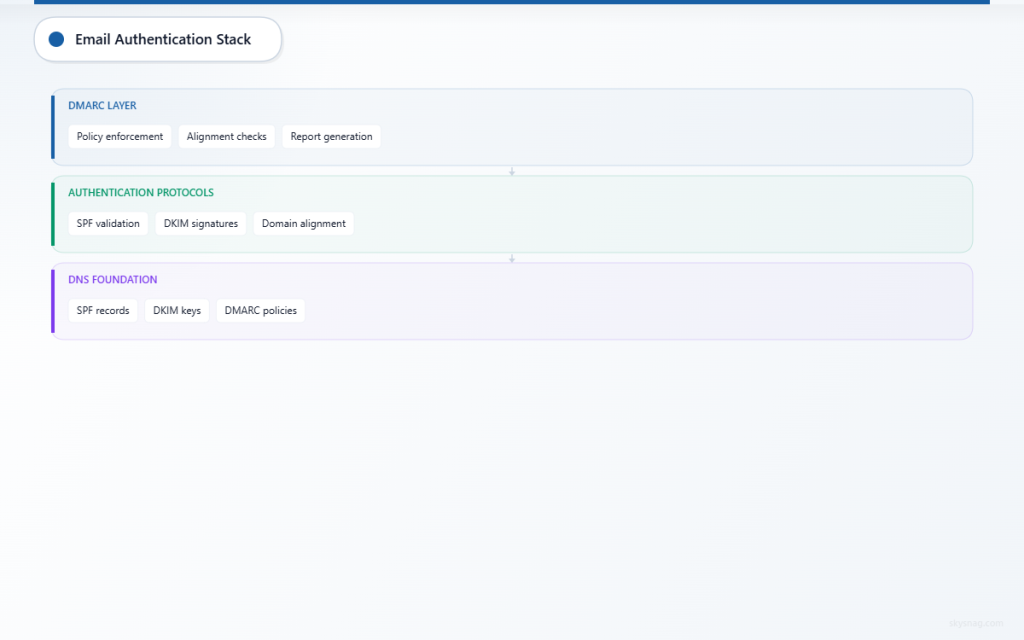
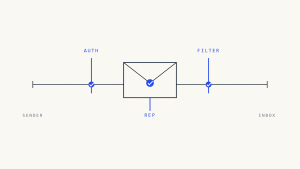
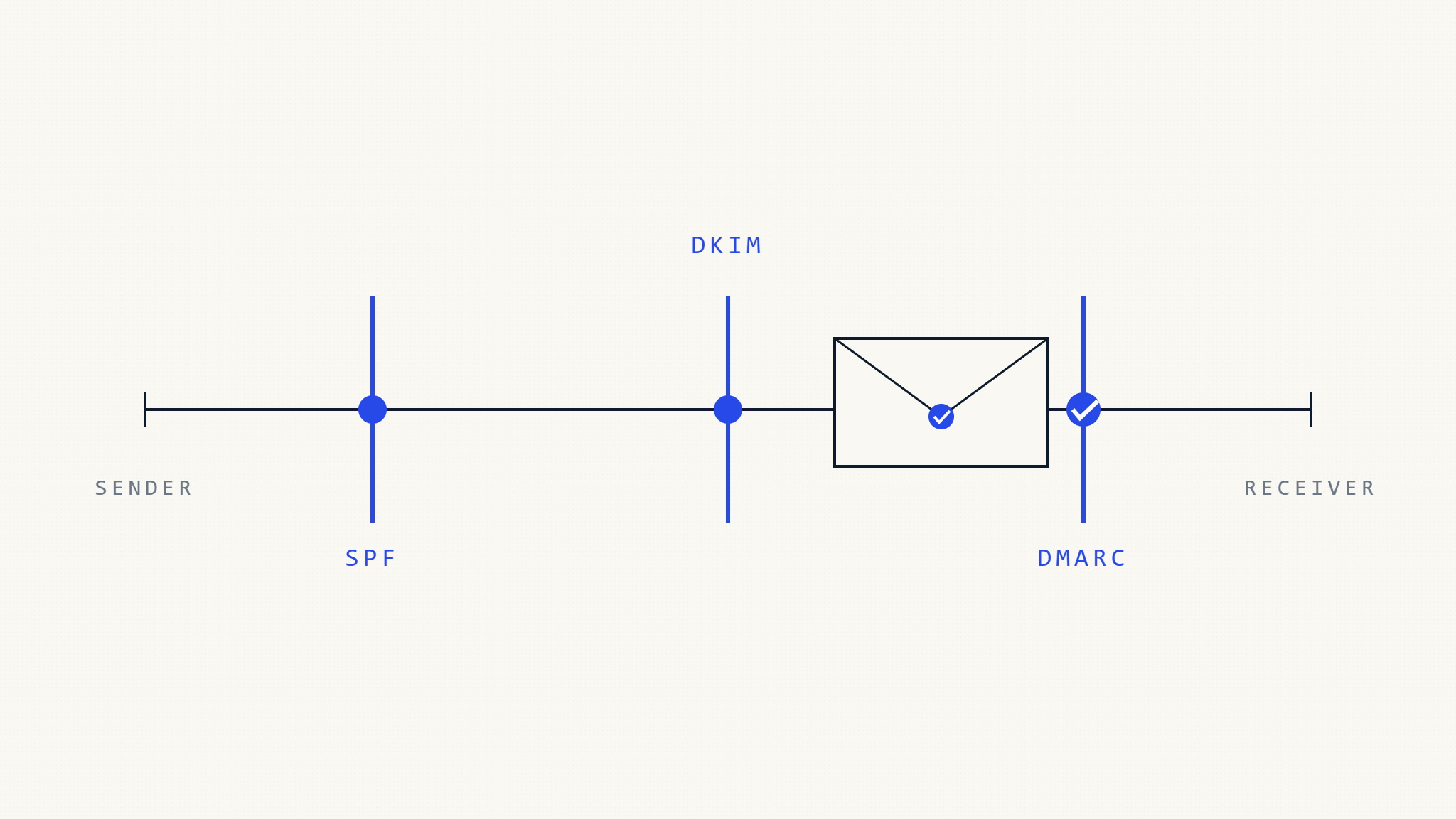
Before diving into DMARC specifically, it’s important to understand the email authentication ecosystem. Email authentication relies on three core protocols working together:
SPF (Sender Policy Framework) acts like a guest list for your domain. It specifies which mail servers are authorized to send emails on behalf of your domain. When an email arrives, the receiving server checks if it came from an approved source listed in your SPF record.
DKIM (DomainKeys Identified Mail) works like a digital signature. It adds a cryptographic signature to your outgoing emails that receiving servers can verify. This proves the email hasn’t been tampered with during transmission and confirms it originated from your domain.
DMARC builds on both SPF and DKIM by providing instructions to receiving email servers about what to do when authentication checks fail. It also generates reports that give you visibility into who’s sending emails using your domain.
II. What Is DMARC Authentication?
DMARC authentication is the process by which receiving email servers verify whether an incoming message should be trusted. When an email claims to come from your domain, the receiving server performs several checks:
First, it looks up your DMARC policy published in your DNS records. This policy tells the server how strictly to enforce authentication and what actions to take if checks fail.
Next, it verifies SPF alignment by checking if the email passed SPF authentication and whether the SPF domain aligns with the domain in the email’s “From” header. Similarly, it checks DKIM alignment to ensure any DKIM signatures are valid and properly aligned.
Based on these results, the receiving server applies your DMARC policy. Depending on your settings, it might deliver the email normally, mark it as spam, or reject it entirely.
III. How DMARC Works: The Technical Process
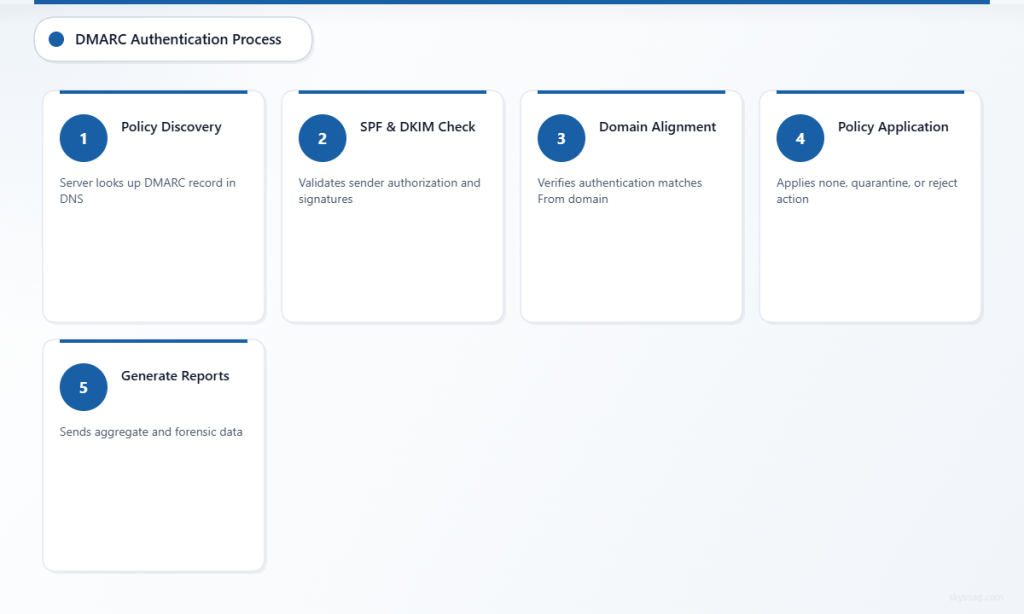
The DMARC authentication process follows a specific sequence every time someone receives an email claiming to be from your domain:
Step 1: Policy Discovery
The receiving mail server extracts the domain from the email’s “From” header and looks up the DMARC record in DNS at _dmarc.yourdomain.com. This record contains your authentication policy and instructions.
Step 2: Authentication Checks
The server performs SPF and DKIM authentication checks. For SPF, it verifies the sending IP address is authorized. For DKIM, it validates any cryptographic signatures attached to the message.
Step 3: Alignment Verification
DMARC requires “alignment” between the authentication results and the visible “From” domain. The server checks whether the domains that passed SPF or DKIM authentication match or are subdomains of the “From” domain.
Step 4: Policy Application
Based on your DMARC policy, the receiving server decides how to handle the email:
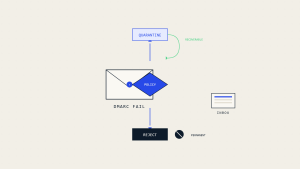
- None (monitor): Deliver the email but send reports about authentication results
- Quarantine: Treat suspicious emails as spam or deliver to junk folders
- Reject: Block unauthenticated emails entirely
Step 5: Reporting
The receiving server generates aggregate and forensic reports about authentication results and sends them to the addresses specified in your DMARC record.
IV. DMARC Policy Levels: From Monitoring to Enforcement
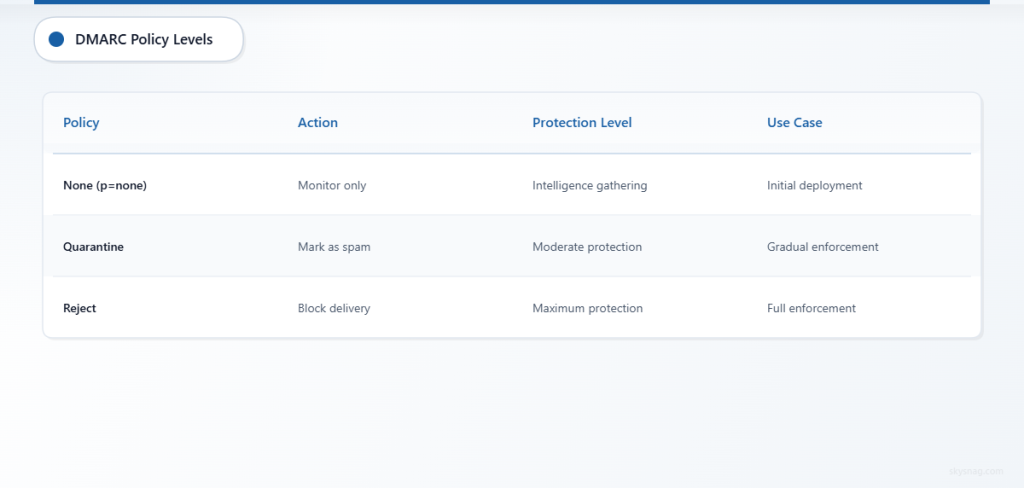
Organizations typically implement DMARC in phases, gradually increasing protection levels as they gain confidence in their email authentication setup:
Monitor Mode (p=none) allows you to observe authentication results without affecting email delivery. This phase is essential for identifying all legitimate email sources and understanding your current authentication posture. You’ll receive reports showing which emails pass or fail authentication, helping you spot both legitimate sources you missed and potential spoofing attempts.
Quarantine Mode (p=quarantine) instructs receiving servers to treat emails that fail DMARC authentication with suspicion. These emails typically end up in spam folders rather than being delivered normally. This provides protection while still allowing recipients to find legitimate emails that might have been incorrectly flagged.
Reject Mode (p=reject) offers the strongest protection by instructing receiving servers to completely block emails that fail DMARC authentication. This prevents spoofed emails from reaching recipients entirely, but requires confidence that all legitimate email sources are properly authenticated.
V. Implementation Insights for Email Security Teams
Successfully implementing DMARC requires careful planning and gradual deployment. Email security teams should start by conducting a comprehensive audit of all email-sending sources, including marketing platforms, CRM systems, support tools, and any third-party services that send emails on your behalf.
The initial DMARC record should always start with a “none” policy to gather intelligence without risking legitimate email delivery. A typical starting record looks like: v=DMARC1; p=none; rua=mailto:[email protected]; ruf=mailto:[email protected].
Analyzing DMARC reports reveals crucial information about your email ecosystem. Aggregate reports show overall authentication trends and help identify IP addresses and services sending emails using your domain. Forensic reports provide detailed information about individual authentication failures, helping you distinguish between legitimate configuration issues and actual spoofing attempts.
Common implementation challenges include managing complex email infrastructures where multiple vendors send emails on your behalf. Each legitimate sender needs proper SPF entries and DKIM configuration. Organizations often discover forgotten or legacy email sources during DMARC implementation, highlighting the importance of the monitoring phase.
Progressive policy enforcement typically follows this timeline: start with monitoring for 2-4 weeks, move to quarantine mode for another 2-4 weeks, then advance to reject mode once you’re confident in your authentication setup. The exact timeline depends on your organization’s complexity and risk tolerance.
VI. Advanced DMARC Features and Considerations
DMARC offers several advanced features that enhance its effectiveness for sophisticated email security programs. Subdomain policies allow different authentication requirements for various subdomains, useful for organizations with complex email architectures.
Alignment modes provide flexibility in how strictly DMARC enforces domain matching. Relaxed alignment allows emails from subdomains to pass authentication, while strict alignment requires exact domain matches. Most organizations start with relaxed alignment and tighten restrictions as their implementation matures.
Percentage tags enable gradual rollout of stricter policies by specifying what percentage of emails should have the policy applied. This allows testing reject policies on a small portion of emails before full implementation.
External domains can be configured to receive DMARC reports, enabling managed security service providers or specialized DMARC analysis services to process and analyze authentication data on your behalf.
VII. DMARC and Email Security Integration
Modern email security strategies integrate DMARC with broader security controls to create layered protection. DMARC works alongside secure email gateways, threat intelligence platforms, and security awareness training programs.
Email security teams increasingly use DMARC data to inform threat hunting and incident response activities. Authentication failures can indicate active impersonation campaigns, while sudden changes in legitimate email sources might signal compromised accounts or unauthorized system changes.
Integration with security information and event management (SIEM) systems allows DMARC reports to contribute to broader security monitoring and alerting. Patterns in authentication failures can reveal coordinated attack campaigns or indicate the need for additional security controls.
VIII. Business Impact and ROI Considerations
Organizations implementing DMARC typically see measurable improvements in email deliverability and brand protection. Legitimate emails experience better delivery rates because receiving servers trust authenticated messages more than unauthenticated ones.
Brand protection benefits include reduced customer confusion from spoofed emails and decreased likelihood of your domain being used in phishing campaigns. This protection extends beyond email to overall brand reputation and customer trust.
Compliance benefits vary by industry, but DMARC implementation supports the email security objectives emphasized by various regulatory frameworks. Organizations in regulated industries often find that robust email authentication controls help demonstrate their commitment to protecting customer data and communications.
IX. Future-Proofing Email Authentication
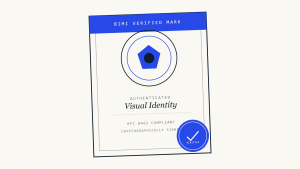
Email authentication continues evolving with new standards and enhanced capabilities. BIMI (Brand Indicators for Message Identification) builds on DMARC to display brand logos for authenticated emails, providing visual confirmation of legitimacy to recipients.
Artificial intelligence and machine learning increasingly complement DMARC by analyzing email patterns and identifying sophisticated spoofing attempts that might pass basic authentication checks. These technologies help security teams prioritize threats and automate responses to authentication failures.
Cloud email providers continue enhancing DMARC support and reporting capabilities, making implementation easier for organizations of all sizes. Integration between DMARC and cloud security platforms provides centralized visibility and control over email authentication policies.
X. Key Takeaways
DMARC provides essential protection against email spoofing by authenticating messages and providing visibility into email sources using your domain. Successful implementation requires systematic planning, starting with monitoring mode and gradually progressing to enforcement.
The combination of SPF, DKIM, and DMARC creates a robust email authentication foundation that protects both senders and recipients. Regular analysis of DMARC reports helps organizations maintain effective authentication policies and identify security threats.
Email security teams should view DMARC as part of a comprehensive security strategy rather than a standalone solution. Integration with other security controls and ongoing monitoring ensure maximum effectiveness against evolving email-based threats.
Skysnag Protect simplifies DMARC implementation and management by providing automated monitoring, detailed analytics, and guided policy recommendations. The platform helps organizations navigate the complexities of email authentication while maintaining visibility into their email security posture.