Understanding DMARC record syntax is fundamental to implementing effective email authentication. A DMARC (Domain-based Message Authentication, Reporting and Conformance) record consists of specific tags and values that instruct receiving mail servers how to handle emails that fail SPF or DKIM authentication. This comprehensive guide breaks down every DMARC tag with practical examples and validation techniques to help you construct bulletproof DMARC policies.
I. Core DMARC Record Structure
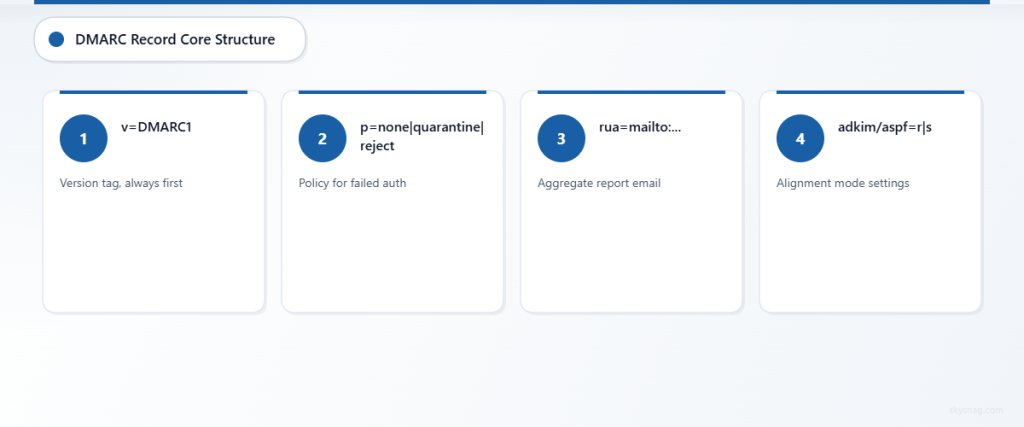
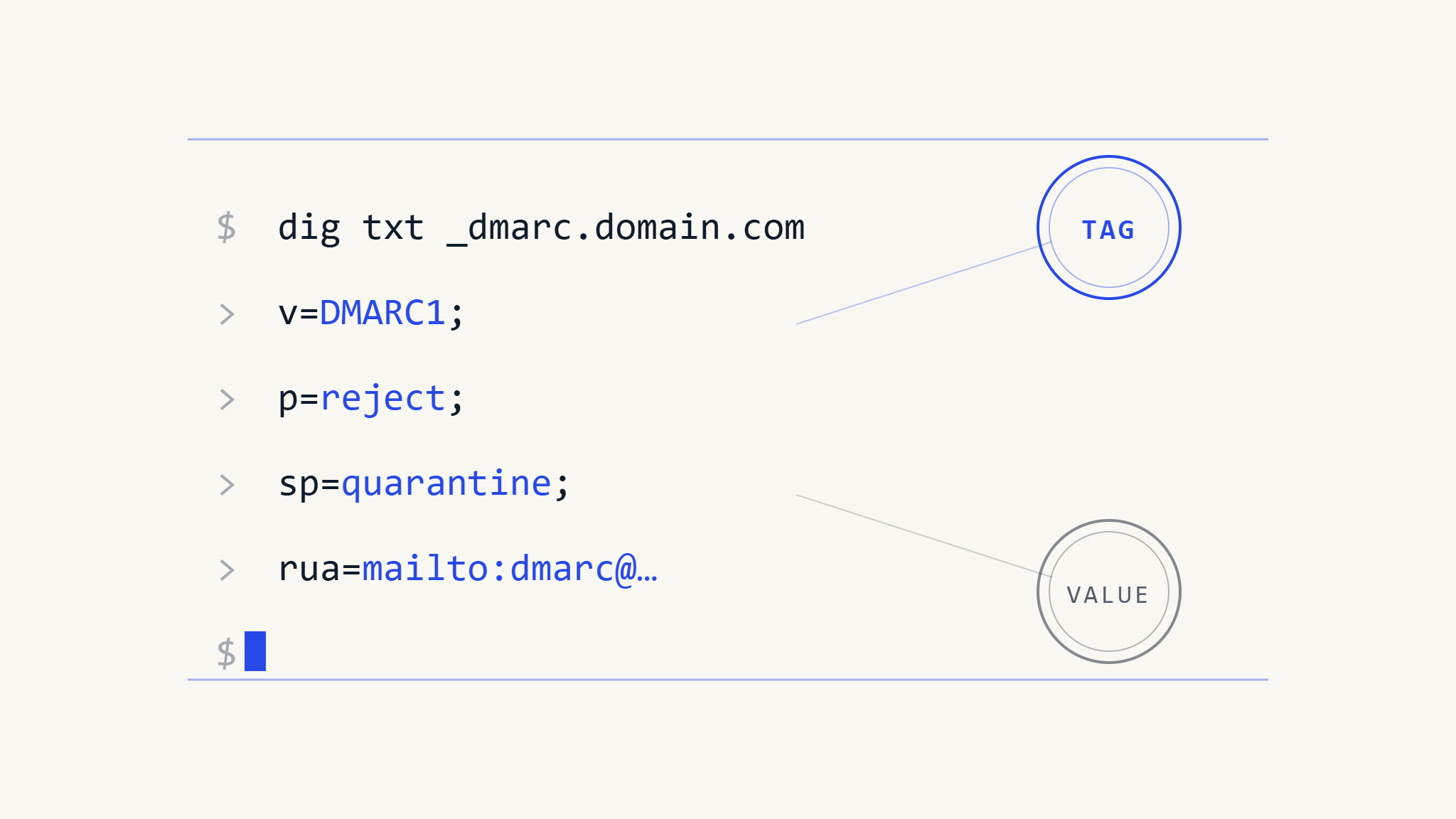
DMARC records are published as DNS TXT records at the subdomain _dmarc.yourdomain.com. The basic syntax follows a tag-value pair format separated by semicolons:
"v=DMARC1; p=quarantine; rua=mailto:[email protected]; ruf=mailto:[email protected]; sp=reject; adkim=s; aspf=s"Each tag serves a specific function in defining your domain’s email authentication policy. Let’s examine every tag in detail.
II. Required DMARC Tags
v (Version)
Syntax: v=DMARC1
Purpose: Specifies the DMARC version
Required: Yes (must be first tag)
The version tag must always be DMARC1 and appear as the first tag in your record. No other versions exist.
Example:
v=DMARC1Common Error: Using anything other than DMARC1 will cause the record to be ignored.
p (Policy)
Syntax: p=none|quarantine|reject
Purpose: Defines action for domain alignment failure
Required: Yes
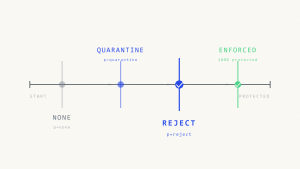
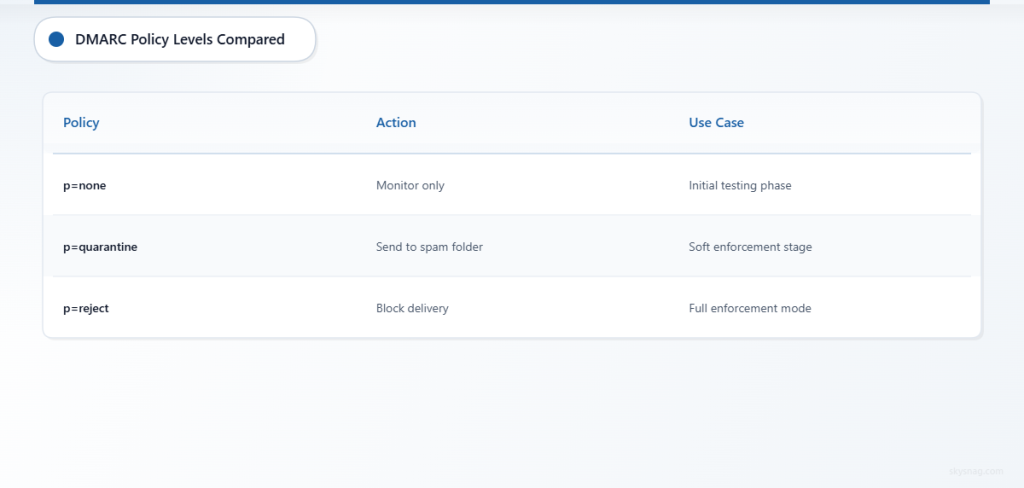
The policy tag determines what receiving servers should do with emails that fail DMARC authentication:
p=none: Monitor only, no enforcement actionp=quarantine: Place failing emails in spam/junk folderp=reject: Reject failing emails outright
Examples:
p=none         # Monitoring phase
p=quarantine   # Soft enforcement
p=reject       # Full enforcement
Best Practice: Start with p=none for monitoring, gradually progress to p=quarantine, then p=reject based on legitimate traffic analysis.
III. Optional Policy Tags
sp (Subdomain Policy)
Syntax: sp=none|quarantine|reject
Purpose: Policy for subdomain messages
Default: Inherits main policy value
The subdomain policy allows different treatment for messages from subdomains.
Example:
v=DMARC1; p=quarantine; sp=rejectThis configuration quarantines failing main domain emails but rejects failing subdomain emails.
pct (Percentage)
Syntax: pct=1-100
Purpose: Percentage of messages to apply policy to
Default: 100
Allows gradual policy rollout by specifying what percentage of failing messages should have the policy applied.
Examples:
pct=25    # Apply policy to 25% of failing messages
pct=50    # Apply policy to 50% of failing messages
pct=100   # Apply policy to all failing messages (default)
Use Case: When moving from p=none to p=quarantine, start with pct=10 and gradually increase.
IV. Alignment Tags
adkim (DKIM Alignment)
Syntax: adkim=r|s
Purpose: DKIM identifier alignment mode
Default: r (relaxed)
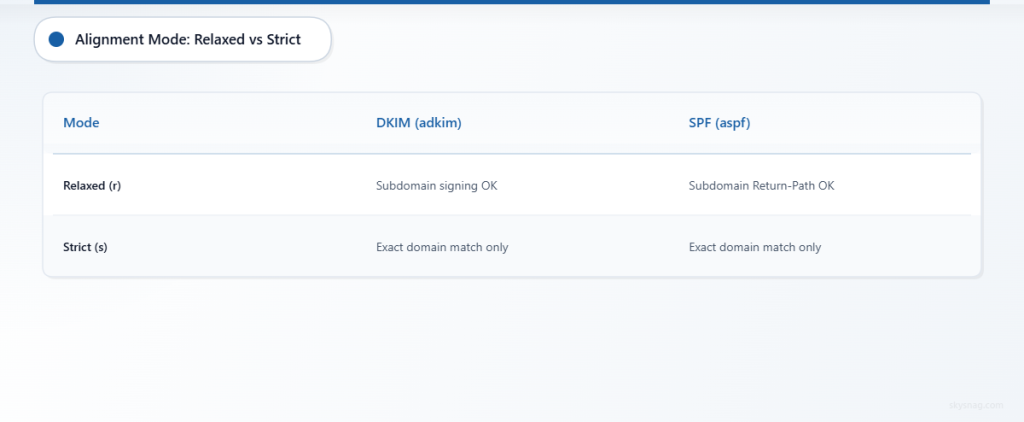
adkim=r: Relaxed alignment (subdomain match allowed)adkim=s: Strict alignment (exact domain match required)
Examples:
adkim=r    # mail.example.com can sign for example.com
adkim=s    # Only example.com can sign for example.com
aspf (SPF Alignment)
Syntax: aspf=r|s
Purpose: SPF identifier alignment mode
Default: r (relaxed)
aspf=r: Relaxed alignment (subdomain match allowed)aspf=s: Strict alignment (exact domain match required)
Examples:
aspf=r    # Return-Path: [email protected] passes for From: [email protected]
aspf=s    # Return-Path must match From domain exactly
V. Reporting Tags
rua (Aggregate Reports)
Syntax: rua=mailto:[email protected]
Purpose: Email address for aggregate reports
Format: Daily XML reports with authentication statistics
Examples:
rua=mailto:[email protected]
rua=mailto:[email protected],mailto:[email protected]
Multiple Addresses: Separate with commas for redundancy.
ruf (Forensic Reports)
Syntax: ruf=mailto:[email protected]
Purpose: Email address for failure reports
Format: Individual failure notifications with message samples
Examples:
ruf=mailto:[email protected]
ruf=mailto:[email protected],mailto:[email protected]
Privacy Note: Forensic reports contain message content and may have privacy implications.
ri (Report Interval)
Syntax: ri=seconds
Purpose: Aggregate report interval
Default: 86400 (24 hours)
Examples:
ri=3600     # Hourly reports (not recommended)
ri=86400    # Daily reports (default)
ri=604800 # Weekly reportsLimitation: Most receivers ignore this tag and send daily reports regardless.
fo (Forensic Options)
Syntax: fo=0|1|d|s
Purpose: Conditions for forensic report generation
Default: 0
fo=0: Generate reports when both SPF and DKIM failfo=1: Generate reports when either SPF or DKIM failsfo=d: Generate reports when DKIM failsfo=s: Generate reports when SPF fails
Examples:
fo=1    # Report any authentication failure
fo=d    # Report only DKIM failures
fo=s    # Report only SPF failures
VI. Advanced DMARC Record Examples
Monitoring Configuration
v=DMARC1; p=none; rua=mailto:[email protected]; ruf=mailto:[email protected]; fo=1This record monitors all traffic without enforcement and generates both aggregate and forensic reports.
Gradual Enforcement
v=DMARC1; p=quarantine; pct=25; sp=none; rua=mailto:[email protected]; adkim=r; aspf=rApplies quarantine policy to 25% of failing main domain messages while monitoring subdomains.
Strict Enforcement
v=DMARC1; p=reject; sp=reject; rua=mailto:[email protected]; adkim=s; aspf=sFull enforcement with strict alignment for both main domain and subdomains.
Enterprise Configuration
v=DMARC1; p=reject; sp=quarantine; rua=mailto:[email protected],mailto:[email protected]; ruf=mailto:[email protected]; pct=100; adkim=s; aspf=r; fo=1; ri=86400Complete enterprise setup with multiple report destinations and mixed alignment policies.
VII. Common Syntax Errors and Validation
Formatting Mistakes
Missing Semicolons:
❌ v=DMARC1 p=reject rua=mailto:[email protected]
✅ v=DMARC1; p=reject; rua=mailto:[email protected]
Incorrect Tag Order (v must be first):
❌ p=reject; v=DMARC1; rua=mailto:[email protected]
✅ v=DMARC1; p=reject; rua=mailto:[email protected]
Invalid Policy Values:
❌ p=block
✅ p=reject

❌ p=spam
✅ p=quarantine
Email Address Validation
Malformed Addresses:
❌ [email protected]          # Missing mailto:
✅ rua=mailto:[email protected]

❌ rua=mailto:test@domain         # Invalid domain
✅ rua=mailto:[email protected]
Percentage Values
Out of Range:
❌ pct=150    # Over 100
✅ pct=100

❌ pct=0      # Zero not allowed
✅ pct=1
VIII. DMARC Record Validation Techniques
DNS Lookup Verification
dig TXT _dmarc.example.com
nslookup -type=TXT _dmarc.example.com
Online Validation Tools
Use DMARC record checkers to validate syntax and detect common errors. These tools verify:
- Proper tag formatting
- Valid policy values
- Email address syntax
- DNS propagation status
Manual Validation Checklist
- Version tag: Verify
v=DMARC1is first - Policy tag: Confirm
p=has valid value - Semicolons: Check all tags separated by semicolons
- Email format: Validate
mailto:prefix in reporting addresses - Numeric ranges: Verify
pct=is 1-100,ri=is positive integer - Alignment values: Confirm
adkim=andaspf=use onlyrors
Testing DMARC Implementation
After publishing your record, monitor authentication results through:
- DMARC aggregate reports
- Email delivery logs
- Third-party monitoring services
Skysnag Protect simplifies DMARC implementation by providing automated record generation, validation, and ongoing monitoring to ensure your email authentication policies work correctly.
IX. Advanced Configuration Considerations
Multi-Domain Organizations
For organizations managing multiple domains, consider:
- Centralized reporting addresses
- Consistent policy enforcement levels
- Subdomain policy inheritance
Email Service Provider Integration
When using third-party email services:
- Verify DKIM signing alignment
- Coordinate SPF record includes
- Test policy enforcement impact
Incident Response Planning
Prepare for DMARC-related delivery issues:
- Monitor aggregate report trends
- Establish policy rollback procedures
- Maintain legitimate sender inventory
X. Key Takeaways
DMARC record syntax requires precise formatting and careful consideration of each tag’s impact on email delivery. Start with monitoring policies using p=none, gradually enforce with p=quarantine and p=reject while analyzing aggregate reports. Configure appropriate alignment modes based on your email infrastructure, and always validate records before deployment. Remember that DMARC effectiveness depends on proper SPF and DKIM implementation alongside accurate policy configuration.
Understanding these syntax rules and validation techniques enables organizations to implement robust email authentication that protects against spoofing while maintaining legitimate email delivery. Regular monitoring and policy refinement ensure ongoing effectiveness as email infrastructure evolves.