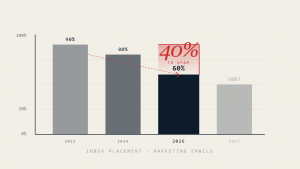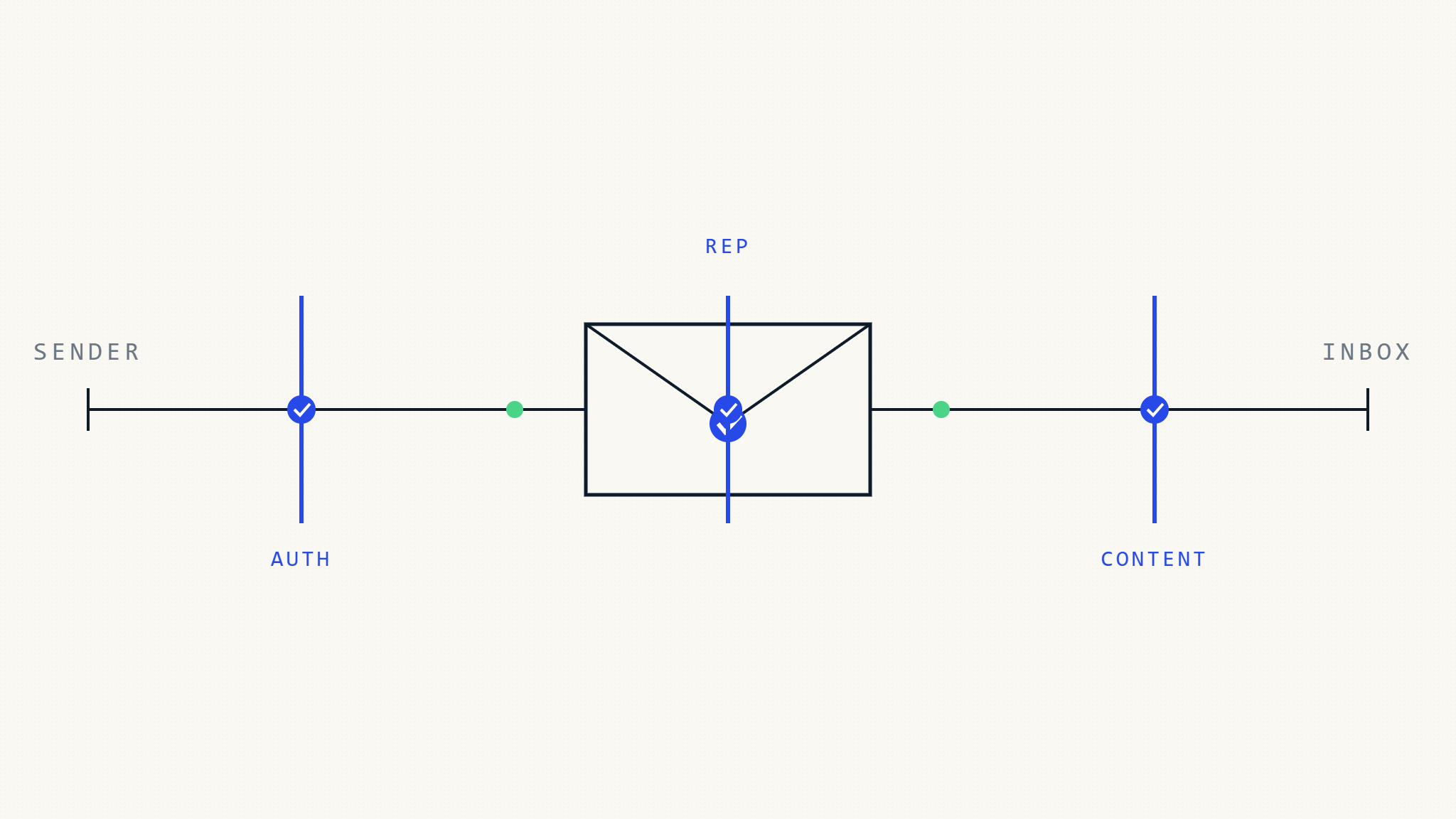
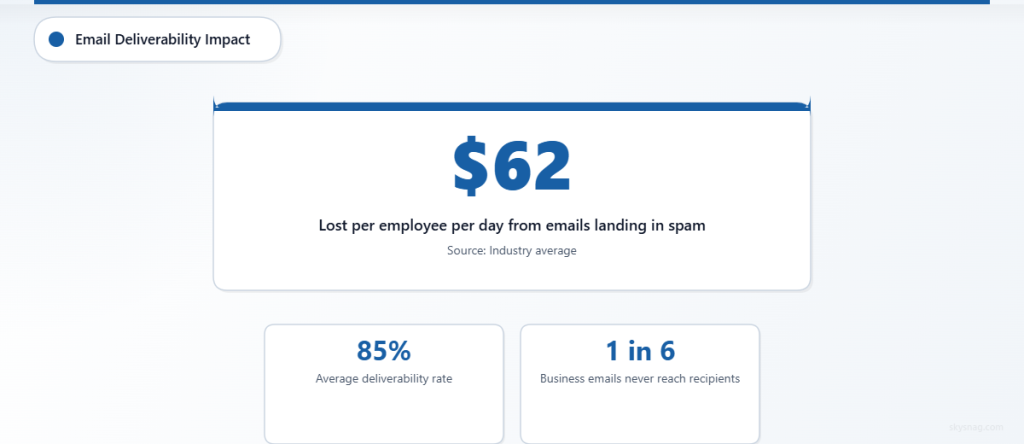
Business emails that land in spam folders cost companies an average of $62 per employee per day in lost productivity. With email deliverability rates averaging just 85% across industries, one in six of your critical business communications never reaches its intended recipient. This comprehensive B2B email deliverability checklist ensures your business emails reach their destination and drive the engagement you need.
I. Authentication Protocols Assessment
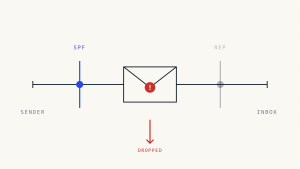
SPF (Sender Policy Framework) Configuration
- [ ] Verify SPF record exists in your DNS
- [ ] Check SPF syntax for proper formatting
- [ ] Include all authorized sending sources (mail servers, third-party services)
- [ ] Limit DNS lookups to under 10 queries per SPF record
- [ ] Test SPF validation using online SPF checkers
- [ ] Set appropriate SPF policy (hard fail ~all recommended for established domains)
DKIM (DomainKeys Identified Mail) Setup
- [ ] Generate DKIM keys for your primary sending domain
- [ ] Publish DKIM public key in DNS records
- [ ] Configure email servers to sign outgoing messages
- [ ] Use 2048-bit key length for enhanced security
- [ ] Implement key rotation every 6-12 months
- [ ] Test DKIM signatures on sample emails
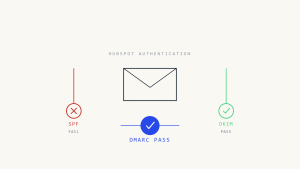
DMARC (Domain-based Message Authentication) Policy
- [ ] Publish DMARC policy starting with p=none
- [ ] Configure reporting with rua and ruf tags
- [ ] Monitor DMARC reports for authentication failures
- [ ] Gradually increase policy from none to quarantine to reject
- [ ] Align SPF and DKIM with your DMARC policy
- [ ] Implement subdomain policies where appropriate
II. Domain and Infrastructure Actions
Domain Reputation Management
- [ ] Check domain blacklist status across major providers
- [ ] Monitor sender reputation scores (Return Path, Sender Score)
- [ ] Implement proper DNS configuration (A, MX, PTR records)
- [ ] Establish consistent sending patterns to build reputation
- [ ] Separate marketing and transactional domains when appropriate
- [ ] Monitor domain age and avoid frequent domain changes
IP Reputation and Warming
- [ ] Perform IP blacklist checks regularly
- [ ] Implement IP warming schedule for new addresses
- [ ] Monitor IP reputation metrics continuously
- [ ] Use dedicated IPs for high-volume sending
- [ ] Establish consistent sending volumes to maintain reputation
- [ ] Document IP warming progress and adjust as needed
Email Server Configuration
- [ ] Configure reverse DNS (PTR) records properly
- [ ] Implement TLS encryption for email transmission
- [ ] Set up proper bounce handling and processing
- [ ] Configure feedback loop subscriptions with ISPs
- [ ] Implement rate limiting to prevent overwhelming recipients
- [ ] Monitor server performance and delivery queues
III. Content and Formatting Verification
Email Header Optimization
- [ ] Use consistent From addresses and display names
- [ ] Write clear, relevant subject lines under 50 characters
- [ ] Avoid spam trigger words in headers
- [ ] Include proper Reply-To addresses
- [ ] Set Message-ID headers correctly
- [ ] Configure List-Unsubscribe headers for bulk emails
Content Quality Assessment
- [ ] Maintain text-to-image ratio (80/20 text to images recommended)
- [ ] Use clean HTML coding without excessive formatting
- [ ] Include plain text versions of HTML emails
- [ ] Avoid excessive punctuation and ALL CAPS text
- [ ] Test content across email clients for consistency
- [ ] Include relevant, valuable content for recipients
Link and Attachment Management
- [ ] Use HTTPS for all links in email content
- [ ] Implement link tracking with reputable services
- [ ] Avoid suspicious link shorteners or redirects
- [ ] Scan attachments for malware before sending
- [ ] Limit attachment sizes to under 25MB
- [ ] Include alt text for all images
IV. List Management and Targeting
Recipient List Hygiene
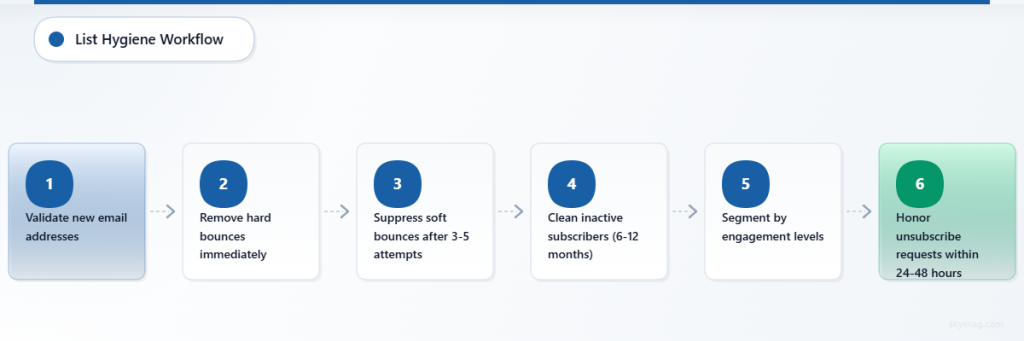
- [ ] Remove hard bounces immediately from lists
- [ ] Suppress soft bounces after 3-5 attempts
- [ ] Clean inactive subscribers regularly (6-12 months)
- [ ] Validate email addresses before adding to lists
- [ ] Segment lists based on engagement levels
- [ ] Honor unsubscribe requests within 24-48 hours
Permission and Consent Verification
- [ ] Confirm opt-in status for all recipients
- [ ] Document consent mechanisms and timestamps
- [ ] Provide clear value propositions in email content
- [ ] Include sender identification in every email
- [ ] Respect frequency preferences when available
- [ ] Maintain preference centers for subscriber control
Engagement Monitoring
- [ ] Track open rates by segment and campaign
- [ ] Monitor click-through rates and engagement patterns
- [ ] Identify and re-engage inactive subscribers
- [ ] Remove consistently unengaged recipients
- [ ] Measure deliverability rates across ISPs
- [ ] Analyze bounce reasons and patterns
V. Automate Your B2B Email Deliverability
While manual verification ensures immediate compliance, maintaining consistent B2B email deliverability requires automated monitoring and management. Modern email authentication platforms provide continuous oversight of your email ecosystem.
Skysnag Protect automates critical deliverability functions including DMARC monitoring, SPF/DKIM validation, and domain reputation tracking. The platform provides real-time alerts when authentication failures occur and detailed reporting on email delivery performance across your entire organization.
Key automation features include:
- Continuous DMARC monitoring with intelligent policy recommendations
- Automated SPF record validation and DNS change detection
- Real-time threat detection and suspicious sending activity alerts
- Comprehensive deliverability reporting across all email channels
- Integration capabilities with existing email infrastructure and security tools
VI. Advanced Deliverability Considerations
ISP-Specific Requirements
- [ ] Review Microsoft 365 deliverability guidelines
- [ ] Monitor Google Workspace sender requirements
- [ ] Check ISP feedback loops for delivery issues
- [ ] Understand regional ISP variations and requirements
- [ ] Implement ISP-specific authentication requirements
- [ ] Track deliverability metrics by major ISP
Compliance and Regulatory Alignment
- [ ] Ensure CAN-SPAM compliance for US recipients
- [ ] Verify GDPR requirements for European contacts
- [ ] Check CASL compliance for Canadian recipients
- [ ] Include required legal disclaimers and footers
- [ ] Maintain audit trails for compliance documentation
- [ ] Regular compliance reviews and updates
Research from Return Path indicates that organizations implementing comprehensive email authentication see deliverability improvements of up to 15% within 90 days. Companies using automated monitoring solutions report 23% fewer deliverability issues compared to manual-only approaches.
VII. Key Takeaways
B2B email deliverability success requires systematic attention to authentication protocols, domain reputation, content quality, and list management. The most effective approach combines thorough pre-send verification with continuous automated monitoring.
Critical success factors include implementing proper SPF, DKIM, and DMARC authentication, maintaining clean recipient lists, and monitoring engagement metrics consistently. Organizations that automate these processes see significantly better deliverability rates and fewer business-critical emails lost to spam filters.
Regular assessment using this checklist, combined with automated monitoring solutions, ensures your business emails consistently reach their intended recipients and drive the engagement necessary for business success.