SPF record modifications are deceptively dangerous. A single character change can shift your domain from trusted sender to instant spam folder or worse, silent rejection with no warning and no gradual decline.
Unlike most email configuration changes that affect deliverability over time, certain SPF modifications trigger immediate filtering decisions. Mailbox providers re-evaluate SPF on every message. When authentication changes from pass to fail mid-campaign, reputation systems interpret it as a potential hijacking attempt or infrastructure compromise.
This article identifies the five SPF syntax modifications that most commonly trigger instant deliverability drops, explains the failure conditions each creates, and provides a pre-deployment checklist to prevent authentication breaks before they reach production.
I. Why SPF Changes Cause Instant Filtering Decisions
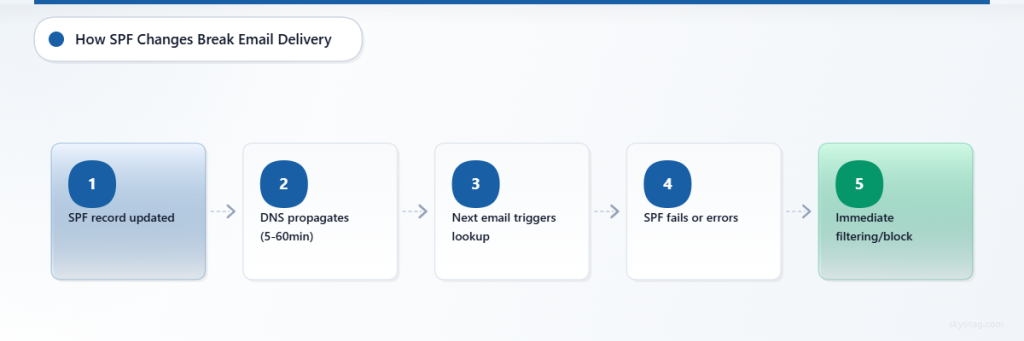
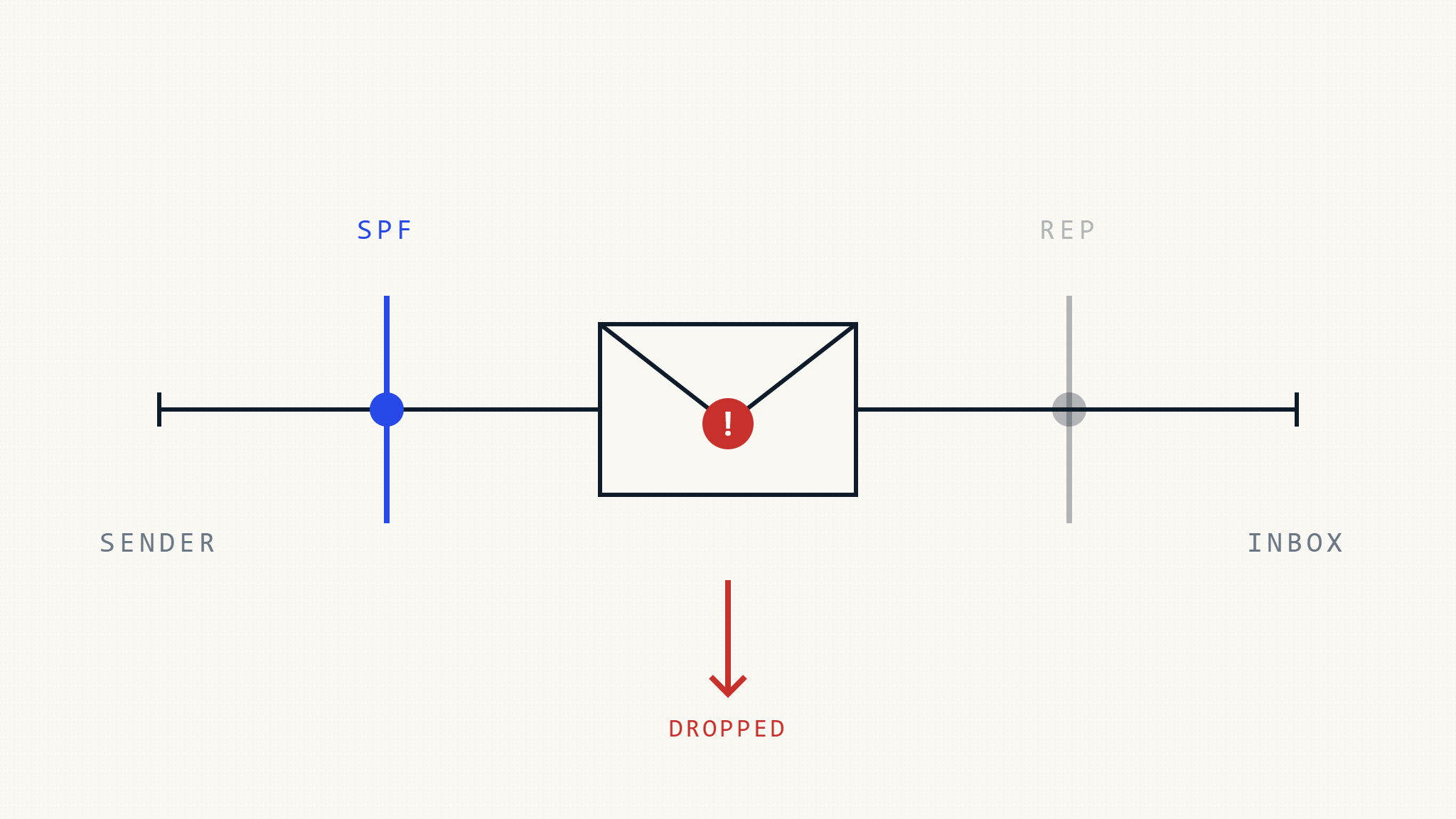
SPF operates at the SMTP transaction layer. Every inbound message triggers real-time DNS lookup of the sending domain’s SPF record. When SPF authentication results change especially from pass to fail receiving systems treat it as a potential security event.
What can go wrong:
- SPF passes, then suddenly fails: Mailbox providers interpret this as sender infrastructure compromise, triggering immediate filtering or rejection.
- SPF returns PermError or TempError: Many providers treat DNS errors as authentication failure and apply stricter filtering.
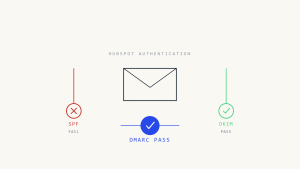
- SPF passes but DMARC fails due to misalignment: SPF authentication succeeds, but DMARC enforcement still blocks the message because the SPF-authenticated domain doesn’t align with the header From domain.
When failure occurs:
- Immediately after DNS propagation completes (typically 5-60 minutes)
- Silently—no bounce messages, no warnings, just filtering or rejection
- Across all mailbox providers simultaneously once the updated record propagates
Downstream impact:
- Marketing campaigns land in spam or disappear entirely
- Transactional emails (password resets, order confirmations) fail to deliver
- DMARC aggregate reports show sudden authentication failure spikes
- Sender reputation degrades as engagement metrics collapse
Unlike reputation-based filtering that builds over days, SPF changes trigger binary pass/fail decisions on the next message sent after propagation.
II. The 5 SPF Syntax Changes That Break Deliverability
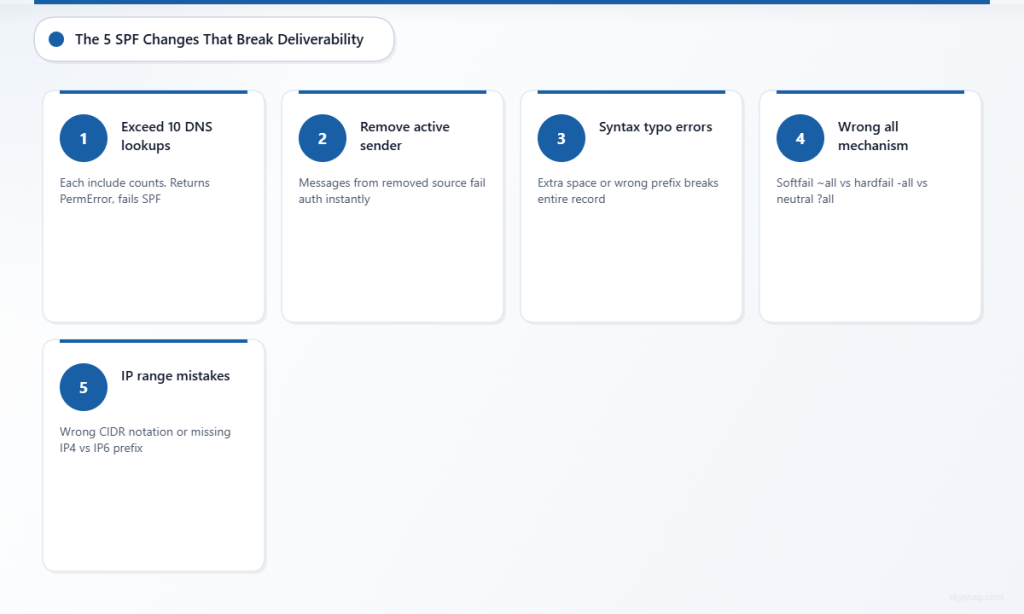
1. Exceeding the 10 DNS Lookup Limit
SPF enforces a strict limit: no more than 10 DNS lookups per SPF evaluation. Each include:, a, mx, exists, and redirect mechanism counts as one lookup. Nested includes count recursively.
What happens when you exceed 10 lookups:
- SPF evaluation terminates with
PermError(permanent error) - Receiving servers treat PermError as SPF fail
- DMARC alignment fails if SPF was the only passing authentication mechanism
- Messages are filtered, quarantined, or rejected depending on DMARC policy
Common causes:
- Adding a new third-party sender (marketing platform, CRM, support tool) without checking current lookup count
- Marketing teams adding tools autonomously without IT/security review
- Service providers bundling multiple includes in their setup instructions
- Accumulation over time as vendors are added but never removed
Example that breaks:
v=spf1 include:_spf.google.com include:spf.protection.outlook.com include:mail.zendesk.com include:servers.mcsv.net include:sendgrid.net include:_spf.salesforce.com include:mktomail.com include:_spf.atlassian.net include:mail.helpscout.net include:_spf.createsend.com include:amazonses.com ~allThis record has 11 includes. SPF evaluation stops at 10, returns PermError, and all messages fail SPF.
How to prevent:
- Audit current SPF lookup count before adding any new sender
- Use SPF flattening tools or managed SPF services to compress nested includes into IP ranges
- Remove unused third-party senders from SPF records
- Require approval workflow for SPF changes that prevents ad-hoc additions
2. Removing or Changing an Active Sending Source
Removing an include: or ip4: mechanism for a service that’s still actively sending breaks authentication for all messages from that source.
What happens when you remove an active sender:
- All messages from the removed source immediately fail SPF
- If DKIM is not configured for that source, DMARC fails
- If DMARC policy is
p=quarantineorp=reject, messages are filtered or blocked - No warning the first message sent after propagation fails authentication
Common causes:
- Migrating from one email service provider to another without overlap period
- IT removes “old” includes without confirming the service is fully decommissioned
- Marketing switches platforms mid-campaign and updates DNS immediately
- Vendor changes infrastructure IPs without notice, and the old
ip4:entries are removed
Example that breaks:
Before migration:
v=spf1 include:_spf.google.com include:sendgrid.net ~allAfter migration (SendGrid still sending):
v=spf1 include:_spf.google.com include:mailgun.org ~allAll SendGrid messages now fail SPF. If SendGrid doesn’t sign with aligned DKIM, DMARC fails and messages are filtered.
How to prevent:
- Maintain sending overlap during migrations—keep both old and new providers in SPF until cutover is complete
- Verify all active senders before removing any mechanism
- Use DMARC aggregate reports to confirm zero traffic from a source before removing it from SPF
- Coordinate SPF changes with sending platform migrations, not before
3. Typographical Errors in Mechanism Syntax
SPF syntax is strict. A single misplaced character—extra space, incorrect prefix, wrong punctuation—can invalidate the entire record or change its behavior.
What happens when syntax is invalid:
- SPF returns
PermError(permanent error) - All messages fail SPF authentication
- DMARC alignment fails if SPF was the only passing mechanism
- Providers treat syntax errors as authentication failure
Common syntax errors:
- Missing
v=spf1prefix:include:_spf.google.com ~all(no version tag) - Extra spaces:
v=spf1 include:_spf.google.com ~all(double space) - Wrong prefix:
v=spf include:_spf.google.com ~all(missing “1”) - Typo in domain:
include:_spf.googl.com ~all(missing “e”) - Missing colon:
include _spf.google.com ~all(space instead of colon) - Wrong mechanism:
a:_spf.google.com(should beinclude:)
Example that breaks:
v=spf1 include _spf.google.com ~allMissing colon after include → PermError → all messages fail SPF.
How to prevent:
- Use SPF validation tools before deployment (Skysnag, MXToolbox, dmarcian)
- Never manually edit SPF records in production without validation
- Use version control or change management for DNS records
- Test SPF syntax in staging environment before applying to production zone
4. Deploying a +all or -all Misconfiguration
The all mechanism defines the default behavior for IPs not explicitly authorized. Misconfiguring the qualifier changes whether unauthorized senders pass or fail.
Qualifier meanings:
~all(SoftFail): Unauthorized senders should be treated as suspicious but not rejected-all(Fail): Unauthorized senders should be rejected+all(Pass): All senders are authorized (catastrophic misconfiguration)?all(Neutral): No policy SPF provides no filtering guidance
What happens with +all:
- Every IP in the world passes SPF for your domain
- SPF becomes useless for anti-spoofing
- DMARC passes even for spoofed messages (if no DKIM check occurs)
- Your domain becomes a phishing and spoofing target
- Reputation collapses as abuse is detected
What happens with accidental -all when ~all was intended:
- Legitimate senders missing from SPF record are rejected
- Messages from new infrastructure, forwarding servers, or unlisted tools fail
- Transactional emails from overlooked services disappear
- Hard bounces or silent filtering with no error reporting
Example that breaks:
v=spf1 include:_spf.google.com +allThis authorizes every IP on the internet. Any spoofed message from your domain passes SPF.
How to prevent:
- Always use
~allduring testing and initial deployment - Only use
-allafter confirming all legitimate senders are included and tested - Never use
+allunder any circumstances - Validate final SPF record syntax before deployment
5. Changing SPF During Active Campaigns
Modifying SPF while messages are in flight or while high-volume campaigns are running creates authentication inconsistency.
What happens when SPF changes mid-campaign:
- Messages sent before DNS propagation pass SPF
- Messages sent after DNS propagation may fail if the change introduced an error
- Mailbox providers see sudden authentication failure from a previously trusted sender
- Reputation systems interpret this as infrastructure compromise or hijacking attempt
- Filtering rules tighten in response to perceived security event
When failure occurs:
- Immediately after DNS TTL expires and new record propagates
- During propagation window (5-60 minutes), different resolvers may return different records
- If deployment includes an error, all post-propagation messages fail
- If a legitimate sender is removed, all messages from that source fail
Common causes:
- Marketing team requests urgent sender addition during active campaign
- IT deploys SPF change without coordinating with campaign schedule
- Emergency migration forced by vendor incident or service outage
- DNS management error that accidentally publishes incomplete record
How to prevent:
- Deploy SPF changes during low-traffic periods (not during campaigns, major sends, or peak business hours)
- Coordinate SPF changes with marketing, sales, and customer support teams
- Use staging/testing domains to validate SPF changes before production deployment
- Monitor DMARC aggregate reports immediately after deployment to detect authentication failures
III. Pre-Deployment Checklist: Preventing SPF Breaks
Use the checklist below as a practical starting point for SPF deployments and modifications. The exact requirements will depend on your sending infrastructure, DMARC policy, third-party services, and organizational change management processes.
- [ ] Audit current SPF lookup count. Use an SPF validator to count DNS lookups. Confirm the new record will stay under 10 lookups after adding new mechanisms.
- [ ] Validate SPF syntax before deployment. Use Skysnag, MXToolbox, dmarcian, or another SPF validation tool to check syntax, lookup count, and mechanism formatting.
- [ ] Confirm all active senders are included. Review DMARC aggregate reports to identify all sources currently sending mail. Verify every active sender is represented in the new SPF record.
- [ ] Test SPF record in staging environment. If possible, deploy the new record to a test domain and send sample messages to Gmail, Outlook, and other major providers to confirm SPF passes.
- [ ] Verify
allqualifier is correct. Use~allfor initial deployment. Only use-allafter confirming all legitimate senders pass SPF. Never use+all. - [ ] Coordinate deployment with sending schedule. Avoid deploying SPF changes during active marketing campaigns, transactional email peaks, or critical business communications.
- [ ] Maintain overlap for migrations. If migrating between email service providers, keep both old and new providers in SPF until cutover is complete and confirmed.
- [ ] Document the change and rollback plan. Record what changed, why, when, and how to revert if authentication failures are detected post-deployment.
- [ ] Monitor DMARC reports immediately after deployment. Check DMARC aggregate reports within 24 hours of SPF change to detect unexpected authentication failures or PermError results.
- [ ] Remove unused senders after confirming zero traffic. Use DMARC reports to verify a sender has stopped sending before removing it from SPF. Maintain at least 30 days of zero traffic before removal.
- [ ] Implement SPF change approval workflow. Require multi-person review for SPF modifications to prevent unauthorized or error-prone changes.
- [ ] Use managed SPF or flattening tools if approaching 10 lookups. If your SPF record is nearing the DNS lookup limit, use SPF flattening services or Skysnag Protect to manage includes and compress lookup chains.
IV. What Can Fail Even When SPF Passes
SPF passing does not guarantee deliverability. Reputation, content, complaint rates, forwarding context, DMARC alignment, and DKIM authentication all influence final inbox placement.
SPF can pass but deliverability still fails when:
- DMARC requires alignment, but SPF domain doesn’t match header From domain. SPF authenticates the envelope sender (Return-Path), not the visible From address. If they differ, DMARC alignment fails even though SPF passes.
- Reputation signals override authentication. High complaint rates, spam trap hits, or poor engagement metrics can trigger filtering even with passing SPF.
- Content filtering blocks the message. Spam keywords, suspicious links, malformed HTML, or attachment types can cause rejection regardless of authentication status.
- DKIM is missing and DMARC requires it. If SPF alignment fails and DKIM is not configured, DMARC fails and messages are filtered or rejected.
- Forwarding breaks SPF. When messages are forwarded, the forwarding server’s IP fails SPF check for the original domain. If DKIM is not present, DMARC fails.
SPF can fail silently when:
- DNS timeout occurs during SPF lookup (TempError)
- SPF record exceeds 10 DNS lookups (PermError)
- Syntax error invalidates the record (PermError)
- Legitimate sender is missing from SPF but signs with aligned DKIM (DMARC passes anyway)
SPF is one authentication signal. Reliable deliverability requires SPF, DKIM, DMARC alignment, sender reputation, and consistent engagement metrics.
V. How Skysnag Prevents SPF Deployment Failures
Manual SPF management creates risk. Syntax errors, lookup limit violations, and missing senders are common when SPF records are edited directly in DNS management interfaces without validation or visibility into active sending sources.
Use Skysnag Protect to:
- Validate SPF syntax and lookup count before deployment. Skysnag checks SPF records for syntax errors, DNS lookup limits, and common misconfigurations before changes reach production.
- Identify all active senders from DMARC reports. Skysnag analyzes DMARC aggregate reports to show which IPs and domains are actively sending mail, preventing accidental removal of legitimate sources.

- Monitor SPF authentication results in real time. Track SPF pass/fail rates across senders, detect PermError or TempError conditions, and identify authentication breaks immediately after deployment.
- Maintain SPF change history and rollback capability. Document every SPF modification, track what changed and when, and revert to previous configurations if authentication failures are detected.
- Automate SPF flattening and lookup management. Compress nested includes into IP ranges, manage DNS lookup limits, and prevent PermError caused by exceeding 10 lookups.
Start SPF monitoring with Skysnag and get managed SPF records that prevent syntax errors, lookup limit violations, and unauthorized sender removals before they break authentication:
VI. Key Takeaways
SPF record changes trigger immediate deliverability impact because authentication results are evaluated in real time on every message. Unlike reputation-based filtering that builds over days, SPF failures cause instant filtering or rejection.
The five most dangerous SPF modifications are: exceeding 10 DNS lookups (PermError), removing active senders (authentication failure), syntax errors (PermError), misconfiguring the all qualifier (pass/fail logic breaks), and deploying changes during active campaigns (reputation signals interpret as compromise).
Prevention requires pre-deployment validation, sender inventory from DMARC reports, syntax checking, coordination with sending schedules, and overlap periods during migrations. Manual SPF management introduces risk. Managed SPF through Skysnag Protect prevents syntax errors, tracks active senders, enforces lookup limits, and monitors authentication results to catch failures immediately after deployment.
SPF passing does not guarantee inbox placement, but SPF failing commonly triggers filtering or rejection especially under DMARC enforcement. Validate before deploying, monitor after deploying, and maintain visibility into all active sending sources to prevent authentication breaks that destroy deliverability overnight.