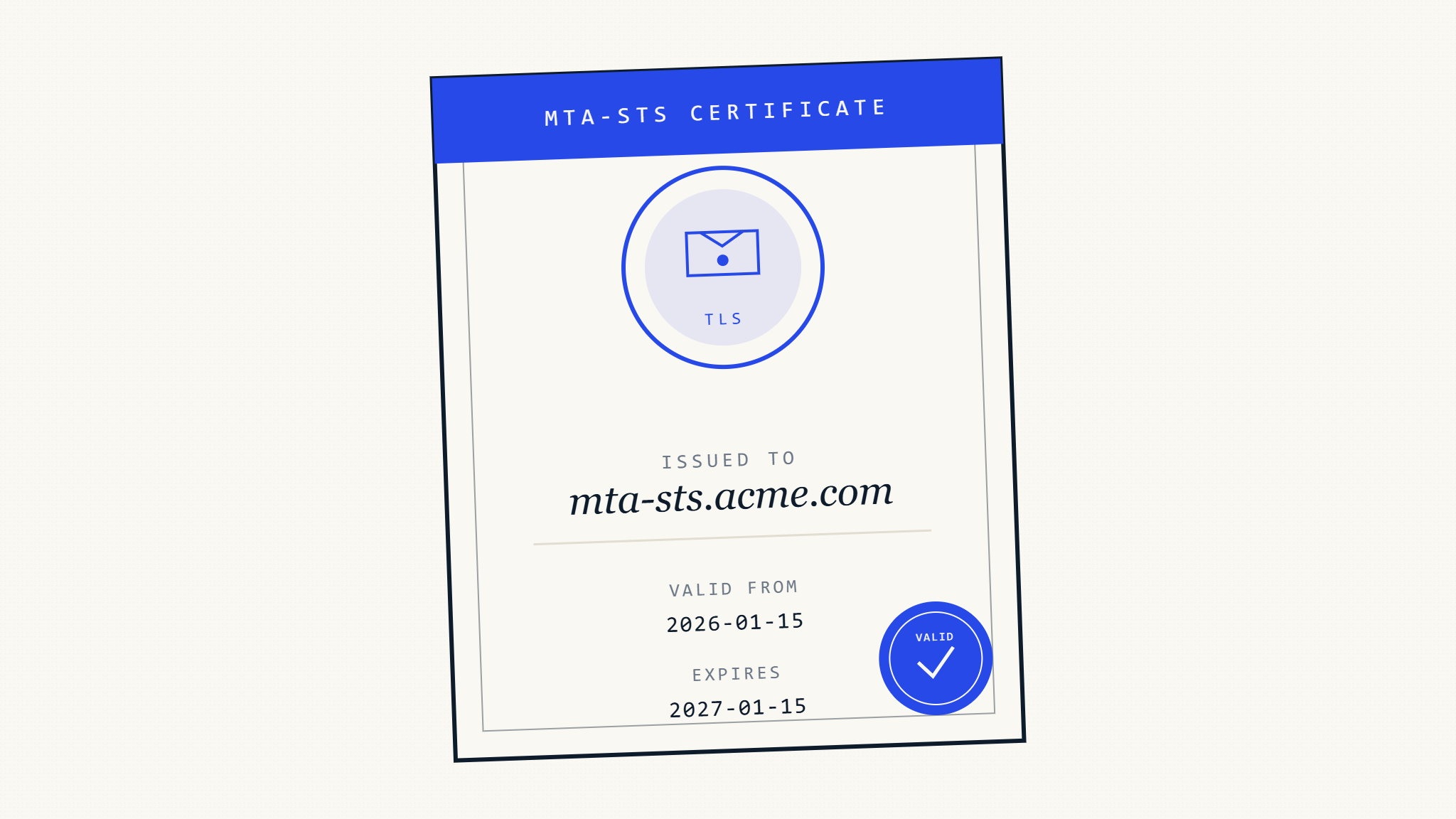
MTA-STS (Mail Transfer Agent Strict Transport Security) certificates form the backbone of secure email transport, but managing their lifecycle effectively remains a challenge for many organizations. Proper certificate management ensures continuous email security while preventing costly service disruptions that can impact business operations.
I. Understanding MTA-STS Certificate Requirements
What Makes MTA-STS Certificates Different
MTA-STS certificates must meet specific requirements that differ from standard web certificates. These certificates secure the HTTPS endpoint that serves your MTA-STS policy file, creating a chain of trust that email servers use to verify your security requirements.
The certificate must:
- Cover the exact hostname specified in your MTA-STS DNS record
- Maintain valid certificate authority (CA) trust chains
- Support modern TLS protocols (TLS 1.2 minimum, TLS 1.3 recommended)
- Include proper Subject Alternative Name (SAN) entries for subdomain coverage
Certificate Validation Process
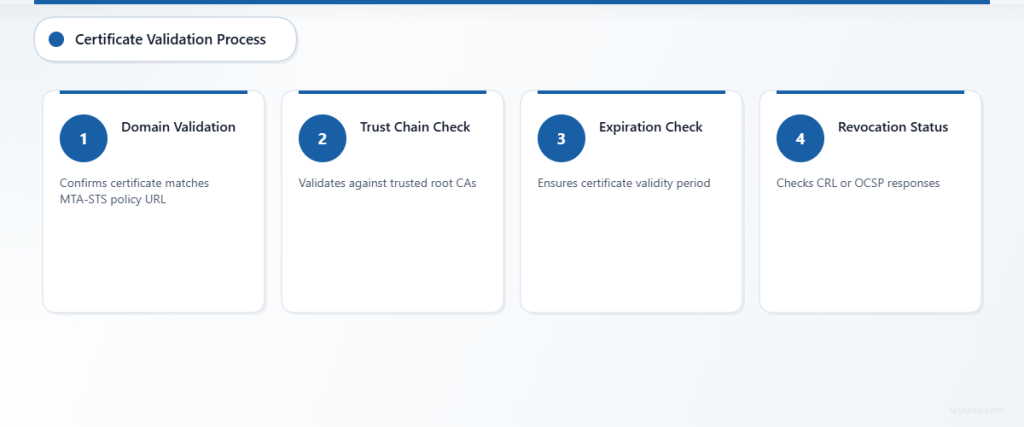
When an email server retrieves your MTA-STS policy, it validates the certificate through a multi-step process:
- Domain Validation: Confirms the certificate matches your MTA-STS policy URL
- Trust Chain Verification: Validates the certificate against trusted root CAs
- Expiration Check: Ensures the certificate remains within its validity period
- Revocation Status: Checks certificate revocation lists (CRL) or OCSP responses
II. Planning Your Certificate Lifecycle Strategy
Certificate Selection Criteria
Choose certificates based on your organization’s operational requirements and security posture. Consider these factors:
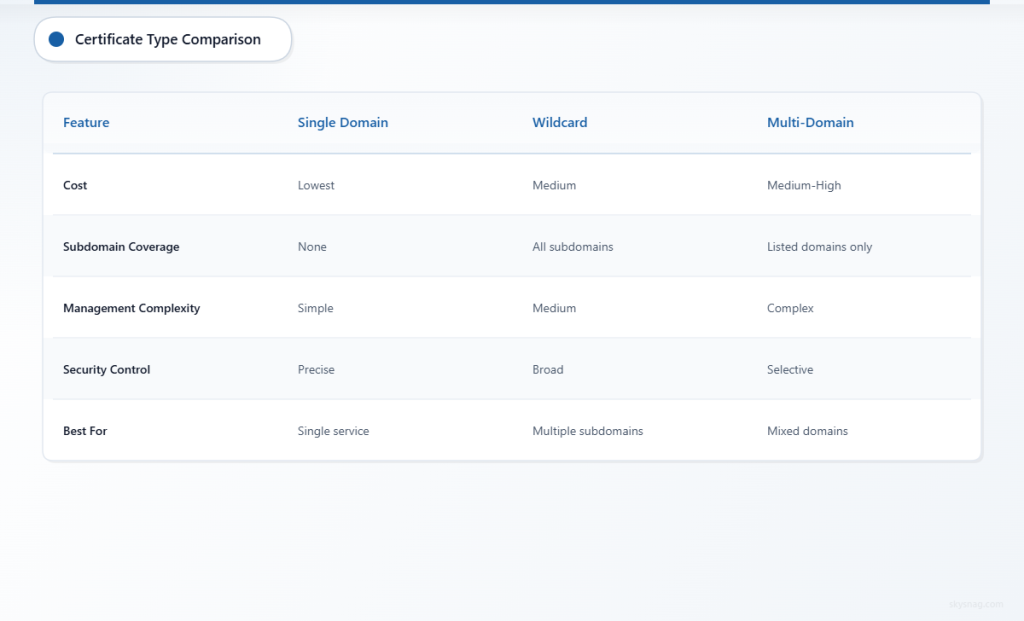
Single Domain vs. Wildcard Certificates
- Single domain certificates offer precise control and lower cost
- Wildcard certificates provide flexibility for multiple subdomains
- Multi-domain certificates balance coverage and management complexity
Certificate Authority Selection
- Public CAs offer broad compatibility and trust
- Private CAs provide organizational control but require additional trust management
- Consider CA reliability, support quality, and automation capabilities
Lifecycle Planning Framework
Effective MTA-STS certificate management requires structured planning across the entire certificate lifecycle:
Pre-Deployment Phase
- Certificate procurement and validation
- Testing in non-production environments
- Backup certificate preparation
- Documentation of deployment procedures
Active Management Phase
- Continuous monitoring and health checks
- Performance impact assessment
- Security event correlation
- Compliance validation tracking
Renewal and Rotation Phase
- Automated renewal scheduling
- Overlap period management
- Rollback procedure preparation
- Post-deployment verification
III. Step-by-Step Certificate Deployment Guide
Initial Certificate Installation
Step 1: Generate Certificate Signing Request (CSR)
Create a CSR that accurately reflects your MTA-STS hostname requirements:
openssl req -new -newkey rsa:4096 -keyout mta-sts.key -out mta-sts.csr -nodes -subj "/CN=mta-sts.yourdomain.com"Include all necessary Subject Alternative Names in your CSR configuration file:
[req_distinguished_name]
CN = mta-sts.yourdomain.com
[v3_req]
subjectAltName = @alt_names
[alt_names]
DNS.1 = mta-sts.yourdomain.com DNS.2 = *.mta-sts.yourdomain.com
Step 2: Certificate Authority Submission
Submit your CSR to your chosen certificate authority. Ensure you specify:
- Validation method (domain validation, organization validation, or extended validation)
- Certificate validity period aligned with your renewal schedule
- Required extensions for email security applications
Step 3: Certificate Validation and Installation
After receiving your certificate, validate its contents before deployment:
openssl x509 -in mta-sts.crt -text -noout | grep -A 5 "Subject Alternative Name"Verify the certificate chain completeness and proper intermediate certificate inclusion.
Web Server Configuration
Apache Configuration
Configure Apache to serve your MTA-STS policy with proper certificate settings:
<VirtualHost *:443>
    ServerName mta-sts.yourdomain.com
    DocumentRoot /var/www/mta-sts

    SSLEngine on
    SSLCertificateFile /path/to/mta-sts.crt
    SSLCertificateKeyFile /path/to/mta-sts.key
    SSLCertificateChainFile /path/to/intermediate.crt

    SSLProtocol TLSv1.2 TLSv1.3
    SSLCipherSuite ECDHE+AESGCM:ECDHE+CHACHA20:DHE+AESGCM:DHE+CHACHA20:!aNULL:!MD5:!DSS

    Header always set Strict-Transport-Security "max-age=63072000; includeSubDomains"
</VirtualHost>
Nginx Configuration
For Nginx deployments, configure SSL settings optimized for email security:
server {
    listen 443 ssl http2;
    server_name mta-sts.yourdomain.com;
    root /var/www/mta-sts;

    ssl_certificate /path/to/mta-sts.crt;
    ssl_certificate_key /path/to/mta-sts.key;
    ssl_trusted_certificate /path/to/ca-bundle.crt;

    ssl_protocols TLSv1.2 TLSv1.3;
    ssl_ciphers ECDHE+AESGCM:ECDHE+CHACHA20:DHE+AESGCM:DHE+CHACHA20:!aNULL:!MD5:!DSS;
    ssl_prefer_server_ciphers off;

    add_header Strict-Transport-Security "max-age=63072000; includeSubDomains" always;
}
IV. Automation Strategies for Certificate Management
Certificate Automation Tools
ACME Protocol Implementation
Leverage ACME-compatible tools for automated certificate management:
# Certbot example for automatic renewal
certbot certonly --webroot -w /var/www/mta-sts -d mta-sts.yourdomain.com --email [email protected]
Configure automatic renewal with verification hooks:
# Renewal hook script
#!/bin/bash
systemctl reload apache2
curl -f https://mta-sts.yourdomain.com/.well-known/mta-sts.txt || exit 1
Custom Automation Scripts
Develop organization-specific automation that integrates with your infrastructure:
import ssl
import socket
from datetime import datetime, timedelta

def check_certificate_expiry(hostname, port=443):
    context = ssl.create_default_context()
    with socket.create_connection((hostname, port), timeout=10) as sock:
        with context.wrap_socket(sock, server_hostname=hostname) as ssock:
            cert = ssock.getpeercert()
            expire_date = datetime.strptime(cert['notAfter'], '%b %d %H:%M:%S %Y %Z')
            days_until_expiry = (expire_date - datetime.now()).days
            return days_until_expiry
Integration with Configuration Management
Ansible Playbook Example
Automate certificate deployment across multiple servers:
---
- name: Deploy MTA-STS Certificate
  hosts: email_servers
  tasks:
    - name: Copy certificate files
      copy:
        src: "{{ item.src }}"
        dest: "{{ item.dest }}"
        mode: "{{ item.mode }}"
      loop:
        - { src: "certificates/mta-sts.crt", dest: "/etc/ssl/certs/", mode: "0644" }
        - { src: "certificates/mta-sts.key", dest: "/etc/ssl/private/", mode: "0600" }
      notify: restart_webserver

    - name: Validate certificate installation
      uri:
        url: "https://mta-sts.{{ ansible_domain }}/.well-known/mta-sts.txt"
        method: GET
        status_code: 200
Terraform Infrastructure as Code
Manage certificate infrastructure with Terraform:
resource "aws_acm_certificate" "mta_sts" {
  domain_name       = "mta-sts.${var.domain_name}"
  validation_method = "DNS"

  lifecycle {
    create_before_destroy = true
  }
}

resource "aws_route53_record" "mta_sts_validation" {
  for_each = {
    for dvo in aws_acm_certificate.mta_sts.domain_validation_options : dvo.domain_name => {
      name   = dvo.resource_record_name
      record = dvo.resource_record_value
      type   = dvo.resource_record_type
    }
  }

  allow_overwrite = true
  name            = each.value.name
  records         = [each.value.record]
  ttl             = 60
  type            = each.value.type
  zone_id         = var.route53_zone_id
}
V. Monitoring and Maintenance Best Practices
Certificate Health Monitoring
Implement comprehensive monitoring that tracks certificate status and performance metrics:
Expiration Monitoring
- Set alerts at 30, 14, and 7 days before expiration
- Monitor certificate chain completeness
- Track certificate authority trust status
- Validate proper SAN coverage
Performance Impact Assessment
- Monitor TLS handshake performance
- Track certificate validation response times
- Assess impact on email delivery speeds
- Monitor certificate-related error rates
Troubleshooting Common Issues
Certificate Mismatch Problems
When email servers report certificate validation failures:
- Verify hostname matching in certificate Subject and SAN fields
- Confirm DNS resolution returns correct IP addresses
- Test certificate chain completeness from external validators
- Check intermediate certificate installation
Trust Chain Validation Errors
Address trust chain issues systematically:
- Validate root CA trust in target email systems
- Ensure intermediate certificates are properly installed
- Test certificate validation from multiple external points
- Verify certificate authority cross-signing relationships
VI. Integration with Email Security Platforms
Skysnag Protect Integration
Skysnag Protect provides comprehensive certificate monitoring capabilities that integrate with your MTA-STS implementation. The platform offers:
Automated Certificate Discovery
- Continuous scanning of MTA-STS endpoints
- Certificate chain validation and reporting
- Integration with existing certificate management workflows
Proactive Monitoring and Alerting
- Real-time certificate health monitoring
- Automated expiration notifications
- Certificate validation testing from multiple global points
Compliance Reporting
- Certificate compliance status tracking
- Historical certificate performance data
- Integration with security compliance frameworks
This integration ensures your MTA-STS certificates maintain optimal security while supporting email authentication and encryption requirements across your organization.
Enterprise Certificate Management Integration
Large organizations benefit from integrating MTA-STS certificates with enterprise certificate management platforms:
PKI Integration Considerations
- Certificate template configuration for MTA-STS requirements
- Automated enrollment and renewal processes
- Integration with enterprise directory services
- Certificate lifecycle event logging and auditing
Multi-Environment Management
- Development, staging, and production certificate coordination
- Blue-green deployment support for certificate rotation
- Certificate synchronization across geographically distributed systems
VII. Security Considerations and Risk Management
Certificate Security Best Practices
Private Key Protection
- Store private keys in hardware security modules (HSMs) when possible
- Implement proper file system permissions and access controls
- Use key escrow solutions for business continuity
- Regularly audit private key access and usage
Certificate Transparency Monitoring
- Monitor Certificate Transparency logs for unauthorized certificates
- Implement certificate pinning where operationally feasible
- Track certificate issuance across all organizational domains
- Set up alerts for unexpected certificate activity
Risk Mitigation Strategies
Business Continuity Planning
- Maintain backup certificates with overlapping validity periods
- Document emergency certificate replacement procedures
- Test certificate rollback procedures regularly
- Establish relationships with multiple certificate authorities
Incident Response Preparation
- Define procedures for certificate compromise scenarios
- Prepare communication templates for certificate-related outages
- Establish escalation procedures for certificate validation failures
- Create runbooks for emergency certificate deployment
VIII. Key Takeaways
Effective MTA-STS certificate management requires a comprehensive approach that balances security, automation, and operational reliability. Organizations should focus on establishing robust certificate lifecycle processes, implementing proactive monitoring, and integrating certificate management with broader email security initiatives.
Success depends on proper planning, automated renewal processes, and continuous monitoring to ensure certificate health and compliance. Regular testing of certificate deployment and rollback procedures helps maintain service availability while supporting secure email transport requirements.
Skysnag Protect simplifies this complex process by providing automated monitoring, validation, and reporting capabilities that integrate seamlessly with your existing MTA-STS certificate infrastructure. Start strengthening your email security posture today with comprehensive certificate management that scales with your organization’s needs.