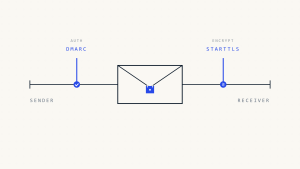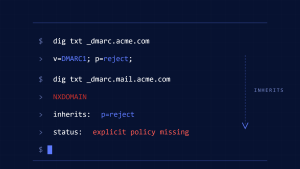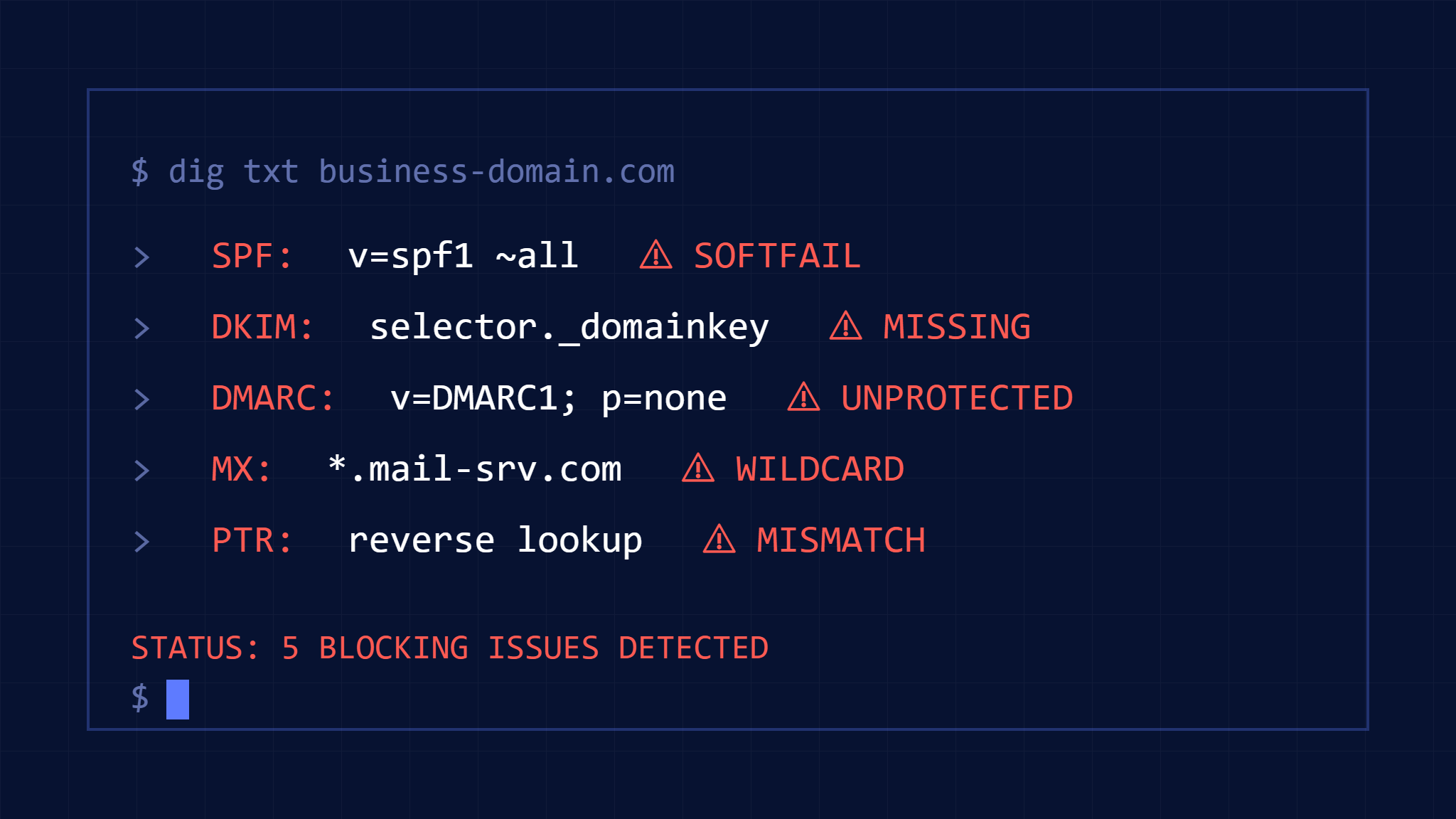
Email delivery failures don’t always announce themselves with bounces or error messages. Some of the most damaging DNS misconfigurations work silently, causing your legitimate business emails to disappear into spam folders or vanish entirely while leaving you unaware of the problem.
These hidden DNS issues commonly affect organizations that have implemented email authentication partially or incorrectly. While your emails might appear to send successfully from your perspective, recipients never receive them—creating missed opportunities, frustrated customers, and potential compliance gaps.
I. The Hidden Cost of Silent Email Delivery Failures
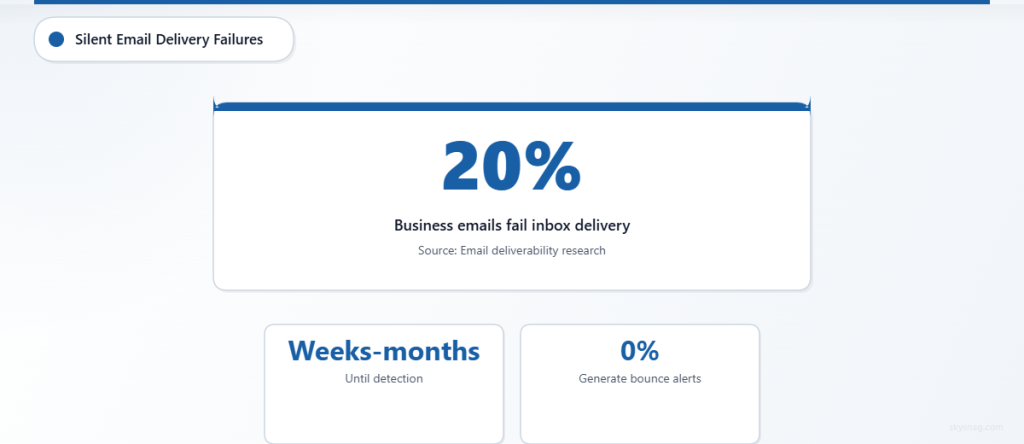
When business emails fail to deliver, the consequences extend beyond missed messages. Sales teams lose leads, customer service inquiries go unanswered, and time-sensitive communications like invoice reminders or security alerts fail to reach their intended recipients. Unlike obvious delivery failures that generate bounce messages, silent DNS-related blocking provides no feedback loop to alert you to the problem.
According to email deliverability research, approximately 20% of legitimate business emails fail to reach the inbox due to authentication and configuration issues. Many organizations remain unaware of these failures for weeks or months, discovering the problem only when recipients mention missing emails or when critical communications don’t receive expected responses.
II. 1. Misaligned SPF Records That Break DMARC
The Problem: Your SPF record authenticates successfully, but DMARC still fails due to alignment requirements. This creates a false sense of security while leaving your domain vulnerable to spoofing and your emails vulnerable to filtering.
How SPF Misalignment Occurs
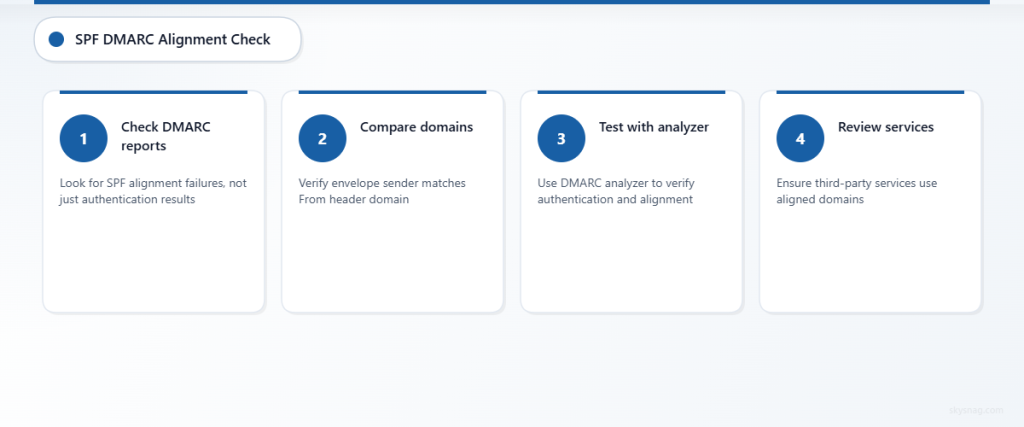
SPF validates that the sending server is authorized to send for the envelope sender domain (also called Return-Path). However, DMARC requires SPF alignment, meaning the envelope sender domain must align with the visible “From” header domain. When these domains don’t match, DMARC fails even if SPF passes.
This commonly happens when:
- Third-party services send emails using their own envelope sender domain
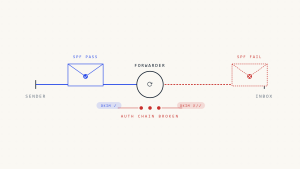
- Email forwarding services modify the envelope sender
- Marketing platforms use their subdomain as the envelope sender
- Transactional email services haven’t been configured for alignment
Critical Failure Condition: SPF can pass authentication but provide zero DMARC protection. The email appears legitimate in SPF logs while failing DMARC policy checks, potentially triggering recipient filtering without generating visible bounce messages.
Detection Steps
- [ ] Check DMARC aggregate reports for SPF alignment failures (look for
<spf>failin alignment results, not authentication results). - [ ] Compare the envelope sender domain in your email headers with your “From” header domain.
- [ ] Test emails through a DMARC analyzer to verify both authentication and alignment status.
- [ ] Review third-party service configurations to ensure they use your domain or properly aligned subdomains as envelope senders.
Resolution Methods
Configure third-party services to use your domain or a properly aligned subdomain as the envelope sender. For services that can’t modify the envelope sender, implement DKIM authentication with proper alignment as an alternative path to DMARC compliance.
Work with email service providers to establish custom Return-Path domains that align with your From header domain. Many platforms support this configuration but require explicit setup to maintain DMARC alignment.
III. 2. Broken DKIM Signatures from Key Rotation
The Problem: DKIM signatures become invalid when public keys are rotated without proper coordination between signing servers and DNS records. This breaks authentication silently, as emails continue to send but fail DKIM validation.
Understanding DKIM Key Rotation Failures
DKIM signatures depend on public/private key pairs. The sending server signs emails with the private key, and receiving servers verify signatures using the public key published in DNS. When organizations rotate keys for security purposes, timing mismatches between key deployment and DNS updates can invalidate signatures.
This failure mode is particularly problematic because:
- Emails continue sending normally from the sender’s perspective
- Recipients see authentication failures without notification to the sender
- The failure often affects all emails for hours or days during the transition
- Some email providers silently filter DKIM failures without generating bounces
Critical Failure Condition: During key rotation, there’s typically a window where new signatures use updated private keys but DNS still contains old public keys. All emails during this period fail DKIM authentication, potentially triggering aggressive filtering.
Detection and Prevention
- [ ] Monitor DKIM authentication rates through DMARC reports before and after key rotations.
- [ ] Implement overlapping key deployment: publish new public keys in DNS before updating private keys on sending servers.
- [ ] Test DKIM signatures immediately after any key rotation using authentication-checking tools.
- [ ] Establish monitoring alerts for sudden drops in DKIM pass rates in aggregate reports.
Recovery Procedures
If key rotation has broken DKIM authentication, immediately verify that DNS contains the correct public key for your current private key. Most DKIM failures resolve within hours of correcting DNS records, but some recipient servers cache DNS results, extending the impact.
For organizations using multiple DKIM selectors, maintain at least two valid key pairs to enable seamless rotation without authentication gaps.
IV. 3. Wildcard DNS Records Interfering with Email Authentication
The Problem: Wildcard DNS entries can interfere with specific email authentication records, causing unexpected resolution behavior that breaks SPF includes or DKIM key lookups.
How Wildcards Break Email Authentication
Wildcard DNS records (using asterisk notation like *.example.com) match any subdomain that doesn’t have a more specific record. While useful for web hosting, wildcards can create problems for email authentication when they interfere with the specific subdomains used for SPF includes or DKIM selectors.
Common scenarios include:
- Wildcard records overriding DKIM selector subdomains
- SPF include mechanisms failing due to wildcard interference
- Third-party email services unable to publish authentication records on expected subdomains
Critical Failure Condition: Wildcard records can cause DNS lookups to return unexpected results, leading to authentication failures that don’t generate clear error messages. The failure often appears as DNS resolution problems rather than authentication issues.
Identification Process
- [ ] Audit all wildcard DNS records in your domain for potential conflicts with email authentication subdomains.
- [ ] Test DKIM selector resolution from external DNS servers to verify correct key retrieval.
- [ ] Verify that SPF include mechanisms resolve to the expected records, not wildcard matches.
- [ ] Check with third-party email services about specific subdomain requirements for authentication records.
Resolution Strategy
Create explicit DNS records for email authentication subdomains to override wildcard behavior. This ensures that DKIM selectors and SPF includes resolve correctly regardless of wildcard configurations elsewhere in your DNS zone.
V. 4. Missing PTR Records Triggering Reputation Filters
The Problem: Reverse DNS (PTR) records that don’t match your sending IP addresses can trigger reputation-based filtering, particularly for organizations sending from dedicated IP addresses or on-premises mail servers.
Understanding PTR Record Requirements
PTR records provide reverse DNS resolution, allowing receiving servers to verify that an IP address maps back to a legitimate domain name. Many spam filters use PTR record validation as part of their reputation scoring, particularly for direct-send scenarios.
The failure occurs when:
- PTR records point to ISP-generic hostnames instead of your domain
- PTR records are missing entirely for your sending IP addresses
- PTR records exist but don’t match the hostnames used in your email configuration
- Multiple domains send from the same IP with conflicting PTR records
Critical Failure Condition: PTR record mismatches don’t prevent email delivery but can significantly impact reputation scoring. This leads to gradual degradation in deliverability that’s difficult to trace back to DNS configuration.
Verification and Correction
- [ ] Perform reverse DNS lookups on all your sending IP addresses to verify PTR record configuration.
- [ ] Ensure PTR records point to hostnames within your domain rather than ISP default names.
- [ ] Coordinate with your hosting provider or ISP to configure appropriate PTR records for dedicated sending IPs.
- [ ] Test reputation scoring through email deliverability monitoring tools before and after PTR record changes.
VI. 5. Conflicting MX Records from Legacy Configurations
The Problem: Outdated or conflicting MX records can interfere with email delivery, particularly when organizations migrate between email providers or maintain hybrid email environments.
Legacy MX Record Complications
MX records direct email delivery to specific mail servers. Problems arise when organizations maintain old MX records alongside new ones, creating ambiguous routing that can cause delivery delays or failures. This commonly occurs during email system migrations when old records aren’t properly cleaned up.
Issues include:
- Multiple MX records with conflicting priorities pointing to different email systems
- High-priority MX records pointing to decommissioned mail servers
- MX records for subdomains that conflict with primary domain email handling
- Split delivery configurations that weren’t properly coordinated
Critical Failure Condition: Conflicting MX records can cause emails to route to the wrong system or experience delivery delays while servers attempt multiple delivery paths. Some emails may succeed while others fail, creating inconsistent delivery behavior.
Cleanup and Optimization
- [ ] Audit all MX records in your DNS zone, including subdomains that might have independent email configurations.
- [ ] Remove MX records pointing to decommissioned or legacy mail servers.
- [ ] Verify that MX record priorities correctly reflect your intended email routing preferences.
- [ ] Test email delivery to your domain from external sources to confirm proper routing behavior.
VII. Comprehensive DNS Email Health Check
Use this systematic approach to identify and resolve hidden DNS issues affecting your email delivery:
Weekly Monitoring Tasks:
- [ ] Review DMARC aggregate reports for authentication and alignment failure patterns.
- [ ] Monitor overall email delivery rates and recipient engagement metrics for sudden changes.
- [ ] Verify that critical DNS records (SPF, DKIM, MX, PTR) resolve correctly from multiple DNS servers.
Monthly DNS Audit:
- [ ] Perform comprehensive DNS record review for all domains and subdomains used in email communications.
- [ ] Test email authentication from multiple sending sources to identify configuration gaps.
- [ ] Review third-party service configurations for authentication alignment requirements.
- [ ] Validate that backup MX records and secondary email configurations remain functional.
After Any Infrastructure Changes:
- [ ] Test email authentication immediately following DNS modifications, server changes, or email service updates.
- [ ] Verify that new third-party integrations maintain proper email authentication alignment.
- [ ] Confirm that domain or hosting changes haven’t affected email-related DNS records.
VIII. How Skysnag Protect Prevents Silent DNS Email Failures

Skysnag Protect provides comprehensive monitoring and alerting for DNS-related email delivery issues. The platform continuously monitors your email authentication records, detects configuration drift, and alerts you to problems before they impact delivery rates.
Key capabilities include automated DMARC report analysis to identify authentication and alignment failures, real-time monitoring of DNS record changes that could affect email delivery, and integration with your existing email infrastructure to provide visibility into authentication success rates.
IX. Key Takeaways
DNS-related email delivery failures often work silently, providing no obvious indication that your business communications aren’t reaching recipients. The five critical DNS issues—SPF misalignment, DKIM key rotation problems, wildcard interference, missing PTR records, and conflicting MX configurations—can significantly impact your email deliverability without generating visible error messages.
Regular monitoring through DMARC reports, systematic DNS audits, and proactive authentication testing help identify these issues before they affect business operations. Organizations should implement automated monitoring to catch DNS changes that could impact email delivery and maintain documented procedures for infrastructure changes that affect email authentication.
Remember that email authentication isn’t a set-and-forget configuration. As your email infrastructure evolves, DNS requirements change, and these hidden issues can emerge even in previously working configurations. Continuous monitoring and testing ensure your business emails reach their intended recipients reliably.