DMARC (Domain-based Message Authentication, Reporting and Conformance) records serve as DNS-based policies that tell receiving mail servers how to handle emails from your domain. Understanding precise DMARC record syntax is crucial for organizations implementing robust email authentication protocols in 2026.
A DMARC record consists of tag-value pairs separated by semicolons, published as a TXT record at the specific DNS location _dmarc.yourdomain.com. Each component serves a distinct function in the authentication chain, from policy enforcement to forensic reporting configuration.
I. DMARC DNS Record Structure Overview
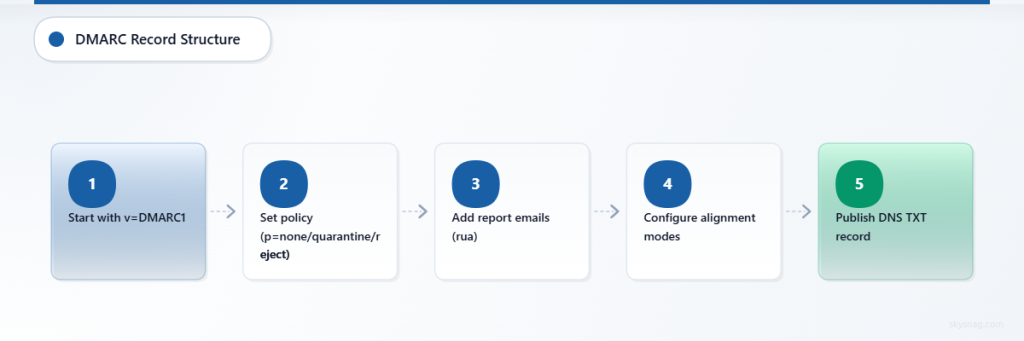
Basic Syntax Format
DMARC records follow a standardized tag=value format with specific ordering requirements:
v=DMARC1; p=policy; rua=mailto:[email protected]; ruf=mailto:[email protected]; sp=subdomain_policy; pct=percentage; adkim=alignment; aspf=alignment; rf=format; ri=interval; fo=optionsRequired vs Optional Tags
Required Tags:
v(version)p(policy)
Optional Tags:
rua(aggregate reports)ruf(forensic reports)sp(subdomain policy)pct(percentage)adkim(DKIM alignment)aspf(SPF alignment)rf(report format)ri(report interval)fo(failure options)
II. Version Tag (v)
Syntax
v=DMARC1The version tag must always be the first component in any DMARC record and currently supports only one value: DMARC1. This identifies the record as a DMARC policy to receiving mail servers.
Examples
v=DMARC1; p=none
v=DMARC1; p=quarantine; rua=mailto:[email protected]
Edge Cases
- Missing version tag renders the entire record invalid
- Version tag appearing anywhere except first position causes parsing failures
- Any value other than
DMARC1results in record rejection
III. Policy Tag (p)
Syntax
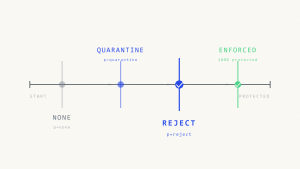
p=none|quarantine|rejectThe policy tag defines how receiving servers should handle emails that fail DMARC authentication checks.
Policy Values Explained
none: Monitor mode – no action taken on failed messages
v=DMARC1; p=none; rua=mailto:[email protected]quarantine: Failed messages delivered to spam/junk folders
v=DMARC1; p=quarantine; pct=25; rua=mailto:[email protected]reject: Failed messages blocked entirely at SMTP level
v=DMARC1; p=reject; rua=mailto:[email protected]Edge Cases
- Policy enforcement depends on receiver implementation
- Some receivers may treat quarantine as reject for reputation reasons
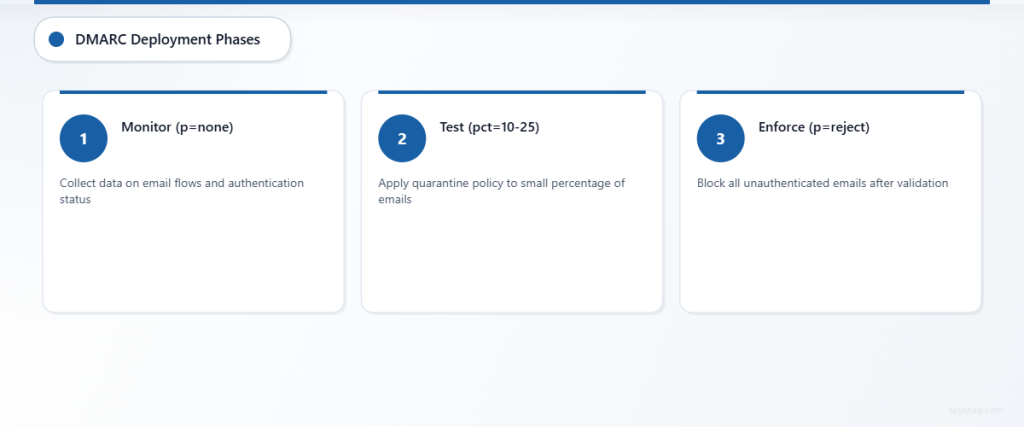
- Policy escalation should follow gradual deployment patterns (none → quarantine → reject)
IV. Aggregate Reports URI (rua)
Syntax
rua=mailto:[email protected],mailto:[email protected]Specifies email addresses for receiving XML aggregate reports containing authentication statistics.
Configuration Examples
Single recipient:
rua=mailto:[email protected]Multiple recipients:
rua=mailto:[email protected],mailto:[email protected]External domain reporting:
rua=mailto:[email protected]Edge Cases
- External domain recipients require DNS authorization records
- Reports generated daily by most receivers (24-hour cycles)
- Missing rua tag eliminates visibility into DMARC performance
- Some receivers impose size limits on report destinations
V. Forensic Reports URI (ruf)
Syntax
ruf=mailto:[email protected]Defines recipients for detailed forensic reports of individual authentication failures.
Examples
ruf=mailto:[email protected]
v=DMARC1; p=quarantine; ruf=mailto:[email protected],mailto:[email protected]
Edge Cases
- Many receivers no longer send forensic reports due to privacy concerns
- Forensic reports contain full message headers and potentially sensitive data
- External domain recipients require explicit DNS authorization
- Volume can be overwhelming for domains with high email traffic
VI. Subdomain Policy (sp)
Syntax
sp=none|quarantine|rejectEstablishes policy inheritance for subdomains when no explicit DMARC record exists at the subdomain level.
Configuration Examples
Stricter subdomain policy:
v=DMARC1; p=none; sp=quarantine; rua=mailto:[email protected]Matching policies:
v=DMARC1; p=reject; sp=reject; rua=mailto:[email protected]Edge Cases
- Subdomain-specific DMARC records override sp settings
- Default behavior applies parent domain policy to subdomains when sp is absent
- Organizational subdomains may require different policy approaches
VII. Percentage Tag (pct)
Syntax
pct=1-100Controls the percentage of failed messages subject to DMARC policy enforcement.
Examples
Gradual rollout:
v=DMARC1; p=quarantine; pct=10; rua=mailto:[email protected]Full enforcement (default):
v=DMARC1; p=reject; pct=100; rua=mailto:[email protected]Edge Cases
- Default value is 100 when pct tag is omitted
- Useful for gradual policy deployment and testing
- Random sampling may create inconsistent user experiences
- Not all receivers honor percentage specifications
VIII. DKIM Alignment Mode (adkim)
Syntax
adkim=r|sDefines alignment requirements between DKIM signature domain and From header domain.
Alignment Modes
Relaxed (r) – Default:
v=DMARC1; p=quarantine; adkim=r; rua=mailto:[email protected]- Allows organizational domain alignment (subdomain.example.com aligns with example.com)
Strict (s):
v=DMARC1; p=quarantine; adkim=s; rua=mailto:[email protected]- Requires exact domain matching
Edge Cases
- Relaxed alignment accommodates legitimate subdomain email services
- Strict alignment prevents subdomain spoofing but may break legitimate email flows
- Multiple DKIM signatures evaluated independently for alignment
IX. SPF Alignment Mode (aspf)
Syntax
aspf=r|sSpecifies alignment requirements between SPF Return-Path domain and From header domain.
Examples
Relaxed SPF alignment:
v=DMARC1; p=none; aspf=r; adkim=s; rua=mailto:[email protected]Strict SPF alignment:
v=DMARC1; p=quarantine; aspf=s; rua=mailto:[email protected]Edge Cases
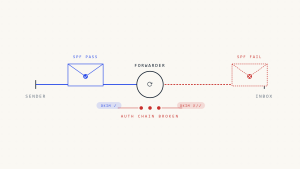
- Forwarding scenarios often break SPF alignment regardless of mode
- Third-party email services require careful Return-Path configuration
- Relaxed mode accommodates organizational domain structures
X. Report Format (rf)
Syntax
rf=afrf|iodefSpecifies format preference for forensic reports.
Format Options
Authentication Failure Report Format (afrf) – Default:
v=DMARC1; p=none; rf=afrf; ruf=mailto:[email protected]Incident Object Description Exchange Format (iodef):
v=DMARC1; p=none; rf=iodef; ruf=mailto:[email protected]Edge Cases
- Most receivers default to afrf regardless of rf specification
- iodef format rarely implemented in practice
- Format preference may be ignored by reporting systems
XI. Report Interval (ri)
Syntax
ri=secondsRequests specific interval for aggregate report generation.
Examples
Daily reports (86400 seconds):
v=DMARC1; p=none; ri=86400; rua=mailto:[email protected]Weekly reports (604800 seconds):
v=DMARC1; p=none; ri=604800; rua=mailto:[email protected]Edge Cases
- Most receivers generate reports on their own schedules regardless of ri value
- Standard practice is daily report generation
- Shorter intervals rarely honored by major email providers
XII. Failure Options (fo)
Syntax
fo=0|1|d|sControls conditions triggering forensic report generation.
Failure Options Explained
fo=0 (Default): Reports generated when both SPF and DKIM fail
v=DMARC1; p=none; fo=0; ruf=mailto:[email protected]fo=1: Reports generated when either SPF or DKIM fails
v=DMARC1; p=none; fo=1; ruf=mailto:[email protected]fo=d: Reports generated when DKIM fails
v=DMARC1; p=none; fo=d; ruf=mailto:[email protected]fo=s: Reports generated when SPF fails
v=DMARC1; p=none; fo=s; ruf=mailto:[email protected]Edge Cases
- Multiple values can be combined:
fo=1:d:s - Forensic reporting increasingly disabled by receivers
- High-volume domains should use fo=0 to minimize report volume
XIII. Advanced Configuration Examples
Enterprise Deployment
v=DMARC1; p=reject; sp=quarantine; adkim=r; aspf=r; pct=100; rua=mailto:[email protected],mailto:[email protected]; ruf=mailto:[email protected]; fo=1; rf=afrf; ri=86400Gradual Implementation
v=DMARC1; p=none; pct=100; rua=mailto:[email protected]; ruf=mailto:[email protected]; fo=1Subdomain-Focused Policy
v=DMARC1; p=none; sp=reject; adkim=s; aspf=s; rua=mailto:[email protected]XIV. DNS Publication Requirements
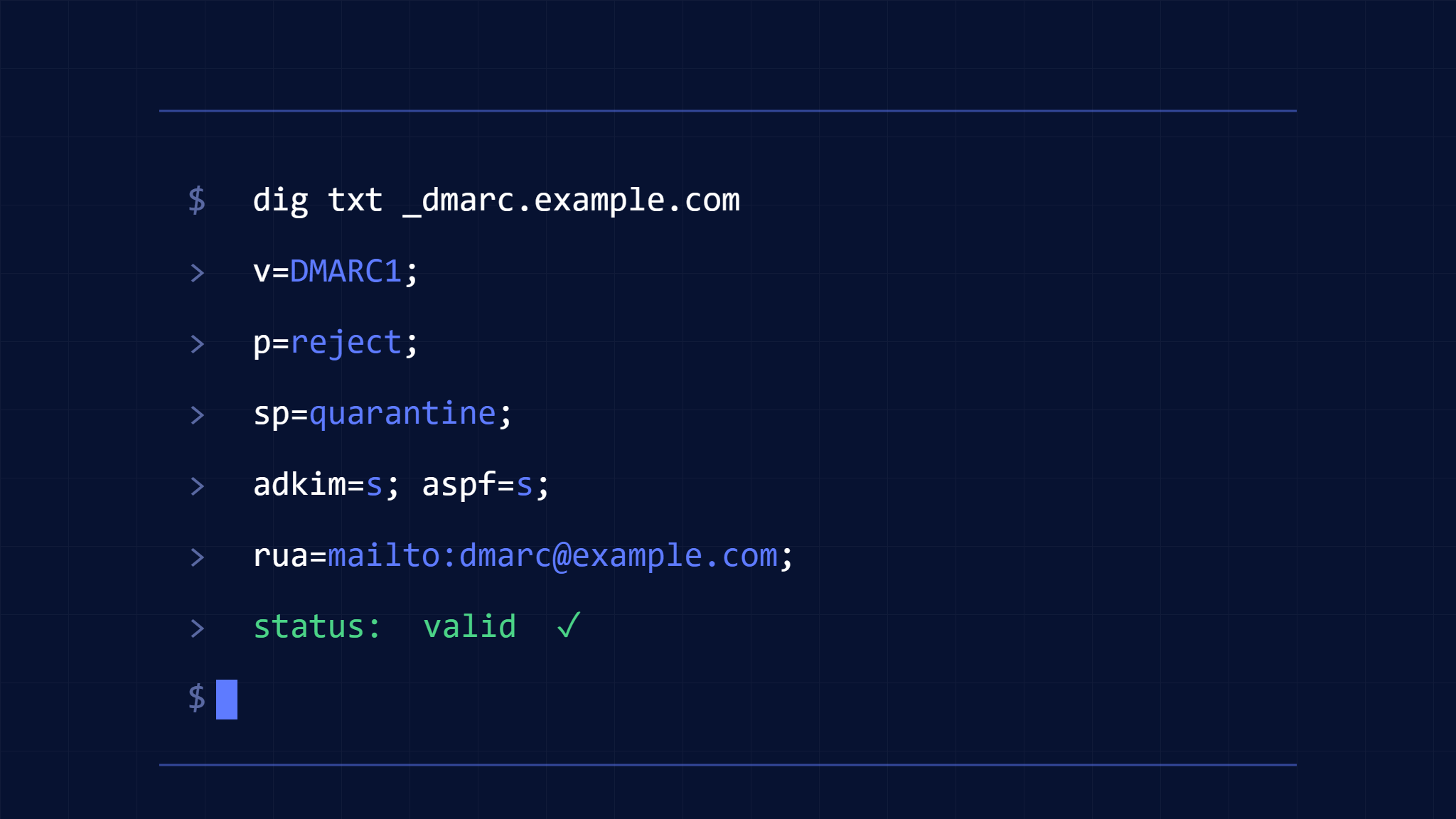
DMARC records must be published as TXT records at _dmarc.yourdomain.com with proper DNS configuration:
TTL Considerations
- Recommended TTL: 300-3600 seconds for policy changes
- Lower TTL values enable faster policy updates
- Higher TTL values reduce DNS query load
Record Limits
- Single DMARC record per domain (multiple records cause failures)
- Maximum record length varies by DNS provider
- Long records may require TXT record splitting
XV. Common Syntax Errors
Spacing Issues
# Incorrect - spaces in tag names
v = DMARC1; p = none

# Correct
v=DMARC1; p=none
Case Sensitivity
# Incorrect - case matters for values
v=dmarc1; p=NONE

# Correct
v=DMARC1; p=none
Delimiter Problems
# Incorrect - comma instead of semicolon
v=DMARC1, p=none

# Correct
v=DMARC1; p=none
Organizations implementing DMARC policies benefit from using Skysnag Protect to monitor DMARC performance, validate record syntax, and receive detailed authentication reports. The platform provides real-time visibility into email authentication status and helps identify configuration issues before they impact email delivery.
XVI. Key Takeaways
DMARC record syntax requires precise formatting with mandatory version and policy tags, while optional tags provide reporting and alignment control. Successful implementation demands understanding each component’s function, proper DNS publication, and gradual policy escalation. Regular monitoring through aggregate reports ensures authentication effectiveness while forensic reports help identify specific failure patterns.
Proper DMARC configuration protects domains from spoofing attacks while maintaining legitimate email delivery when syntax rules are followed correctly. Organizations should start with monitoring policies, validate syntax thoroughly, and implement external reporting authorization when using third-party DMARC services.