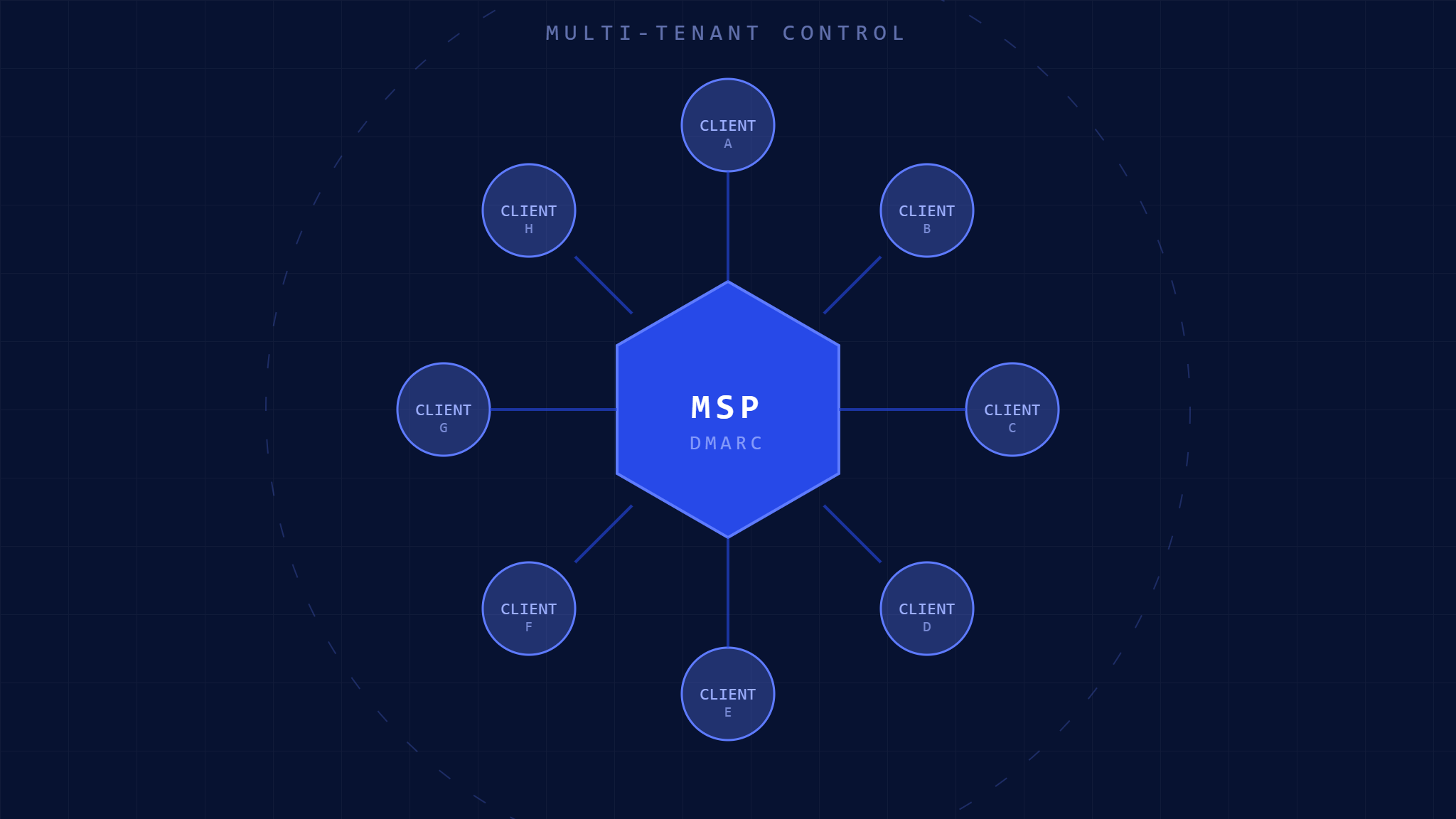
Managing email security across dozens or hundreds of client domains can feel like herding cats. One client gets spoofed, another struggles with legitimate email delivery, and you’re constantly juggling individual DMARC configurations. Multi-tenant DMARC management transforms this chaos into streamlined, centralized control that scales with your MSP business.
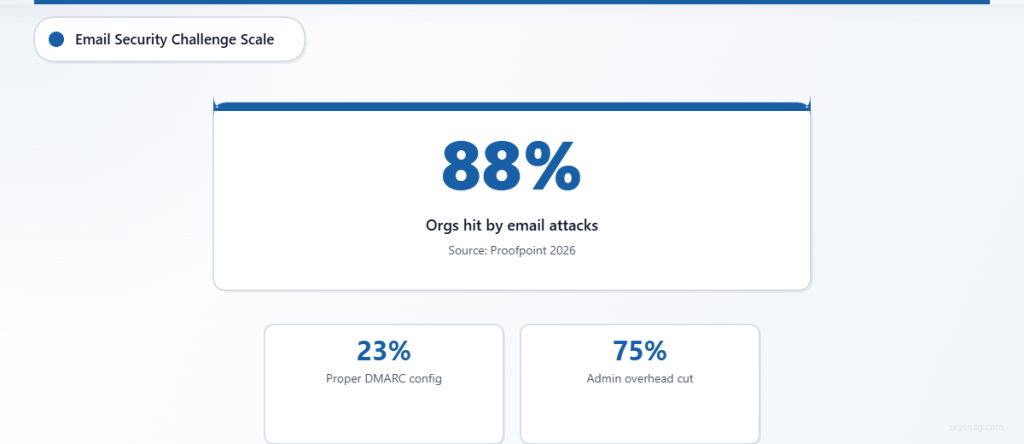
Modern MSPs face an email security paradox: clients demand enterprise-grade protection, but managing individual DMARC implementations across multiple domains creates operational nightmares. According to Proofpoint’s 2026 State of the Phish report, 88% of organizations experienced email-based attacks, yet only 23% have properly configured DMARC policies. For MSPs, these statistics multiply across every client domain.
This comprehensive guide walks you through implementing centralized DMARC management that protects all your clients while reducing your administrative overhead by up to 75%.
I. Understanding Multi-Tenant DMARC Architecture
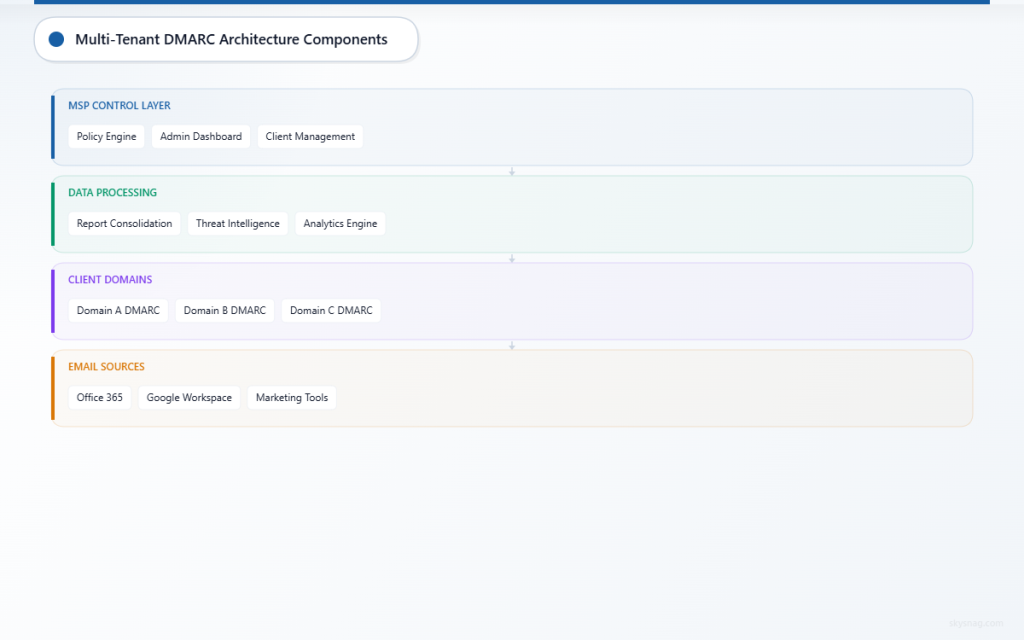
Multi-tenant DMARC management centralizes email authentication policies across multiple client domains from a single control plane. Instead of logging into dozens of DNS panels and email platforms, you manage everything from one unified dashboard.
Core Components of Multi-Tenant DMARC
Centralized Policy Engine: A master control system that pushes DMARC policies to individual client domains while maintaining separation between tenants. Each client’s data remains isolated while benefiting from centralized management.
Aggregate Report Consolidation: All DMARC reports from client domains flow into a central repository for analysis, trending, and alerting. This eliminates the need to check individual email accounts for DMARC reports.
Cross-Domain Visibility: Real-time monitoring of authentication failures, delivery issues, and potential threats across your entire client portfolio from a single interface.
Benefits for MSP Operations
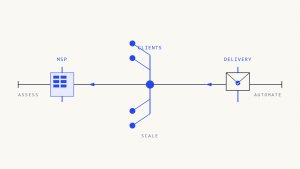
Centralized DMARC management reduces client onboarding time from hours to minutes. Instead of manually configuring DNS records and email settings for each domain, automated workflows handle deployment while maintaining proper tenant isolation. This scalability becomes crucial as your MSP grows beyond 50+ client domains.
Risk reduction improves dramatically with unified threat intelligence. When one client experiences a new spoofing attack, protective measures automatically apply across similar client configurations. This collective defense model provides enterprise-grade security for smaller clients who couldn’t achieve it independently.
II. Pre-Implementation Assessment
Before deploying multi-tenant DMARC, conduct a comprehensive audit of your current client email infrastructure. This assessment identifies potential conflicts and ensures smooth deployment.
Client Domain Inventory
Document every domain requiring DMARC protection, including primary domains, subdomains used for marketing emails, and third-party services sending on behalf of clients. Many MSPs discover forgotten subdomains during this process that have been sending unprotected emails for years.
Create a spreadsheet listing:
- Primary client domains and all subdomains
- Current email sending services (Office 365, Google Workspace, marketing platforms)
- Existing SPF and DKIM configurations
- Current DMARC policy status (none, quarantine, or reject)
Infrastructure Requirements Analysis
Evaluate your current DNS management capabilities. Multi-tenant DMARC works best when you control client DNS or have API access to their DNS providers. Identify clients where you’ll need to coordinate with external IT teams or third-party DNS providers.
Review your current monitoring and alerting systems. Multi-tenant DMARC generates significant amounts of data that require proper storage, analysis, and alerting capabilities. Ensure your infrastructure can handle increased data volumes without performance degradation.
III. Step-by-Step Multi-Tenant DMARC Implementation
Step 1: Choose Your Multi-Tenant DMARC Platform
Select a platform designed for MSP operations with robust tenant isolation and white-label capabilities. Key features include automated DNS deployment, centralized reporting, and role-based access control that allows client access to their own data without seeing other tenants’ information.
Skysnag MSP/MSSP Comply provides comprehensive multi-tenant DMARC management specifically designed for MSPs, including automated deployment workflows and client-specific dashboards.
Step 2: Configure Tenant Hierarchy
Establish your organizational structure within the platform. Create separate tenant spaces for each client while maintaining parent-level visibility across all accounts. This hierarchy allows individual client teams to access their email security data while giving your MSP team consolidated oversight.
Set up role-based permissions ensuring clients can view their domain’s performance without accessing other tenants’ data. Configure notification preferences so both your team and client contacts receive relevant alerts about authentication failures or policy changes.
Step 3: Deploy DMARC Policies Systematically
Start with a pilot group of 3-5 client domains to validate your deployment process. Begin with monitoring-only policies (p=none) to gather baseline data without risking legitimate email delivery disruption.
For each domain in your pilot group:
Configure SPF Records: Ensure all legitimate email sources appear in SPF records. Include your clients’ email platforms, marketing tools, and any third-party services sending email on their behalf.
Implement DKIM Signing: Set up DKIM keys for all email sources. Most modern email platforms provide DKIM configuration guides, but the key is ensuring consistent signing across all sending services.
Deploy DMARC Policy: Start with monitoring mode using a record like:
v=DMARC1; p=none; rua=mailto:[email protected]; ruf=mailto:[email protected]; fo=1Step 4: Monitor and Analyze Aggregate Reports
DMARC aggregate reports reveal all email sent using your clients’ domains. Analyze these reports to identify legitimate email sources that might not be properly authenticated. Common discoveries include forgotten marketing platforms, printer notifications, and partner systems sending email on behalf of clients.
Review reports weekly during the initial monitoring phase. Look for:
- High volumes of authentication failures from unknown sources
- Legitimate email sources failing SPF or DKIM authentication
- Geographic patterns in email sending that might indicate compromise
Step 5: Gradually Enforce Policies
After 30 days of monitoring and resolving authentication issues, gradually move domains to quarantine mode (p=quarantine). This instructs receiving email servers to treat unauthenticated emails as suspicious without completely blocking them.
Monitor delivery reports closely during quarantine deployment. Some clients may experience slight increases in emails marked as spam if their authentication wasn’t perfect. Address any delivery issues quickly by updating SPF records or DKIM configurations.
Step 6: Achieve Full Protection with Reject Policies
Once domains maintain 95%+ authentication success rates for 30 days in quarantine mode, implement reject policies (p=reject). This provides maximum protection by instructing receiving servers to block unauthenticated emails entirely.
Full reject policies prevent brand spoofing but require careful monitoring. Maintain emergency rollback procedures for any legitimate email sources discovered after reject deployment.
IV. Advanced Multi-Tenant DMARC Features
Automated Threat Response
Configure automated responses to authentication failures across your client portfolio. When suspicious activity appears on one domain, automatically increase monitoring on similar clients or implement temporary policy changes to prevent attack spread.
Set up cross-tenant threat intelligence sharing. Anonymized attack patterns detected across your client base improve protection for all tenants while maintaining data privacy between clients.
Client-Specific Reporting and Dashboards
Deploy white-label dashboards allowing clients to monitor their email security independently. Include metrics like authentication success rates, threat detections, and delivery performance in client-facing reports.
Customize reporting frequency based on client preferences. Some clients want daily updates on email security, while others prefer monthly executive summaries focusing on high-level trends and threat intelligence.
Integration with Client Communication Tools
Connect DMARC monitoring to client communication platforms like Slack or Microsoft Teams. Real-time notifications about authentication failures or potential threats keep client teams informed without overwhelming them with technical details.
Configure escalation procedures for critical threats. When DMARC reports indicate active spoofing attempts, automatic notifications can trigger incident response procedures with appropriate client stakeholders.
V. Troubleshooting Common Multi-Tenant DMARC Issues
Legitimate Email Authentication Failures
The most common issue involves legitimate email sources failing DMARC authentication. This typically occurs with:
Third-Party Marketing Platforms: Services like Mailchimp or Constant Contact may not properly align domains in their email headers. Work with these platforms to configure proper domain alignment or implement subdomain delegation.
Office Applications: Outlook plugins, CRM systems, and other business applications often send email without proper authentication. Document all business applications that send email and ensure they’re included in SPF records.
Partner Email Systems: Clients often forget about partners or vendors who send email on their behalf. Regular SPF audits help identify these sources before they cause authentication failures.
Cross-Tenant Data Leakage Concerns
Maintain strict tenant isolation by implementing proper role-based access controls. Regular audits of user permissions ensure client representatives can only access their organization’s data.
Use separate API keys for each tenant to prevent accidental cross-tenant access. Even within your MSP team, implement least-privilege access principles where technicians only see data for clients they actively support.
Scaling Performance Issues
Large MSPs may experience performance degradation when managing hundreds of domains with frequent policy changes. Implement caching mechanisms for DNS queries and batch policy updates during maintenance windows to minimize impact.
Monitor aggregate report processing times as your client portfolio grows. Large volumes of DMARC reports can overwhelm processing systems, leading to delayed threat detection or policy recommendations.
VI. Measuring Multi-Tenant DMARC Success
Key Performance Indicators
Track authentication success rates across all client domains. Aim for 95%+ authentication success before moving to reject policies. Monitor trends to identify clients needing additional configuration support.
Measure threat detection and response times. Multi-tenant DMARC should detect spoofing attempts faster than individual domain monitoring while providing coordinated response capabilities across your client portfolio.
Client Satisfaction Metrics
Survey clients quarterly about their email security confidence and any delivery issues they’ve experienced. Well-implemented DMARC should improve both security and email deliverability over time.
Track support ticket volumes related to email issues. Effective multi-tenant DMARC management should reduce email-related support requests as authentication becomes more reliable and threats are blocked automatically.
ROI and Efficiency Gains
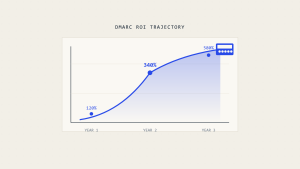
Document time savings from centralized management compared to individual domain configurations. Most MSPs see 60-80% reduction in email security management time after implementing multi-tenant DMARC.
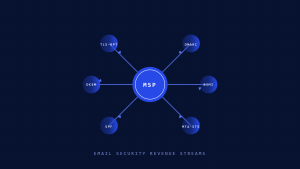
Calculate client retention and upsell opportunities created by improved email security offerings. Clients experiencing better email deliverability and enhanced protection often expand their service relationships with MSPs.
VII. Future-Proofing Your Multi-Tenant DMARC Strategy
Emerging Email Security Standards
Stay current with evolving email authentication standards like BIMI (Brand Indicators for Message Identification) and SMTP MTA-STS. Multi-tenant platforms should adapt to incorporate new standards without requiring individual client configuration changes.
Monitor industry developments in AI-powered threat detection and automated response capabilities. Advanced multi-tenant platforms increasingly offer machine learning features that improve threat detection accuracy across client portfolios.
Regulatory Compliance Considerations
Ensure your multi-tenant DMARC implementation supports various compliance requirements across different client industries. Healthcare clients may need HIPAA-compliant email handling, while financial services clients require specific audit trails and data retention policies.
Prepare for potential email security regulations that may mandate DMARC implementation. Having a robust multi-tenant platform positions your MSP to quickly comply with new requirements across your entire client base.
VIII. Key Takeaways
Multi-tenant DMARC management transforms email security from a per-client headache into a scalable competitive advantage for MSPs. Centralized control reduces administrative overhead while providing enterprise-grade protection across your entire client portfolio.
Success requires careful planning during the assessment phase, systematic deployment starting with monitoring policies, and gradual enforcement based on authentication success rates. Proper tenant isolation and role-based access controls ensure client data privacy while enabling centralized management benefits.
The investment in multi-tenant DMARC technology pays dividends through reduced support overhead, improved client satisfaction, and enhanced security posture across all managed domains. MSPs implementing these systems typically see 60-80% reduction in email security management time while providing better protection than individual domain configurations could achieve.
Ready to streamline your email security operations across all client domains? Explore Skysnag MSP/MSSP Comply to discover how multi-tenant DMARC management can scale your security offerings while reducing operational complexity.