Major email providers continue to tighten their authentication requirements, with Google and Yahoo leading the charge in implementing stricter policies for bulk email senders. As we progress through 2026, organizations must stay current with evolving compliance standards to maintain reliable email deliverability and protect their domain reputation.
The landscape of email authentication has become increasingly complex, with new requirements rolling out regularly. Organizations that fail to meet these standards face significant delivery issues, reduced engagement rates, and potential security vulnerabilities. This comprehensive guide covers everything you need to know about current Google and Yahoo email requirements for 2026.
I. Current Google and Yahoo Email Authentication Requirements
Core Authentication Standards
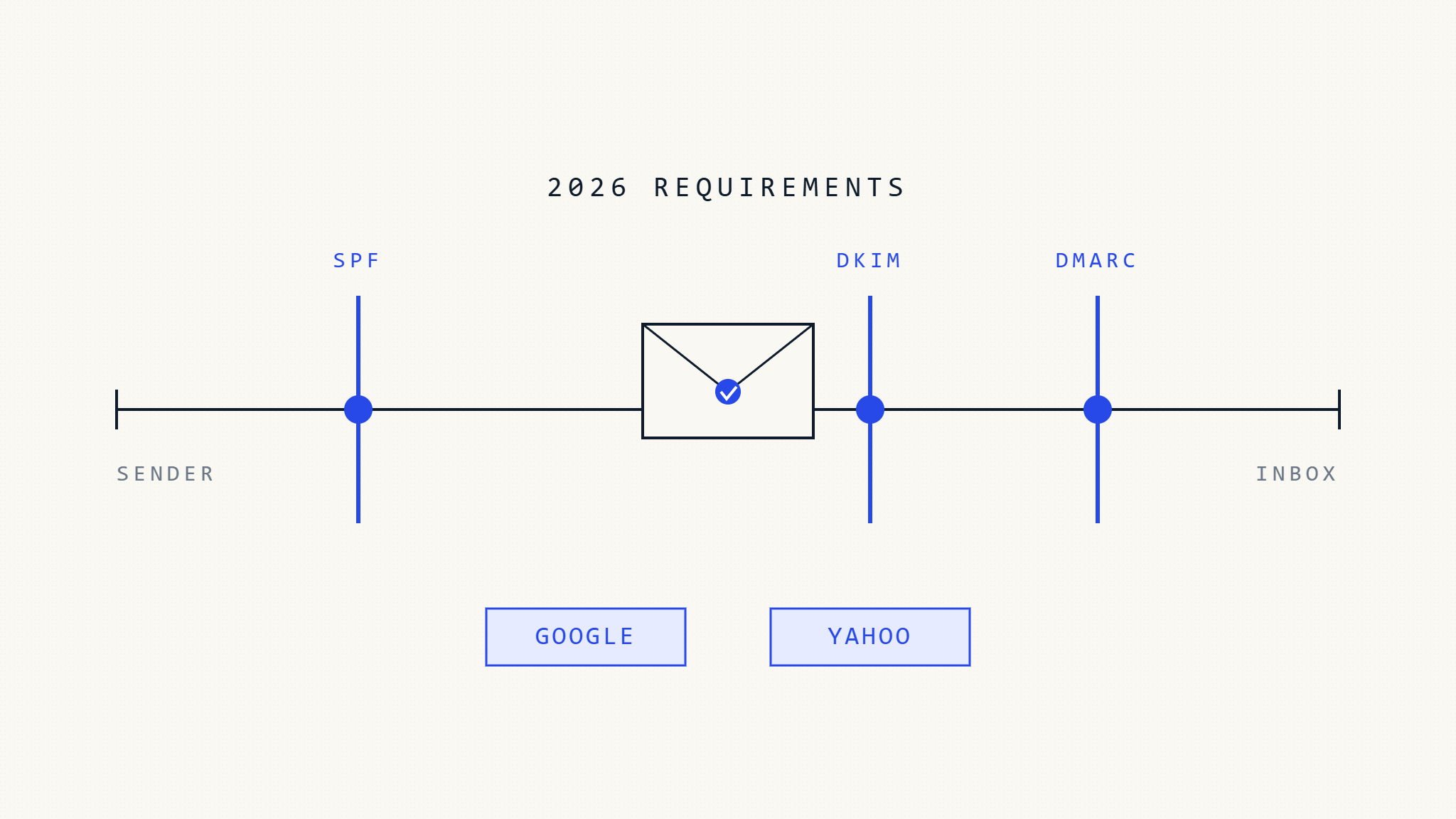
Both Google and Yahoo have implemented mandatory authentication protocols that all bulk senders must follow:
SPF (Sender Policy Framework) Requirements:
- Valid SPF record published in DNS
- Proper alignment with sending IP addresses
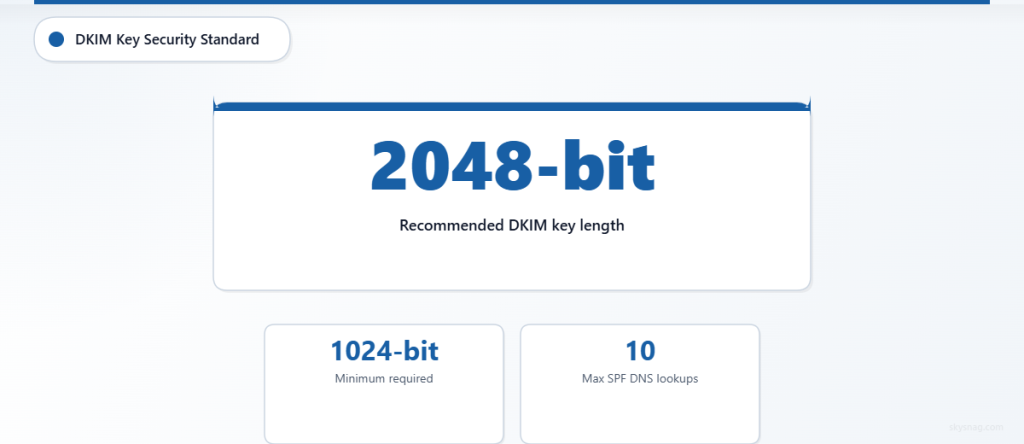
- No more than 10 DNS lookups in SPF chain
- Clear authorization for all sending sources
DKIM (DomainKeys Identified Mail) Standards:
- Minimum 1024-bit key length (2048-bit recommended)
- Valid DKIM signatures on all outbound messages
- Proper key rotation and management procedures
- Consistent signing domain alignment
DMARC (Domain-based Message Authentication) Policies:
- Published DMARC policy at organizational domain level
- Minimum policy of
p=quarantinefor bulk senders (5,000+ messages/day) - Proper alignment with SPF and DKIM
- Regular monitoring of DMARC reports
Volume-Based Requirements
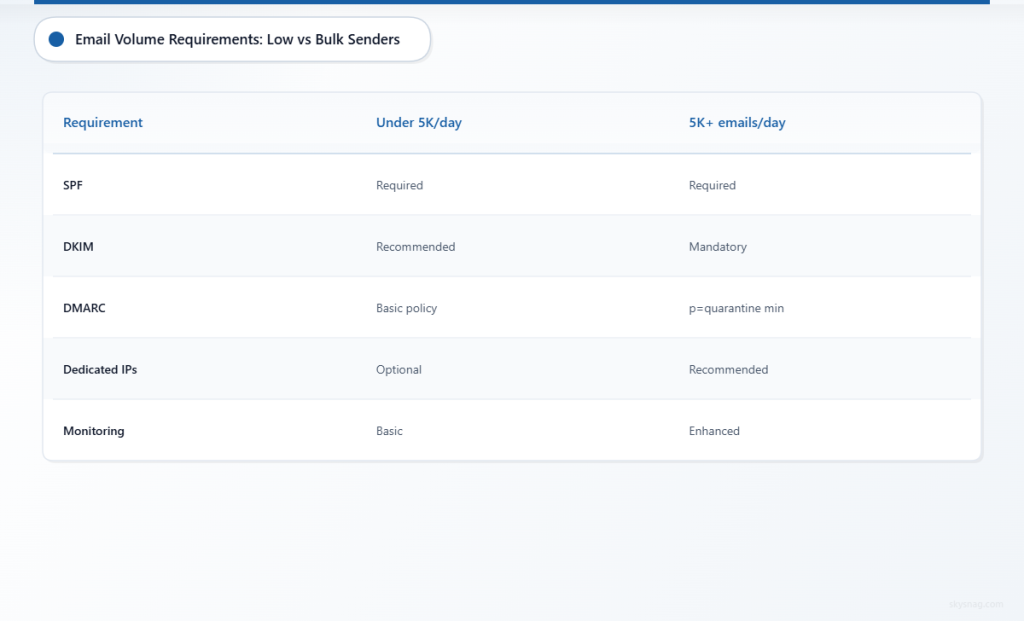
Google and Yahoo differentiate requirements based on daily sending volumes:
Low-Volume Senders (Under 5,000 emails/day):
- SPF authentication required
- DKIM signatures recommended
- Basic DMARC policy suggested
Bulk Senders (5,000+ emails/day):
- Full SPF, DKIM, and DMARC implementation mandatory
- DMARC policy must be set to
p=quarantineorp=reject - Dedicated IP addresses recommended
- Enhanced monitoring and reporting required
II. Step-by-Step Compliance Implementation
Step 1: Assess Your Current Email Authentication Status
Begin by auditing your existing email authentication setup:
Domain Analysis:
- Check current SPF records using DNS lookup tools
- Verify DKIM signing implementation across all sending sources
- Review existing DMARC policy and alignment rates
- Identify all legitimate sending sources and IP addresses
Volume Assessment:
- Calculate daily email sending volumes across all systems
- Categorize different types of email communications
- Document all third-party email services and integrations
- Map email flows and authentication dependencies
Deliverability Review:
- Analyze current inbox placement rates
- Review recent delivery issues or bounces
- Check domain reputation scores with major providers
- Identify any authentication-related delivery problems
Step 2: Implement SPF Authentication
Proper SPF configuration forms the foundation of email authentication:
SPF Record Creation:
v=spf1 include:_spf.google.com include:mailgun.org ip4:192.168.1.100 -allBest Practices:
- Include all legitimate sending sources
- Use
include:mechanisms for third-party services - Specify IP addresses for dedicated sending infrastructure
- End with
-allfor strict policy enforcement - Keep DNS lookups under the 10-query limit
Common Mistakes to Avoid:
- Missing sending sources in SPF record
- Exceeding DNS lookup limits
- Using overly permissive mechanisms
- Failing to update records when infrastructure changes
Step 3: Deploy DKIM Signing
DKIM provides cryptographic authentication for email messages:
Key Generation Process:
- Generate 2048-bit RSA key pairs for enhanced security
- Create unique selectors for different sending sources
- Publish public keys in DNS TXT records
- Configure mail servers to sign outbound messages
Implementation Checklist:
- Sign all outbound email messages
- Use consistent signing domains
- Implement proper key rotation procedures
- Test DKIM signatures before full deployment
- Monitor signing performance and delivery rates
Step 4: Configure DMARC Policy
DMARC ties together SPF and DKIM authentication:
Initial DMARC Record:
v=DMARC1; p=none; rua=mailto:[email protected]; ruf=mailto:[email protected]; fo=1Progressive Policy Enforcement:
- Start with
p=nonefor monitoring and data collection - Analyze DMARC reports to identify legitimate sending sources
- Gradually increase policy strictness to
p=quarantine - Implement
p=rejectafter achieving high authentication rates - Monitor ongoing compliance and delivery performance
Step 5: Set Up Comprehensive Monitoring
Continuous monitoring ensures ongoing compliance and optimal performance:
DMARC Report Analysis:
- Daily review of aggregate (RUA) reports
- Investigation of authentication failures
- Identification of unauthorized sending sources
- Trending analysis of authentication rates
Deliverability Monitoring:
- Track inbox placement rates across major providers
- Monitor bounce rates and delivery failures
- Analyze engagement metrics and reputation scores
- Alert systems for authentication or delivery issues
III. Advanced Compliance Strategies
Multi-Domain Management
Organizations with multiple domains face additional complexity:
Organizational DMARC:
- Implement organizational domains for policy inheritance
- Coordinate authentication across subsidiary domains
- Maintain consistent branding and authentication standards
- Streamline reporting and monitoring processes
Subdomain Considerations:
- Evaluate subdomain authentication requirements
- Implement appropriate DMARC policies for subdomains
- Consider security implications of subdomain delegation
- Balance usability with security requirements
Third-Party Integration
Managing authentication with external email services requires careful coordination:
Service Provider Evaluation:
- Verify authentication capabilities of all email vendors
- Ensure proper DKIM signing and SPF inclusion
- Negotiate service level agreements for authentication compliance
- Implement backup authentication methods where possible
Integration Best Practices:
- Document all third-party sending sources
- Regularly audit vendor authentication configurations
- Implement change management procedures for email services
- Monitor third-party compliance with authentication requirements
IV. Troubleshooting Common Issues
Authentication Failures
When DMARC reports show authentication failures:
SPF Troubleshooting:
- Verify all sending IP addresses are included in SPF record
- Check for DNS propagation issues
- Ensure SPF record syntax is correct
- Review third-party service configurations
DKIM Resolution:
- Confirm DKIM keys are properly published in DNS
- Verify message signing is functioning correctly
- Check for key rotation issues
- Test DKIM validation across different email clients
Delivery Problems
Address delivery issues systematically:
Provider-Specific Issues:
- Review Google Postmaster Tools data
- Check Yahoo delivery feedback and metrics
- Analyze Microsoft 365 message trace logs
- Monitor other provider-specific delivery reports
Reputation Management:
- Implement proper list hygiene practices
- Monitor engagement rates and spam complaints
- Address any sending pattern irregularities
- Maintain consistent sending volumes and frequency
V. Skysnag Protect: Streamlined Email Authentication Management
Managing complex email authentication requirements across multiple domains and providers can be overwhelming. Skysnag Protect provides comprehensive email security management, including automated DMARC policy deployment, real-time monitoring, and detailed compliance reporting.
The platform simplifies the implementation of Google and Yahoo email requirements through:
- Automated SPF, DKIM, and DMARC configuration
- Centralized management of multiple domains and sending sources
- Real-time DMARC report analysis and threat detection
- Compliance dashboards for ongoing monitoring
- Expert support for complex authentication scenarios
VI. Key Takeaways
Google and Yahoo email requirements for 2026 continue to evolve, with stricter authentication standards becoming the baseline for reliable email delivery. Organizations must implement comprehensive SPF, DKIM, and DMARC authentication while maintaining ongoing monitoring and compliance management.
Success requires a systematic approach: assess current authentication status, implement required protocols progressively, establish robust monitoring systems, and maintain ongoing compliance through regular audits and updates. The complexity of managing these requirements across multiple domains and providers makes automated solutions increasingly valuable for maintaining optimal email deliverability and security.
The investment in proper email authentication pays dividends through improved deliverability, enhanced domain reputation, and stronger protection against email-based threats. Organizations that proactively address these requirements position themselves for continued success in an increasingly security-conscious email ecosystem.
Ready to streamline your email authentication compliance? Explore Skysnag Protect to automate your DMARC implementation and ensure ongoing compliance with Google and Yahoo email requirements.