DKIM uses cryptographic signatures and public-key infrastructure to verify that an email message has not been altered during transit and that it truly came from the claimed sender. Email senders can use DKIM to sign their messages by adding a DKIM-Signature header field to the messages. Email receivers can then use the public key published in the DNS to verify the signature and check that the message has not been tampered with.
I. How to Setup DKIM for Mailgun
You must validate your custom domain in order to set up DKIM for Mailgun.
- Launch Mailgun and sign in.
- Select the Domains tab.
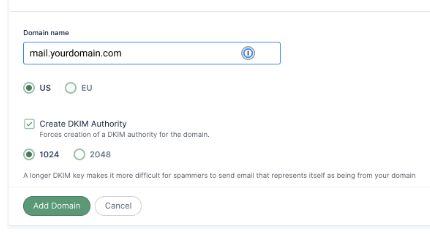
- Go to mail.yourdomain.com by clicking on it. Add your domain as displayed below if you haven’t.
- The DKIM records created for your domain can be seen on the domain settings page in the Domain Verification & DNS section.
- DKIM records should be copied to your keyboard.

- Log in to the DNS management interface for your domain.
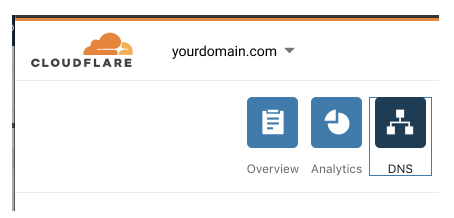
- Fill in the DKIM entries (resource type: TXT; name/host: domainkey.mail.yourdomain.com) in your DNS.
- Save revisions
- Wait a while for these revisions to take effect on your DNS (it can take up to 24 hours)
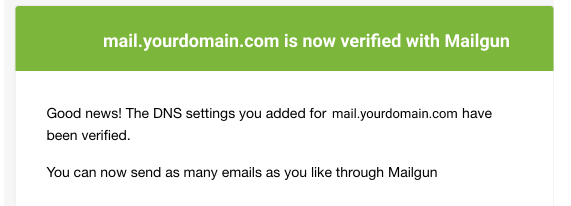
- To verify that your domain has been confirmed and configured with DKIM email authentication, log back into your Mailgun account and look for a verified status (a green verification badge) against your domain name. You will also get a confirmation email from Mailgun regarding the progress of your verification.
You can use Skysnag’s free DKIM Checker to check the health of your DKIM record here
Enable DMARC for your domains to protect against spoofing. Sign up for a free trial today!
For more information on Mailgun DKIM setup, you can refer to their reference documentation