
DomainKeys Identified Mail (DKIM) is a method for email senders to digitally sign email messages in a way that can be verified by email receivers. This allows receivers to verify that the message truly came from the sender, and has not been tampered with. DKIM is intended to address some of the flaws in the existing email system, such as spoofing, phishing, and message tampering.
I. Steps for Enabling DKIM for Infusionsoft
- Open your Infusionsoft account and log in.
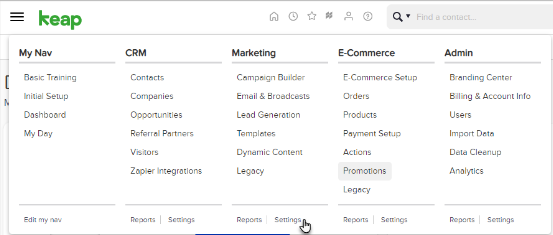
- Go to Settings > Marketing.
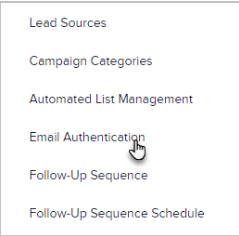
- Click on “Email Authentication”
- Click on “Add a Domain”
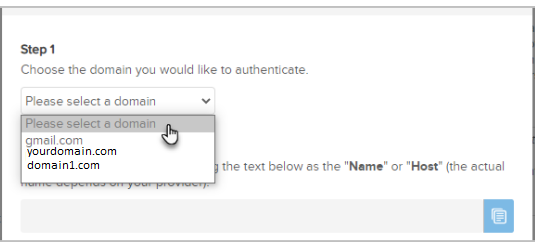
- The domain name for which you want to enable DKIM should be entered (or select from the drop-down list)
- One CNAME record has now been generated for your domain, which you can see.
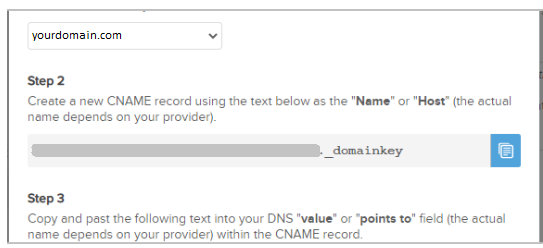
- Use the text displayed above as the “Name” or “Host” of a new CNAME record.
- The CNAME record should be copied and pasted into the “Value” section of your domain’s DNS.
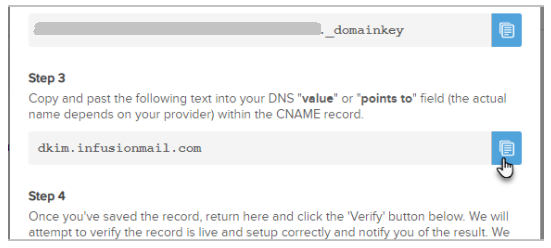
- After you save modifications, wait until your DNS has effectively incorporated the adjustments.
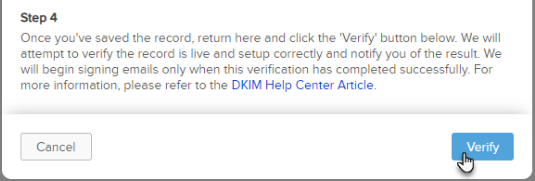
- Re-login to your Infusionsoft account, then select “Verify”
You can use Skysnag’s free DKIM Checker to check the health of your DKIM record here
Enable DMARC for your domains to protect against spoofing. Sign up for a free trial today!
For more information on Infusionsoft DKIM setup, you can refer to their reference documentation