Third Party Email Senders DKIM Instructions
How to Set Up DKIM for Advocatehub?
October 12, 2023 | 2 min read

Generate DKIM Record
Your Generated DKIM Records
Keep the private key secure and add the DKIM record to your DNS
Your Generated DKIM Records
Keep the private key secure and add the DKIM record to your DNS
Generated DKIM Record
Private Key
You must enter the private key in your DKIM signer. It must be kept secret, as anyone with access to it can stamp tokens pretending to be you
••••••••••••••••••
Public Key
The public key is the original raw 'X509' format. It's not usable in DNS directly, but it might be useful for something else.
Subdomain
Publish the generated record text on this DNS host. Format: [selector]._domainkey.[yourdomain.com] — never use @ in DNS records.
DomainKeys Identified Mail (DKIM) is an email authentication system designed to detect email spoofing. It allows organizations to take responsibility for transmitting a message while providing a mechanism to verify that the message was not altered during transit. DKIM uses cryptographic signatures and public-key infrastructure to verify that an email message has not been altered during transit and that it truly came from the claimed sender. Email senders can use DKIM to sign their messages by adding a DKIM-Signature header field to the messages. Email receivers can then use the public key published in the DNS to verify the signature and check that the message has not been tampered with.
How to Configure DKIM Records for Advocatehub
Using the hostname, add the following DKIM as a TXT entry to your DNS:
scph0416._domainkey.yourdomain.com
The DKIM record for the DNS includes :
v=DKIM1; k=rsa; h=sha256; p=MIGfMA0GCSqGSIb3DQEBAQUAA4GNADCBiQKBgQDih5pVeAPRFdDHY+14sCpx2Alpv6Fa4TpfuTuvahTlynaArXq7NjLef5VaxM/qZ0jRzSK+9YSWW4ZgX56Oz/2rM+aZGcIQQeY9fnboRqOvj5yEUZE8Lb0TLOJ8LvwkI5gKn/T5soRcVcX9DQKmn/NbaRjXx1zSzEANc6NyxOfMDQIDAQAB
There is one setting that needs to be enabled from the backend, so kindly contact influitive support that you are enabling DKIM.
As an alternative, you can create your DKIM key pair if you are sending emails from your personal servers as opposed to Advocatehub using our free DKIM record generator tool.
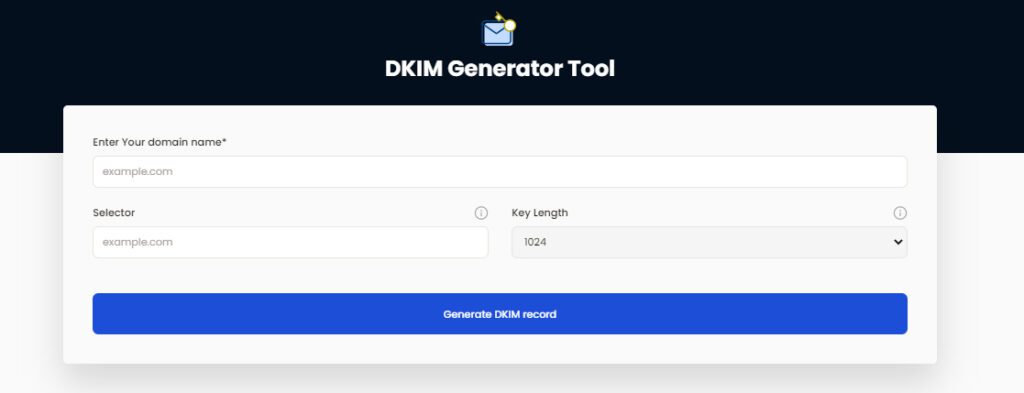
How to publish your DKIM public key for Advocatehub:
- Log in as the administrator to your DNS provider’s administration console.
- Go to the section for DNS records.
- Depending on the type of DKIM record that has been provided to you, create a TXT or CNAME record.
- Copy and paste the hostname and value
- Save your record adjustments and wait 48–72 hours for your DNS to take effect.
Use our free DKIM record lookup tool to validate the published DKIM record.
Enable DMARC for your domains to protect against spoofing. Sign up for a free trial today!
For more information on Advocatehub DKIM setup, you can refer to their reference documentation
Ready to secure your sending identity and protect your domain reputation? Sign up today.
Get started