Third Party Email Senders DKIM Instructions
How to Set Up DKIM for Adestra?
October 10, 2023 | 2 min read

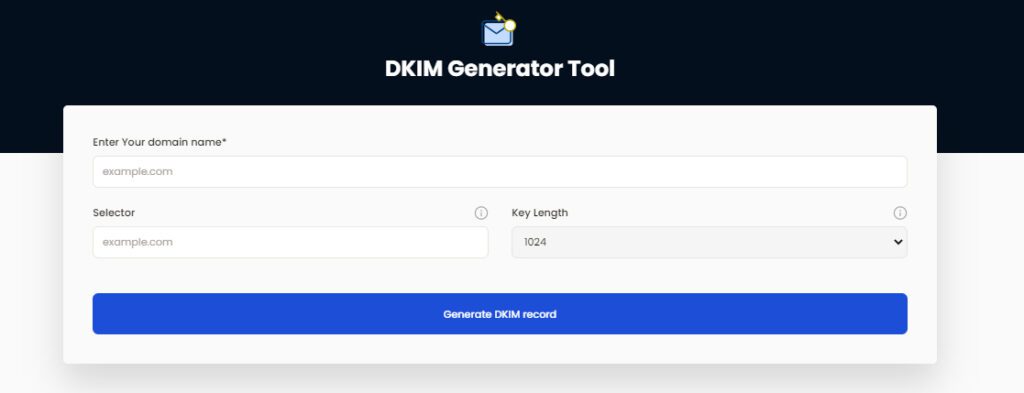
Generate DKIM Record
Your Generated DKIM Records
Keep the private key secure and add the DKIM record to your DNS
Your Generated DKIM Records
Keep the private key secure and add the DKIM record to your DNS
Generated DKIM Record
Private Key
You must enter the private key in your DKIM signer. It must be kept secret, as anyone with access to it can stamp tokens pretending to be you
••••••••••••••••••
Public Key
The public key is the original raw 'X509' format. It's not usable in DNS directly, but it might be useful for something else.
Subdomain
Publish the generated record text on this DNS host. Format: [selector]._domainkey.[yourdomain.com] — never use @ in DNS records.
DKIM uses cryptographic signatures and public-key infrastructure to verify that an email message has not been altered during transit and that it truly came from the claimed sender. Email senders can use DKIM to sign their messages by adding a DKIM-Signature header field to the messages. Email receivers can then use the public key published in the DNS to verify the signature and check that the message has not been tampered with.
Steps to Configure DKIM for Adestra
Step 1: Use our free DKIM record generating tool to create your DKIM DNS record for Adestra. Alternatively, you can view your DKIM public key by selecting the “View DKIM” button from the Administrative settings panel of Adestra.
Step 2: Use the DKIM public key you produced to publish it on your domain’s DNS by setting the type to TXT, the TTLS level to 1, and filling in the Hostname and Value fields with the data you copied from the generator tool.
Since Adestra automatically signs your emails with the key when sending emails from your custom domains, you don’t need to provide Adestra access to your DKIM private key.
Use our free DKIM record lookup tool to validate the published DKIM record.
You can use Skysnag’s free DKIM Checker to check the health of your DKIM record here
Enable DMARC for your domains to protect against spoofing. Sign up for a free trial today!
For more information on Adestra DKIM setup, you can refer to their reference documentation
Ready to secure your sending identity and protect your domain reputation? Sign up today.
Get started