Healthcare organizations handle some of the most sensitive personal information imaginable, making HIPAA email security compliance not just a regulatory requirement but a critical patient trust issue. With healthcare data breaches costing an average of $10.93 million in 2026 and email remaining the primary attack vector for 94% of malware incidents, implementing comprehensive email security measures has never been more urgent.
This complete compliance checklist will guide you through every aspect of HIPAA email security requirements, from basic encryption standards to advanced authentication protocols, ensuring your organization maintains patient privacy while avoiding costly violations.
I. Understanding HIPAA Email Security Requirements
The Health Insurance Portability and Accountability Act (HIPAA) establishes strict guidelines for protecting patient health information (PHI), including specific requirements for electronic communications. While HIPAA doesn’t explicitly mandate email encryption, it requires “appropriate” safeguards for PHI transmission, which courts and regulatory bodies consistently interpret as requiring encryption for email communications containing patient data.
HIPAA’s Security Rule demands administrative, physical, and technical safeguards that directly impact email security practices. The technical safeguards section specifically addresses access control, audit controls, integrity controls, person or entity authentication, and transmission security measures that form the foundation of compliant email systems.
Healthcare organizations must also consider HIPAA’s Breach Notification Rule, which requires reporting incidents involving unsecured PHI. Properly encrypted email communications are generally excluded from breach notification requirements, making robust email security both a compliance necessity and a practical risk mitigation strategy.
II. HIPAA Email Security Assessment
Current State Evaluation
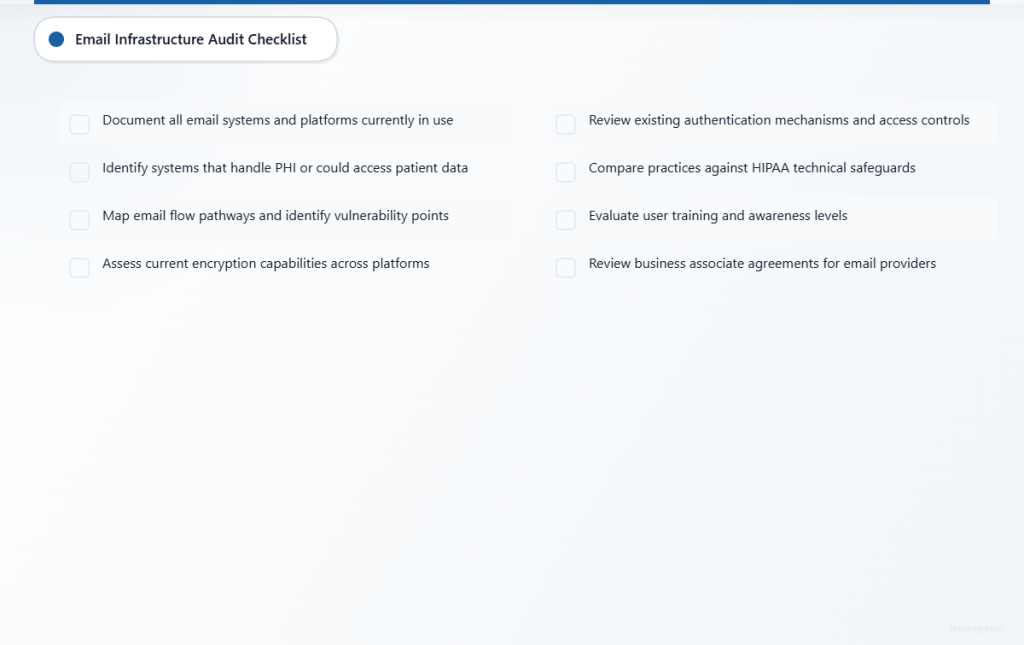
Email Infrastructure Audit
- [ ] Document all email systems and platforms currently in use
- [ ] Identify which systems handle PHI or could potentially access patient data
- [ ] Map email flow pathways and identify potential vulnerability points
- [ ] Assess current encryption capabilities across all email platforms
- [ ] Review existing authentication mechanisms and access controls
Compliance Gap Analysis
- [ ] Compare current practices against HIPAA technical safeguards requirements
- [ ] Identify areas where PHI might be transmitted without adequate protection
- [ ] Evaluate user training and awareness levels regarding secure email practices
- [ ] Assess incident response capabilities for email-related security events
- [ ] Review business associate agreements for email service providers
Risk Assessment Documentation
- [ ] Catalog potential email-based threats specific to your organization
- [ ] Document risk levels associated with current email practices
- [ ] Identify high-risk user groups and communication patterns
- [ ] Evaluate financial and reputational impact of potential breaches
- [ ] Create baseline security metrics for ongoing monitoring
Technical Requirements Assessment
Email Authentication Standards
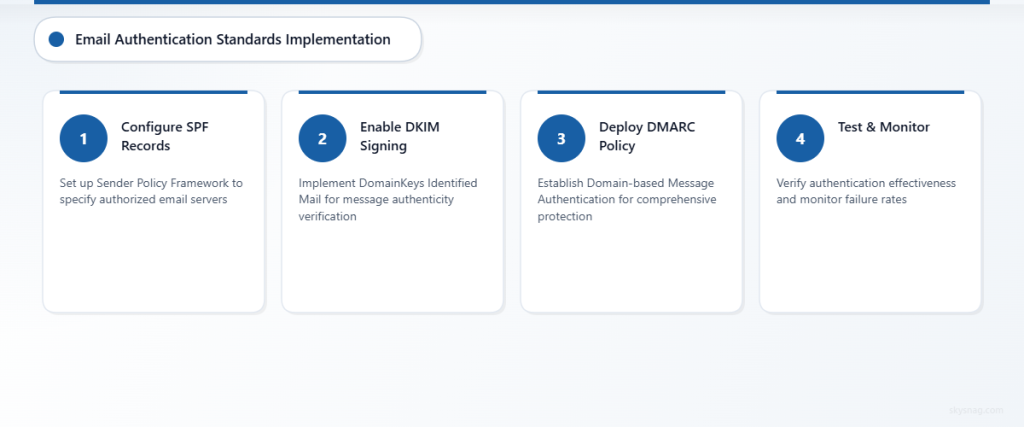
- [ ] Verify SPF (Sender Policy Framework) records are properly configured
- [ ] Confirm DKIM (DomainKeys Identified Mail) signing is active for all domains
- [ ] Implement DMARC (Domain-based Message Authentication, Reporting and Conformance) policy
- [ ] Test authentication effectiveness using email security tools
- [ ] Monitor authentication failure rates and investigate anomalies
Encryption Capabilities
- [ ] Evaluate end-to-end encryption options for PHI communications
- [ ] Test Transport Layer Security (TLS) implementation for email in transit
- [ ] Assess at-rest encryption for stored email messages
- [ ] Verify encryption key management practices meet HIPAA standards
- [ ] Document encryption methods and maintain evidence of implementation
III. HIPAA Email Security Action Plan
Immediate Actions (Week 1-2)
Enable Basic Email Authentication
Configure SPF, DKIM, and DMARC records to prevent email spoofing and establish sender legitimacy. These foundational security measures protect against phishing attacks that could compromise patient data or trick staff into revealing sensitive information.
Implement Email Encryption Solutions
Deploy email encryption technology that automatically encrypts messages containing PHI. Solutions should include both automatic detection of sensitive content and user-initiated encryption options for maximum flexibility and security coverage.
Update Business Associate Agreements
Review and update agreements with email service providers to ensure they include appropriate HIPAA compliance language, security requirements, and breach notification procedures. All third-party email services must sign business associate agreements before handling PHI.
Short-term Actions (Month 1)
Deploy Advanced Threat Protection
Implement advanced email security solutions that provide real-time threat detection, sandboxing for suspicious attachments, and URL protection to prevent staff from accessing malicious links that could compromise systems or data.
Establish Email Security Policies
Develop comprehensive email security policies that clearly define acceptable use, PHI handling procedures, encryption requirements, and incident reporting obligations. Policies should be specific, actionable, and regularly updated to address emerging threats.
Conduct Security Awareness Training
Provide targeted training for all staff members who handle email communications, focusing on PHI identification, proper encryption usage, phishing recognition, and incident response procedures. Training should be role-specific and include practical exercises.
Long-term Actions (Months 2-6)
Implement Email Archiving and eDiscovery
Deploy compliant email archiving solutions that maintain message integrity, support legal holds, and provide robust search capabilities while maintaining HIPAA security standards throughout the data lifecycle.
Establish Continuous Monitoring
Implement automated monitoring systems that track email security metrics, identify potential compliance violations, and generate reports for ongoing risk assessment and regulatory compliance documentation.
Regular Compliance Audits
Schedule quarterly internal audits of email security practices, including policy compliance reviews, technical security assessments, and staff training effectiveness evaluations to ensure ongoing HIPAA compliance.
IV. Automate HIPAA Email Security Compliance
Modern healthcare organizations require automated email security solutions that provide comprehensive protection without disrupting clinical workflows. Skysnag Protect offers healthcare-specific email security automation that addresses HIPAA requirements while streamlining compliance management.
Automated Email Authentication
Skysnag Protect automatically configures and maintains SPF, DKIM, and DMARC records, ensuring consistent email authentication without manual DNS management. The platform provides real-time monitoring of authentication status and automatic adjustments to maintain optimal security posture.
Intelligent PHI Detection and Encryption
Advanced content analysis automatically identifies PHI in outgoing emails and applies appropriate encryption based on predefined rules and machine learning algorithms. This automation reduces the risk of human error while ensuring consistent protection of sensitive patient information.
Compliance Reporting and Documentation
Automated compliance reporting generates the documentation required for HIPAA audits, including encryption usage statistics, authentication metrics, and incident response logs. These reports provide clear evidence of due diligence and ongoing compliance efforts.
Integration with Healthcare Workflows
Skysnag Protect integrates seamlessly with popular healthcare communication platforms and EHR systems, providing security without disrupting clinical workflows. The solution supports single sign-on integration and works transparently with existing email clients and mobile devices.
V. Ongoing HIPAA Email Security Management
Monthly Monitoring Tasks
Email Security Metrics Review
- Monitor email authentication success rates and investigate failures
- Review encryption usage statistics and identify gaps in coverage
- Analyze threat detection reports and security incident trends
- Assess user compliance with email security policies
- Update risk assessments based on new threat intelligence
Policy and Procedure Updates
- Review email security policies for necessary updates
- Update staff training materials based on emerging threats
- Refine automated security rules based on operational experience
- Assess effectiveness of current security controls
- Document policy changes and communicate updates to staff
Quarterly Compliance Activities
Comprehensive Security Assessment
- Conduct penetration testing of email systems
- Review business associate agreements for any necessary updates
- Assess compliance with any new HIPAA guidance or regulations
- Evaluate effectiveness of security awareness training programs
- Update incident response procedures based on lessons learned
Audit Preparation and Documentation
- Compile compliance documentation for potential regulatory reviews
- Update security risk assessments and mitigation strategies
- Review and test backup and recovery procedures for email systems
- Validate encryption and authentication configurations
- Prepare summary reports for executive leadership and compliance committees
VI. Key Takeaways
HIPAA email security compliance requires a comprehensive approach combining technical safeguards, administrative controls, and ongoing monitoring. Healthcare organizations must implement robust email authentication, encryption, and threat protection while maintaining detailed documentation and providing regular staff training.
The most critical elements include configuring SPF, DKIM, and DMARC authentication; implementing automatic PHI encryption; establishing clear email security policies; and conducting regular compliance audits. Automation tools significantly reduce the complexity and ongoing maintenance burden of these requirements.
Success in HIPAA email security compliance depends on treating it as an ongoing process rather than a one-time implementation. Regular monitoring, continuous improvement, and adaptation to emerging threats ensure long-term protection of patient data and regulatory compliance.
Organizations should prioritize solutions that provide both comprehensive security and seamless integration with healthcare workflows, ensuring that compliance measures enhance rather than hinder clinical operations and patient care delivery.
Ready to automate your HIPAA email security compliance? Discover how Skysnag Protect can streamline your healthcare email security while ensuring comprehensive HIPAA compliance.